Social Media Content Plan: Build a Calendar You'll Actually Keep
Build a smaller weekly content routine with three lanes, two reusable formats and clear approvals. Keep room for changes without losing assigned work.
Introduction
Social media content plan work often stops at the most expensive point: the ideas are approved, but nobody has the right product sample or a clear filming brief. Then the founder writes a caption on the publish day and calls the system unworkable. We'd fix the handoff before adding another month of ideas.
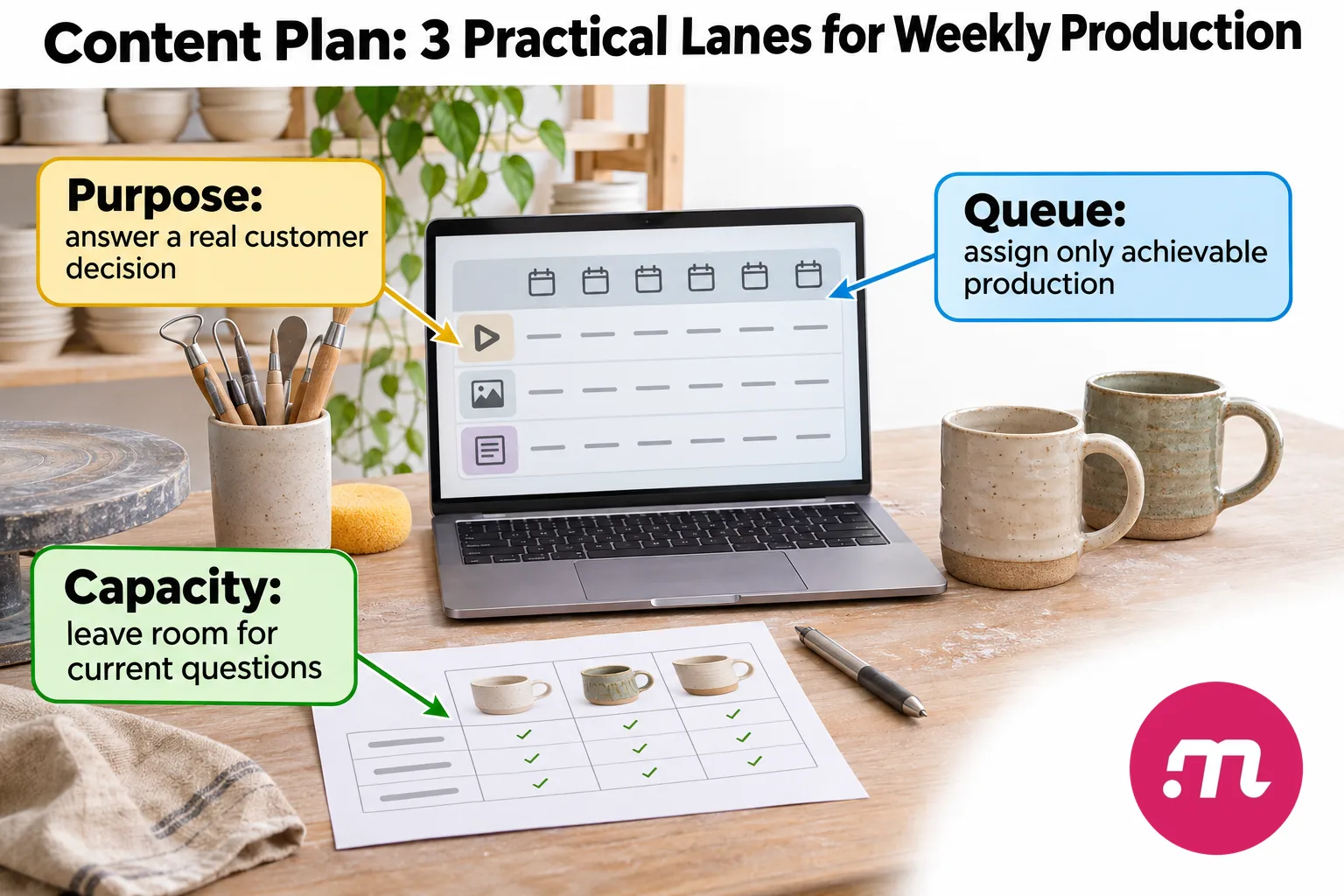
Start smaller. Keep the month's direction, assign the coming week's production and maintain a separate queue for questions you haven't committed to answer yet. The method below uses three content lanes, two reusable formats and a suggested weekly hour. Those are starting limits for an exercise, not posting quotas or promises about reach.
Table of Contents
- 1. Introduction
- 2. Give your social media content plan a useful outcome
- 3. Build lanes from questions you can answer
- 4. Choose two formats you can produce repeatedly
- 5. Make the weekly batching hour concrete
- 6. Leave space without losing production discipline
- 7. Choose a tool after defining the handoffs
- 8. Review whether the social media content plan helped
- 9. Conclusion: keep the next brief achievable
- 10. FAQs
Give your social media content plan a useful outcome
Choose the customer decision
Write down what a customer needs to understand before taking the next step. A Jaipur ceramics studio, for example, might need to explain the difference between two mug shapes. We'll use that imaginary studio throughout this guide; the examples are planning exercises, not reported client results.
Make the comparison useful. If the buyer needs to judge the handle, the creator must show that handle clearly, and your review should inspect the resulting product questions rather than reward an attractive shot that leaves the decision unresolved. A vague instruction to increase engagement doesn't resolve either task.
Connect the plan to the calendar
The plan sets the audience and purpose. A content calendar assigns production and publication. Keep that distinction visible: a full calendar can contain posts with no clear customer job. Our explanation of what a social media strategy is helps settle the direction before you assign dates.
A Reddit thread argues that calendars are dead, while replies defend preparation for shoots and reviews. We wouldn't turn that debate into an algorithm claim. Keep advance planning for work with dependencies, and revise the queue when the facts change. A rigid grid is a workflow choice you can change.
Build lanes from questions you can answer
Try three recurring subjects
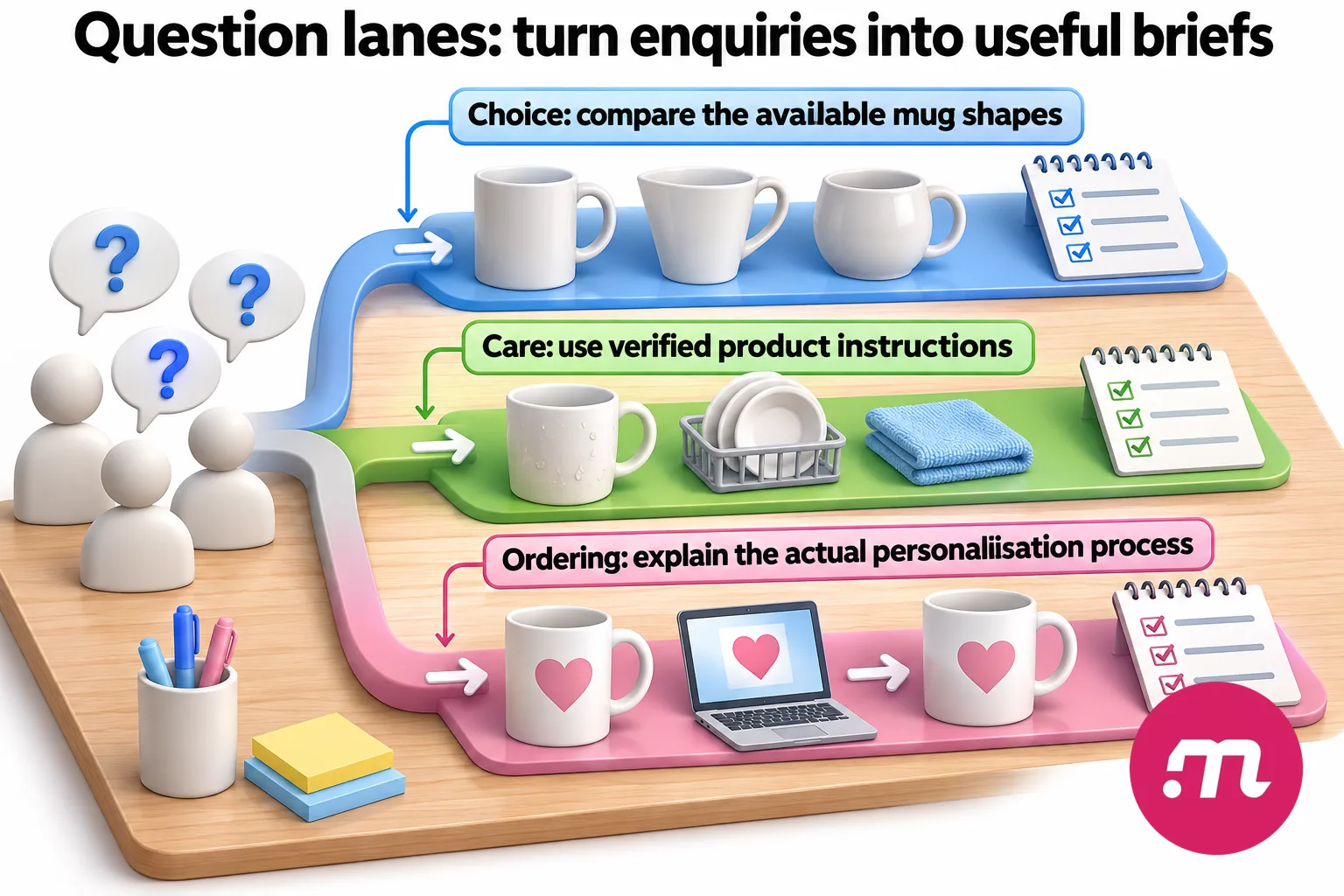
For the ceramics exercise, start with choosing a product, using it and ordering it. These lanes describe customer questions rather than departments. The studio can explain mug shapes, demonstrate a verified care instruction and clarify its actual personalisation process.
Keep the question specific. "Product education" leaves a creator guessing; "show how the handles differ on the available mugs" provides a task. Before assigning it, confirm that the samples and product information exist. Don't ask a designer to invent the evidence.
Keep the angle fresh
A recurring lane doesn't require repeating the same message. A comparison helps someone choose; a care explanation helps an owner use the item. Even if both use the same mug, the brief should name a different question and next action.
Collect real questions between planning sessions. Remove customer names and personal details before sharing notes with creators or AI tools. We'd leave an idea undated until the team can answer it accurately, rather than turn every interesting question into a promise to publish.
The three-lane limit is adjustable. If a lane produces weak briefs, replace it after reviewing the questions your customers actually ask. Keep what helps production. If the creator still has to ask which mug, which angle and which approved fact to use after reading the brief, the lane name hasn't done enough work.
Choose two formats you can produce repeatedly
Match the explanation to the asset
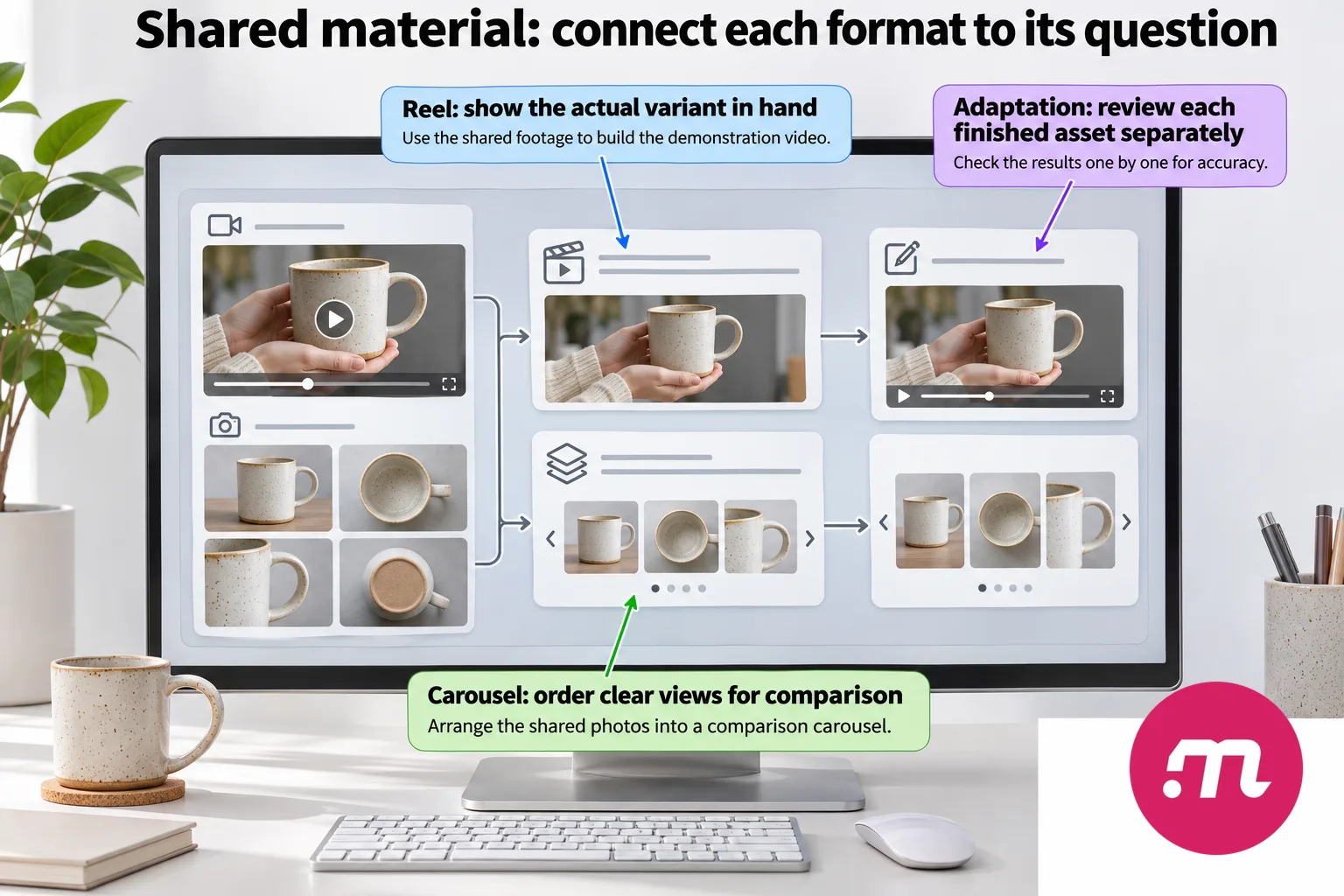
For a small content calendar for Instagram, try a demonstration Reel and an explanatory carousel. A video can show how an object looks in someone's hand. A carousel lets you order a comparison so readers can inspect differences at their own pace.
Choose by the task. We'd use clear photographs and accurate labels for a simple specification comparison, especially when booking a new shoot would delay an explanation that the team already has the material to produce. Equally, a creator needs more than a caption when the brief calls for a moving demonstration.
| Format | Example question | Production brief | Review need |
|---|---|---|---|
| Demonstration Reel | How does this mug look when held? | Film the actual variant beside a familiar object | Confirm the visible item matches the caption |
| Comparison carousel | Which shape should I compare? | Order clear views of the available options | Check names and verified product details |
| Optional Story sequence | How does personalisation work? | Explain the actual ordering steps | Operations approves service wording |
Adapt the material instead of copying blindly
A shared shoot can supply material for different posts, but each finished asset still needs its own review. Select the moment that answers the question, write the opening and check that text remains readable. Don't assume a crop or a new cover makes an old claim current.
Keep grid previews optional. They can help you inspect adjacent visuals, but they can't approve a care claim or confirm that a product is available. We'd spend limited review time on the exact asset and caption before polishing the presentation of the whole month.
Make the weekly batching hour concrete
Bring the inputs before the session
Gather the product facts, customer questions and confirmed business priorities. Name the person who can approve claims. If a photographer needs a sample shipped or a founder needs to record footage, that dependency belongs in the plan before you promise a publish slot.
Use the following hour as a suggested planning and rough-drafting exercise. It is not a measured benchmark for completing a week's edited videos. Some teams will need longer, especially when the material hasn't been collected.
- Use 10 minutes to review questions and choose the week's customer decisions.
- Use 10 minutes to assign lanes and formats.
- Use 20 minutes to write rough briefs, openings and asset requirements.
- Use 10 minutes to assign production and review deadlines.
- Use the final 10 minutes to resolve blockers and check the queue.
Keep a copyable working record
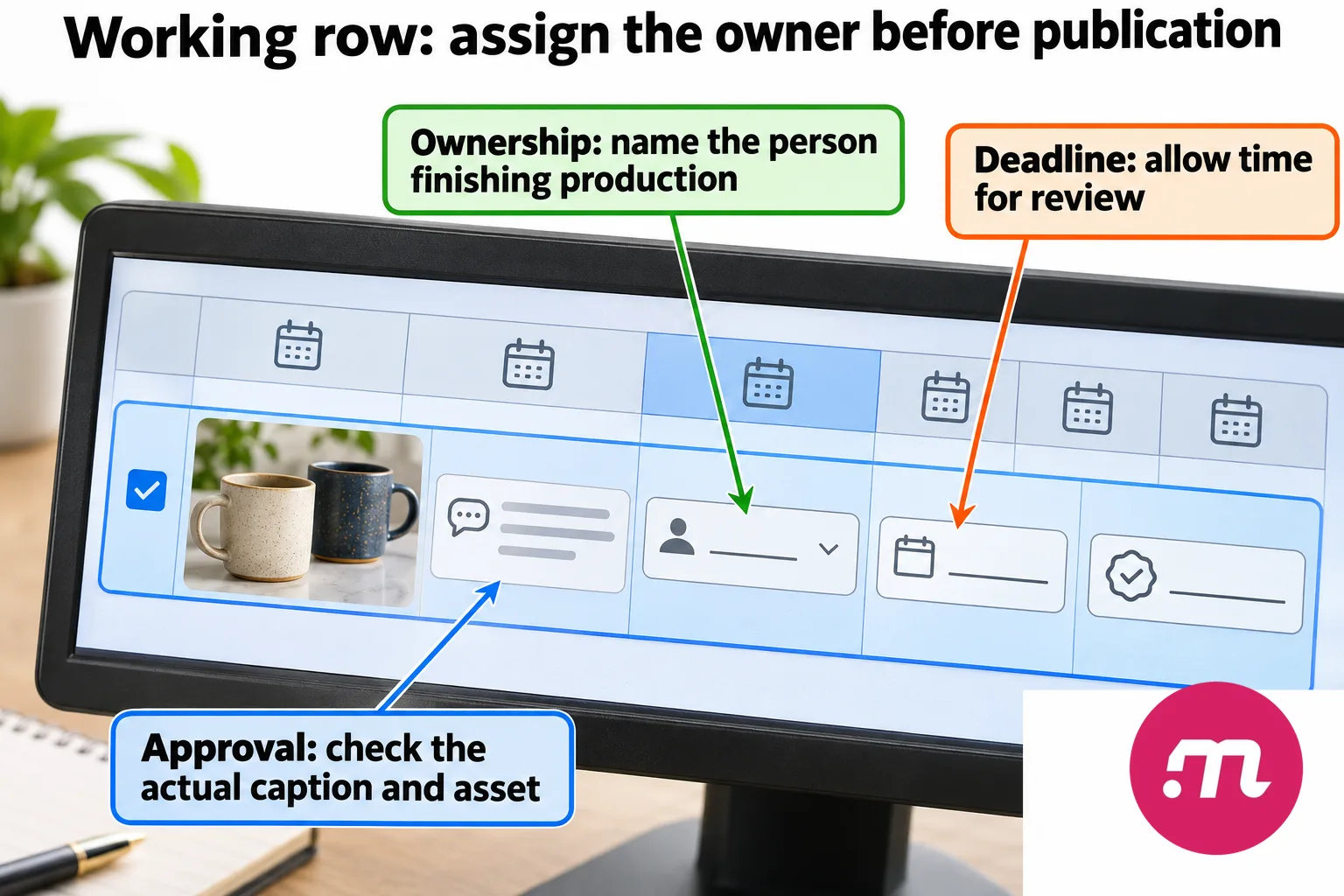
Copy these fields into a blank sheet or database. This is a template you can recreate, not a file download. Fill a complete row before expanding the queue; missing information is easier to spot in a real example than in an empty month.
| Field | What belongs there |
|---|---|
| Audience question and lane | The specific uncertainty the post answers |
| Account, channel and format | Where this finished item will appear |
| Brief and opening | What to show first and why it matters |
| Asset and caption | Correct material version and exact wording |
| Customer action | The appropriate next step or destination |
| Owner and deadlines | Who finishes production, then review and publication dates |
| Status and reviewer | Written decision on the actual material |
| Live item and observation | What appeared and what you learned |
For status cells in Google Sheets, select the cells, choose Insert and then Dropdown. The official dropdown setup instructions explain the available controls. Draft, Review, Changes needed, Ready and Published are useful written options.
Define Ready as approval of the actual asset and wording. Published means someone has checked the live item. We'd keep those separate because an approved draft can still be missed, posted to the wrong account or replaced by an earlier version.
Leave space without losing production discipline
Give reactive work a decision rule
Before replacing a scheduled item, ask whether the new question matters to the audience, whether you can answer it credibly and who can review it. A trend that requires unsupported product claims doesn't deserve a slot simply because other accounts are using it.
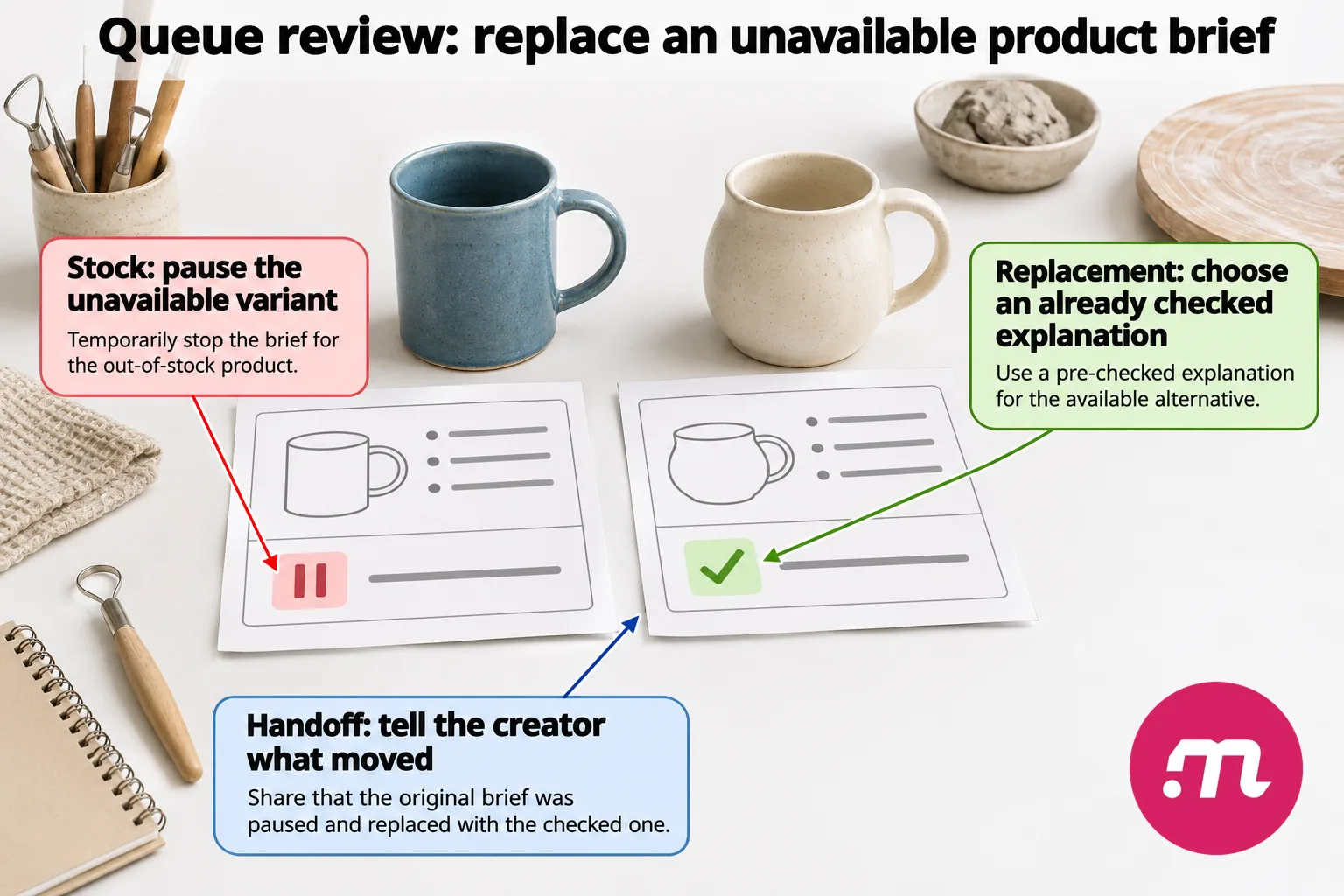
Suppose the studio's blue mug becomes unavailable before a planned comparison. The owner pauses that item and selects an already checked explanation about an available shape. Record what moves and tell the creator. Don't silently substitute a similar mug when colour is the reason someone might buy.
Keep dates and offers factual
A social media calendar 2026 reference can help you identify occasions. The Delhi and New Delhi central government office list records Diwali on 8 November, Guru Nanak's Birthday on 24 November and Christmas on 25 December. It doesn't establish your courier's service or every region's observance.
This guide is prepared in November 2026. Archive earlier campaigns and verify the year before reusing a row. We'd skip an irrelevant festival promotion; an appropriate service notice or a useful evergreen explanation may help your customers more.
For a hypothetical Christmas gifting post, check packaging availability and actual ordering information before design starts. Set the review deadline before publication and the production deadline before review. If the service promise changes, reopen approval even when the picture stays the same.
Make unused capacity intentional
A buffer means you haven't promised all available production time. Its size depends on how often your business needs current updates. There's no universal percentage here. Keep enough room to handle the changes you regularly face without abandoning every assigned brief.
Choose a tool after defining the handoffs
Keep one record of the approved version
Start with the tool your creator and reviewer can maintain. A shared table is often sufficient for the working fields above. If dated cards are easier to scan, the official Notion calendar guide explains the required Date property and adding a Calendar view to an existing database.
For a Canva planning mock-up, arrange dates and asset previews, then place the intended caption beside each item for discussion. Keep the final wording and production deadlines in your working record. We'd avoid maintaining competing versions that both appear approved.
Compare tools against the missing task
Airtable, CoSchedule and OneUp appear in practitioner recommendations, but recommendations aren't evidence that a product supports your exact account and format today. Check current permissions, supported publishing options and plan restrictions before paying or moving the archive.
Test the handoff first. Give the reviewer the actual video with its caption, then ask the creator to find the next deadline without help from the founder. Can each person finish that task? If those tasks are unclear, another calendar view won't settle them. Mommantum's social media marketing support can help coordinate the production decisions behind the schedule.
Use AI for rough angles or alternative openings from anonymised notes. Keep its suggestions in Draft. We'd retain human checks for product facts and language suitability, including the actual final Hindi or regional-language wording rather than an English summary of a different caption.
Review whether the social media content plan helped
Track the action the brief asked for
For the mug comparison, inspect relevant product visits and questions about the options. For an ordering explanation, look for the confusion that still appears in enquiries. Likes can be useful context, but they don't establish a purchase or prove that someone understood the product.
Where a clickable destination supports tracking, Google's campaign URL guidance recommends using utm_source, utm_medium and utm_campaign. For this hypothetical exercise, values could be instagram, organic_social and mug_comparison. Agree a naming convention and test the link; tagging doesn't establish incremental sales.
Change the next brief, not just the report
Define the completed action and denominator when reporting conversion rate. Keep paid and organic reporting distinct. ROAS needs attributed revenue and advertising spend under a stated method; a neat calendar doesn't supply either. Record outside production costs in rupees and staff time when those inputs help you decide what to repeat.
- Check that the live item matches approved material.
- Carry a useful customer question into the next session.
- Fix the dependency behind a missed deadline.
- Remove an expired offer from queued posts.
We'd reduce the queue if the same approvals keep failing. Adding more briefs to a blocked workflow creates a larger backlog. Review comparable periods and record the observation you can defend before calling any format a winner.
Conclusion: keep the next brief achievable
Choose customer questions you can answer, reuse formats that suit the explanation and assign the work before committing dates. Keep the month's direction light enough to change when stock or priorities move. A calendar is worth maintaining when people can find the next task and approved version.
For help turning that content calendar for social media into a weekly routine, explore Mommantum's social media services and book a free strategy call. Bring an unfinished brief and the handoff delaying it. Start there.
Frequently Asked Questions
Key takeaways and practical details on this topic.
Make a social media content plan by choosing the customer decision you want to support, then assigning questions, formats and production. Try three lanes and two reusable formats as starting limits. Use the weekly session to write specific briefs with owners and deadlines, while keeping uncommitted ideas outside the publishing queue.
Make a social media content calendar by giving each committed post a brief, account, format, material version, owner and review deadline. Keep the publication slot separate from production. Start with a complete row for the next week, and mark Published only after checking the live item against its approved version.
A content calendar should include the audience question, placement, production brief, caption, asset, intended action, owner, deadlines and written approval status. Add the live item and useful observation after publication. A field earns its place when it helps someone finish or review the work; decorative detail can wait.
Plan social media content on Canva by arranging a visual mock-up of dates and asset previews with the intended captions for discussion. Keep the approved wording and production deadlines in one working record. A visual preview helps review sequence, but it doesn't confirm product information, stock or the exact service promise.
For 2026 India festival planning, verify the year and local context before turning an occasion into a brief. The Delhi central government office list records Diwali on 8 November and Christmas on 25 December. Treat those as references, confirm your own operations separately and archive campaigns whose dates or offers have passed.
Plan fixed events and production dependencies ahead, while assigning more detailed briefs for the next working week. The deciding factors are sample access, creator capacity and review time. Keep room for relevant current questions and record which item moves when you change the queue, rather than silently adding more production.
Update your social media content plan during the weekly working session and whenever a material fact changes. Stock, product wording or an expired offer can require immediate review before publication. Use the monthly direction to guide priorities, but don't keep an inaccurate approved post merely because it occupies a planned slot.
Measure a content plan against the customer action named in each brief, then use the observation to change the next assignment. Inspect relevant visits or product questions for a comparison post. Define conversion rate and any paid revenue attribution separately; likes or a complete grid don't establish a sales result.
Keep your brand's planning session manageable by collecting customer questions beforehand and committing only the next achievable briefs. The three lanes and two formats in this guide are adjustable workload limits. Leave other ideas undated, and use the suggested hour for planning and rough drafting rather than promising finished video production.
Keep your local business's monthly priorities visible, but assign production in a smaller weekly queue with room for current information. When a new question replaces an item, tell its owner what moved and why. Advance preparation still matters for footage and approval; flexibility doesn't require making every decision on publication day.
Retain planned posts that need samples, filming or review, and assess trends against your audience's actual questions. A practitioner argument about rigid grids isn't proof that planning damages distribution. Ask your agency to explain the replacement brief, its reviewer and the work being displaced before cancelling an accurate, useful item.
Choose tools for your first client by testing the missing task before buying software. A sheet can coordinate briefs and approvals; a scheduler may address repeated publishing work if its current account and format support fits. Test a real caption and asset together, then compare whether the next owner and deadline are easier to find.
Ready to implement this for your brand?
Connect with our Jaipur growth studio to turn these strategies into revenue for your D2C or ecommerce business.