Reels Video: 7 Practical Steps For Indian Brands To Plan Clear Scripts, Film Product Proof, Edit With AI Support And Review Customer Actions Before Spending More On Their Next Content Shoot
Plan a Reel around a customer question, film evidence and review the next action. A practical production guide for Indian brands.
Introduction
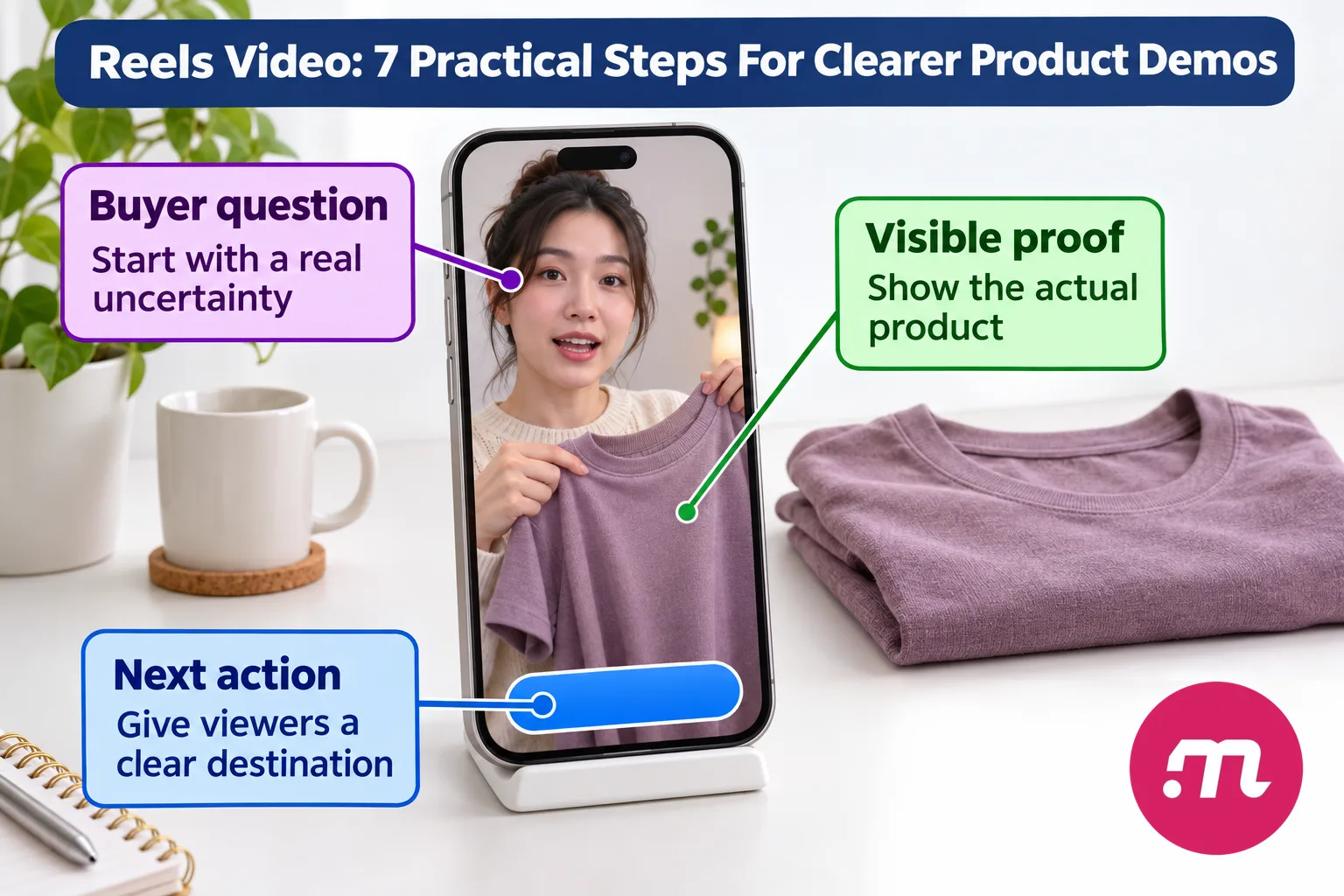
Reels video production gets expensive when your team films first and decides what to say afterwards. You end up with attractive footage, several rounds of edits and no clear reason for a customer to act. Start with a buying question. Show the answer. Give the viewer a useful next step.
For an Indian D2C brand, that question might concern garment fit, delivery coverage or what arrives in the parcel. A local food business needs a different answer: what the dish looks like and where someone can order it. We recommend a repeatable production workflow before a larger content calendar. Better decisions during planning reduce avoidable editing work.
Table of Contents
- 1. Introduction
- 2. Reels video planning starts with the buyer
- 3. Build a reels video script before the shoot
- 4. Film footage your editor can actually use
- 5. Edit for understanding before adding effects
- 6. Use AI for drafts, then check the product
- 7. Separate saved inspiration from reusable files
- 8. Review business outcomes before making more
- 9. Conclusion: give your next Reel a specific job
- 10. FAQs
Reels video planning starts with the buyer
Choose the question and the action
Pick a question your sales or support team actually hears. A clothing label could answer, "Does this fabric show through in daylight?" That gives the camera operator a specific job: film the garment in representative light, with a view that makes the answer visible. "Create something engaging" gives them almost nothing.
Choose one next action. A fit demonstration can send viewers to the size guide; a local menu clip can invite an order enquiry. We prefer a narrow objective because it makes approval easier. Everyone can ask whether the edit answers the question, rather than argue over personal taste.
Match the format to the evidence
Use the simplest format that can prove your point. A founder speaking to camera is useful for explaining a decision, but a physical demonstration is stronger when a customer needs to see how something works.
| Customer uncertainty | Useful footage | Trade-off to accept |
|---|---|---|
| Will this fit? | Movement and garment measurements | More preparation than a flat photograph |
| What arrives? | Actual parcel opening | Less control over the presentation |
| Where can I buy? | Store approach and entrance | Location details need regular checking |
| Why this price? | Material or construction detail | Requires a claim you can demonstrate |
Our social media planning work connects that choice to the wider calendar. A useful explanation deserves a place even when it doesn't fit the week's trending sound.
Build a reels video script before the shoot
Put the answer near the opening
A hook gives someone a reason to keep watching. It doesn't need a dramatic claim. Start the fit example with the garment moving in daylight. The spoken line can name the uncertainty immediately. Avoid a long greeting or an opening that promises a result the footage cannot support.
Creator discussions about hooks often compare wording while ignoring the image shown underneath it. Test both deliberately. An interesting sentence over unrelated packaging footage still makes viewers work to understand the product.
Keep the language close to a real conversation. If customers ask about lining in Hindi, a natural Hindi explanation with checked English subtitles may be more useful than a formal English sales pitch. Ask the person who handles enquiries to read the script aloud. An awkward phrase becomes obvious when someone has to say it.
Write a shootable sequence
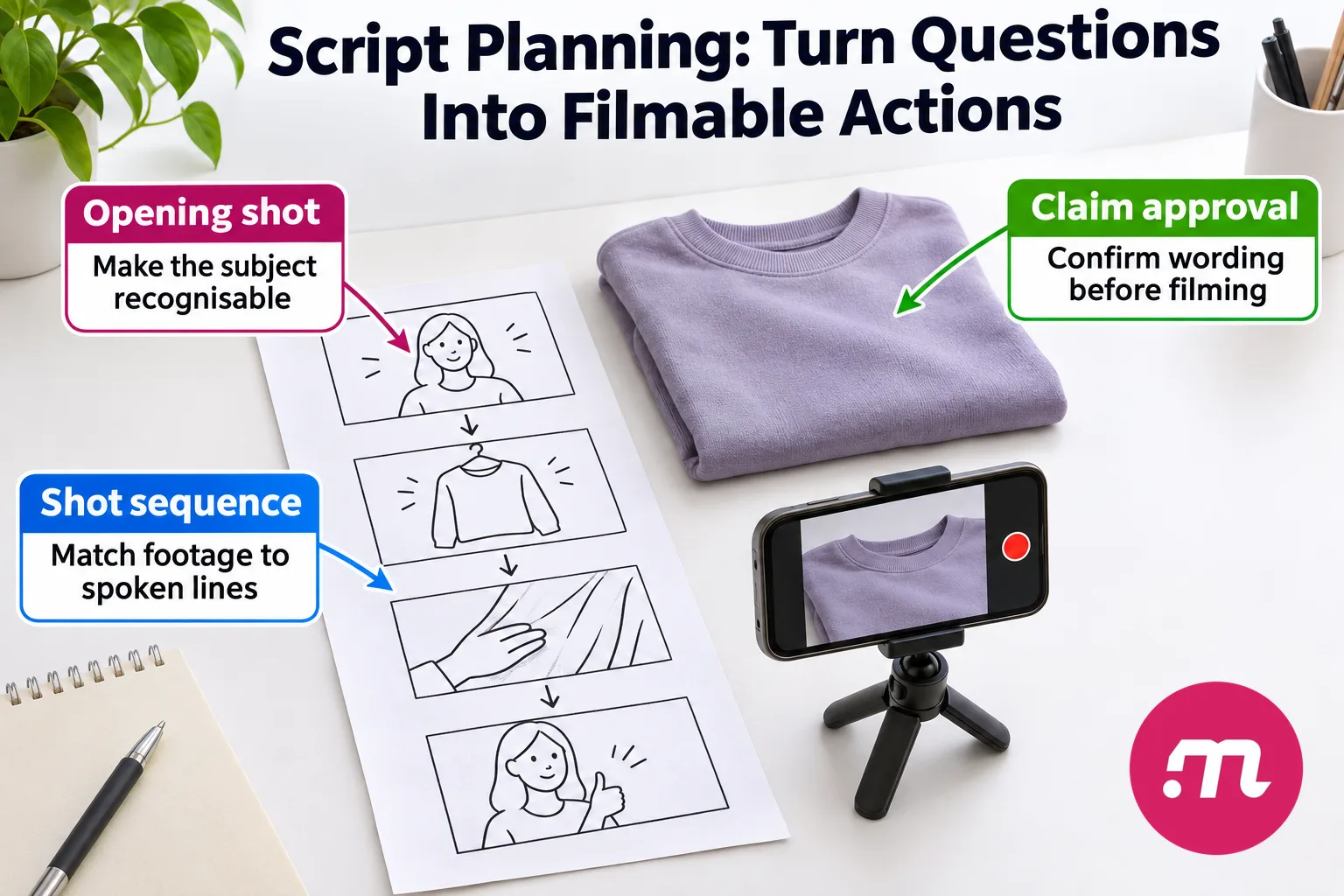
- Write the customer question in their own language.
- Choose the opening shot that makes the subject recognisable.
- List the proof you need to film.
- Write the spoken explanation beside each shot.
- Add the next action and its destination.
- Ask the product owner to approve the claims before filming.
For a Jaipur clothing shop, the sequence could show a sleeve in movement, a closer view of the lining, then the full outfit. The final line can direct viewers to ask for available sizes. This is a proposed example, not a reported campaign result.
Keep an alternative opening in the brief. Reusing the same demonstration with a different opening is cheaper than assembling an entirely new shoot just to discover which question attracts a more relevant audience. Don't change the offer at the same time.
Film footage your editor can actually use
Make the demonstration easy to judge
Clean the lens first. Stabilise the phone and check the light on the subject. Shoot for a vertical phone screen and leave room around the product for captions and interface controls. Review a sample on an actual phone before you finish the setup. Tiny details that look readable on a monitor may disappear in the feed.
Keep the demonstration fair. For a fabric comparison, use similar lighting and camera distance. If the edited clip changes the appearance enough to misrepresent the product, a polished video has become a customer service problem. We would accept a plainer shot with reliable colour over a dramatic filter.
Capture enough context for a clear edit
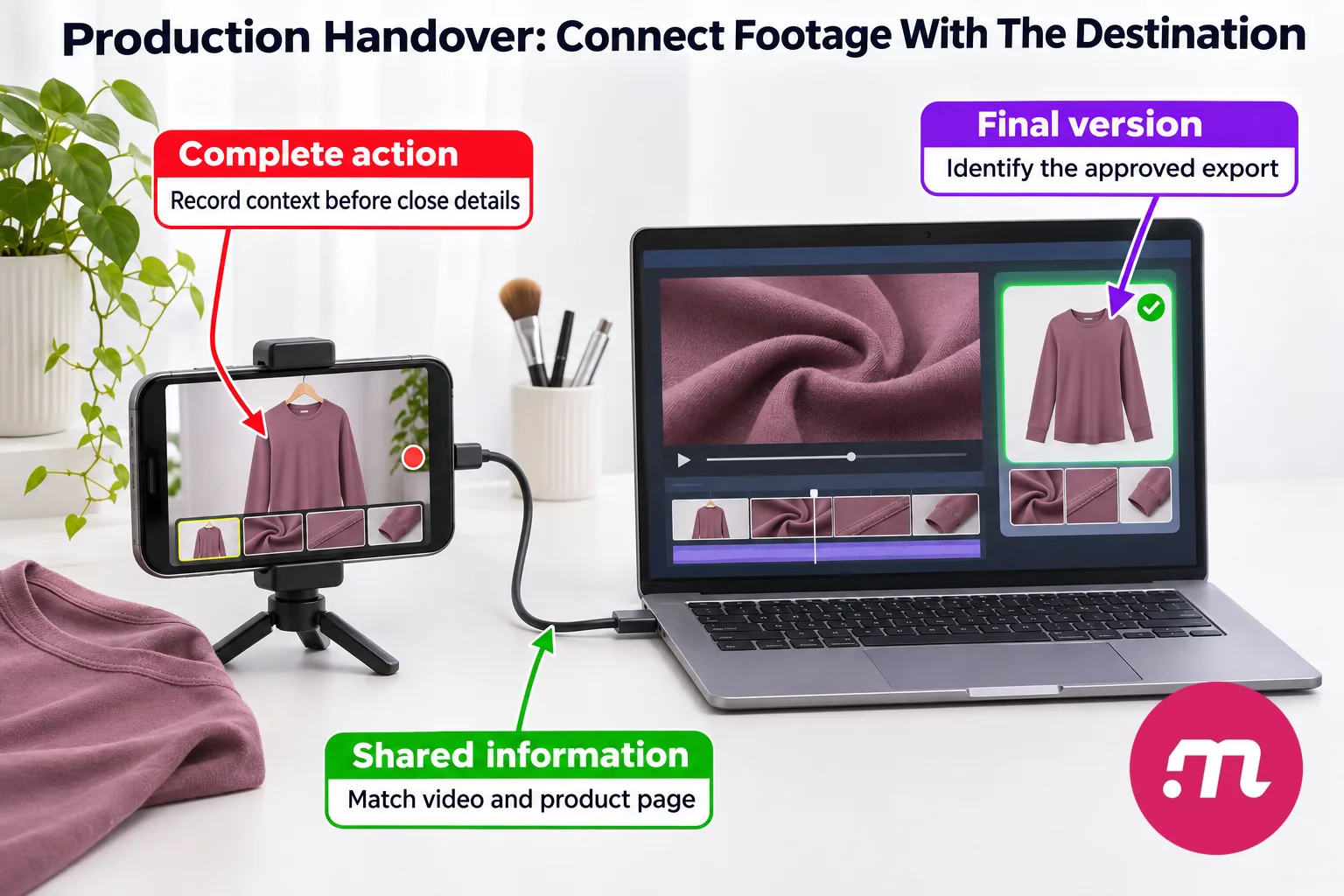
Record the complete action before filming closer details. An editor can then show where a part belongs instead of cutting between attractive fragments that don't explain anything. Give each take a recognisable name and mark the approved version in the handover notes.
Listen before packing up. A ceiling fan or street traffic can bury the explanation even when the picture looks fine. Move the speaker or record a separate voiceover if necessary. Ask before recording customers or staff, and keep sensitive order details outside the frame.
Check the destination too. If the video promises an available size, the linked product page and the person handling messages need the same information. Filming and fulfilment are connected: a persuasive edit cannot fix an unavailable product or an unanswered enquiry.
Edit for understanding before adding effects
Choose a tool around the job
Instagram's editor can suit a quick post. A separate editing app is useful when you need a reusable project and a more controlled handover. Meta's Edits announcement describes storyboards, timeline editing and export without added watermarks. Those capabilities support revisions; they don't guarantee distribution.
Adobe Express's Reel editor supports trimming, scene rearrangement, voiceover and MP4 export. Choose according to your team's actual task. A template can save setup time, but replacing its text doesn't automatically give your product a convincing story.
Review the cut with sound off
Remove repeated sentences and pauses that delay the answer. Keep enough time for viewers to inspect the proof. Fast cutting is a choice, not a rule; a moving garment or a small construction detail may need a steadier shot.
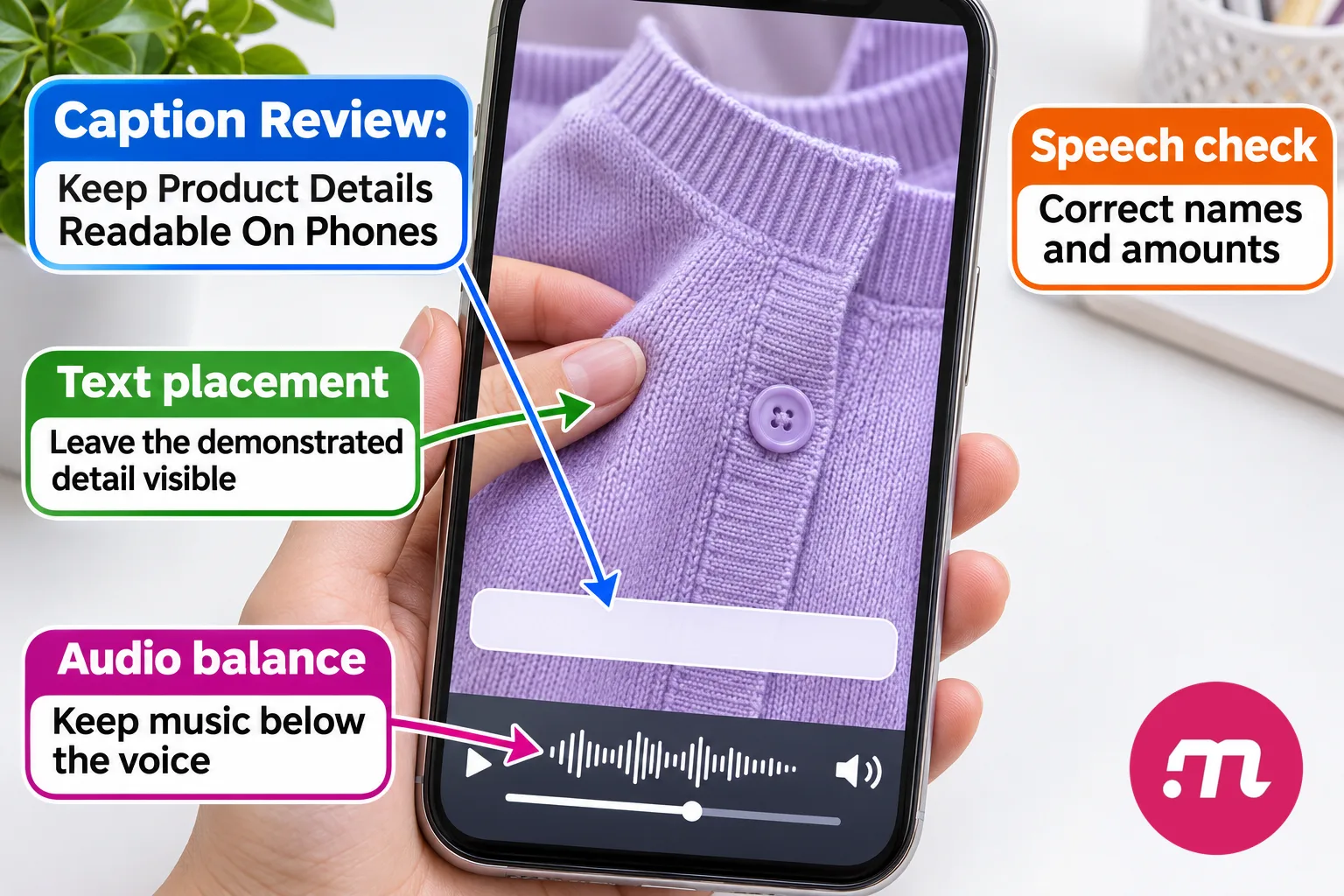
Add captions, then read every line. Correct product names, prices and mixed Hindi-English speech manually. Position text away from the detail it explains and inspect the preview with the app's controls visible. A muted review should still communicate the subject and the next action.
Music should support the voice rather than cover it. Check that your intended use is permitted, especially before repurposing an organic post as an advertisement. Access to a track inside an app isn't a useful substitute for checking the conditions of your particular use.
Use AI for drafts, then check the product
Give the assistant a bounded brief
If your search is "ai se reels kaise banaye", begin with your own product information and approved footage. Ask an assistant for alternative scripts based on the buyer question, available shots and the action you want. Specify which claims are allowed and which details it must leave out.
Ask for an opening you can film. An unhelpful request asks for a viral script with no information about the buyer. We prefer fewer usable ideas over a long list of generic hooks.
Keep verification with a person
Compare the draft against the product page and the actual item. Generated footage can invent a texture, movement or result. Don't use it as evidence that a physical product performs a particular way. When an imagined scene helps explain a concept, keep its role clear instead of presenting it as customer proof.
Assign someone to check the finished export, not merely the script. Captions can introduce a wrong price after the copy was approved; a reused clip can show an old package. Our answers about creative production and revisions explain how planning and editing fit together.
Keep a short approval record with the chosen footage, final wording and the person responsible. It may feel slower on the first post. It saves the next editor from guessing which version the founder approved.
Separate saved inspiration from reusable files
Know what you mean by saving
"How to save reels from Instagram" can mean bookmarking inspiration, retaining a draft or keeping a finished video file. These are different jobs. For an Instagram Reels save used as inspiration, use the app's Save option where available and record why the example is useful. A bookmark is a reference, not your production master.
For your own work, keep the original clips, editable project and approved export together. Don't depend on a phone draft as the only copy. Download controls for other people's Reels can vary, and a downloaded file doesn't give you permission to reuse their content.
Make the handover understandable
Name versions clearly and identify the final export. Include the caption, cover choice and action destination alongside it. If an agency changes staff or the founder switches phones, the next person should still be able to understand what was approved.
- Keep the product claim and its supporting footage together.
- Store permission and music-use details with the project.
- Check that the final caption matches the video.
- Preview the export before handing it over.
We recommend keeping a clean export for future editing rather than rebuilding from a downloaded social post. This adds a little file management, but it reduces the risk of publishing an outdated caption or compressing the same clip repeatedly.
Review business outcomes before making more
Use the dashboard as a diagnostic tool
People searching for an "Instagram Reels dashboard link" usually need the account's professional tools rather than a random third-party login page. Meta places its Best Practices guidance in the professional dashboard, with advice covering creation, engagement and reach. Use the tools and definitions shown in your own account; availability can change.
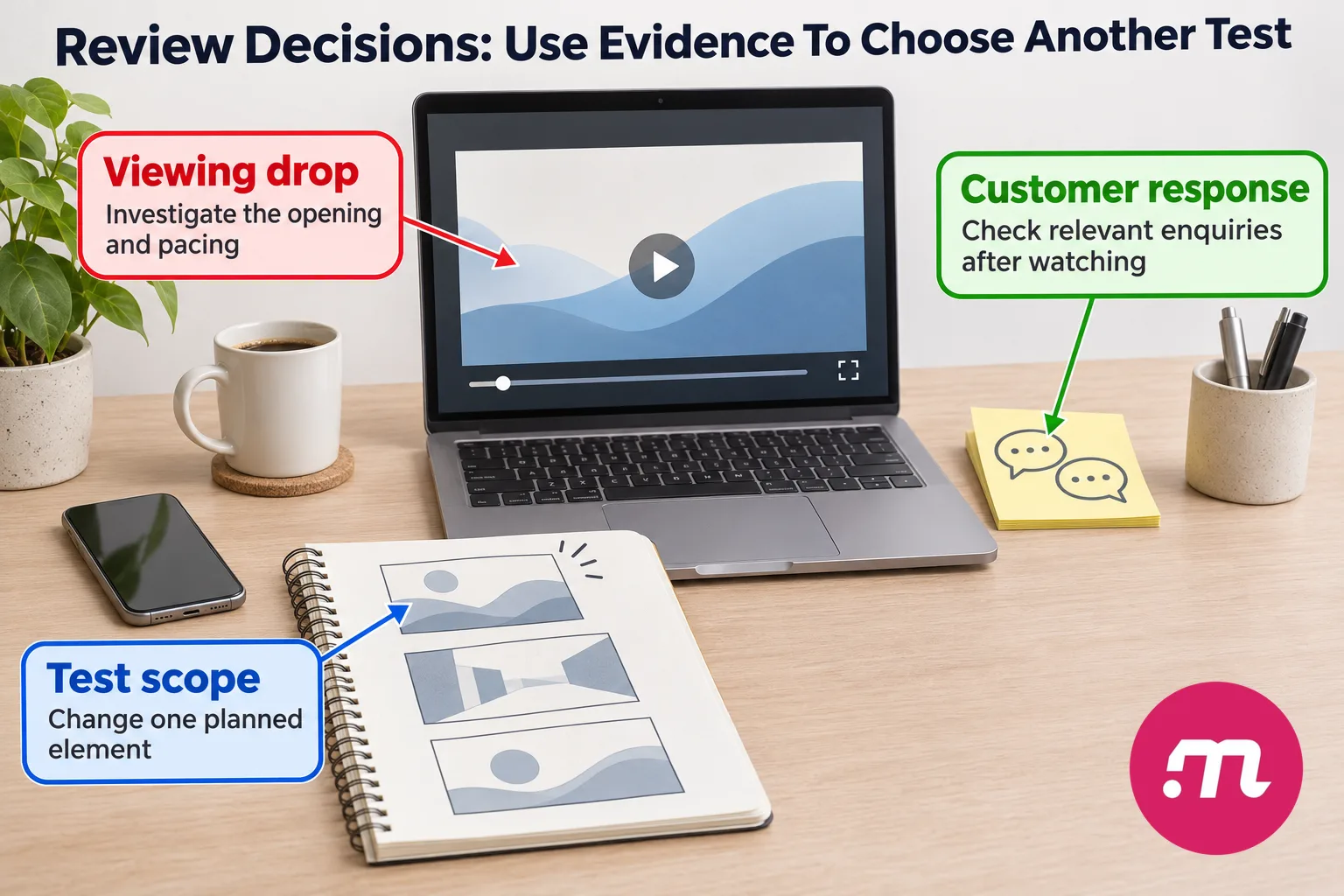
Review viewing behaviour alongside the action the post was meant to support. If viewers leave before the demonstration, investigate the opening and pacing. If they watch but don't enquire, check the relevance of the offer and the clarity of the next step. Views alone cannot tell you which problem you have.
Write down a review date before release. Give comparable posts a similar observation window, and note any promotion or stock change that could affect the response. A clip posted during a sale isn't directly comparable with a full-price product explanation. Use the review to decide what to film next.
Keep production and acquisition costs separate
Record editing and filming costs even for organic posts. If you later promote a Reel, separate production spend from media spend. Calculate customer acquisition cost using the cost scope you have stated and actual new customers; report paid return on ad spend separately from organic orders.
Our Urban Vada Pav case study reports daily footfall rising from 40 to 210. That was a combined marketing programme. It doesn't establish that a particular Reel caused the increase. We wouldn't use it to promise a result for your next video.
Choose the next test from the weakest observable step. Keep the product, offer and destination stable when comparing openings. Organic comparisons are directional because audiences and distribution differ; they aren't controlled experiments. Save what you learnt beside the creative so your team doesn't repeat the same argument next month.
Conclusion: give your next Reel a specific job
Choose a customer question you can answer with footage you already own. Write the demonstration before booking more filming, agree the next action and make someone responsible for checking the final export. A clear brief gives your editor something concrete to improve.
Then review what viewers and customers actually did. If you want help connecting the brief, production and reporting, book a free strategy call through our social media marketing service. Bring a recent Reel and the customer question it was supposed to answer.
Frequently Asked Questions
Key takeaways and practical details on this topic.
A photo Reel combines still images on a video timeline with an audio track. Choose photos that explain a sequence, adjust their duration and preview the result on a phone. Check that your music is permitted for the intended use. For a product demonstration, stills may leave important movement or handling questions unanswered.
The best Reel editor is the one that fits your production and revision needs. Instagram can handle a quick post, while Edits or Adobe Express can support a separate editing workflow. Before choosing, try importing your footage, correcting captions and exporting a sample. Check the handover process rather than choosing by the number of effects.
Creating a Reel on iPhone starts with recording or selecting footage and arranging it in a Reel editor. You can prepare the edit outside Instagram and then review it in the app. Check the current controls on your version, inspect caption placement and keep a copy of your original footage before sharing.
A good product Reel answers a recognisable customer question with evidence the viewer can judge. Put the subject near the opening, show the demonstration clearly and choose a relevant next action. Review the cut without sound, then with sound. We would prioritise accurate product colour and understandable speech over an elaborate transition.
Reel captions can be generated in a supported editor and corrected before export or sharing. Read the transcription yourself, especially product names, amounts and mixed Hindi-English speech. Preview captions on a phone with the interface visible. Keep them away from the detail you are demonstrating, and check that muted viewers can follow the message.
Adobe Express works through supported, updated web browsers; check Adobe's current requirements if your editor fails to load. For a team workflow, test your actual browser with a small video project before committing a shoot to it. Confirm that importing footage, recording audio and exporting the finished file work on the computer you will use.
Adding music to a Reel means placing a permitted audio track alongside the video and balancing it against speech. Adobe Express supports uploading audio through its media controls, and Instagram has its own audio tools. Listen to the final export on a phone. Check usage conditions before using the same track in paid advertising.
Making a Reel from videos starts with importing your clips, choosing their order and trimming material that delays the answer. Keep the complete demonstration understandable before adding closer shots or text. Then correct captions and check the next action. Save the original clips and editable project separately from the approved export.
Your next Reel opening should name a customer uncertainty and show the product evidence that answers it. Start with questions from sales messages rather than copying a hook from an unrelated niche. Record an alternative opening around the same demonstration, then compare the response cautiously. Organic distribution differences mean the comparison cannot prove that wording alone caused a change.
A useful hook test changes one planned element while keeping the demonstration and offer stable. Start with either the opening shot or its wording, and record what changed. Review each version over a similar observation window. Organic posts reach different audiences, so treat the result as a reason for the next test rather than a controlled causal finding.
A small business should choose a posting plan it can sustain while answering real buyer questions accurately. Copying another account's frequency doesn't reproduce its audience or offer. Start with the footage and review capacity you have, then inspect enquiries alongside viewing behaviour. Add production volume when you can explain which ideas deserve more effort.
Another creator's hook results are useful as hypotheses for your own audience, not as guaranteed targets. Identify the underlying idea, such as showing a problem before explaining it, and film your own evidence. Keep the original content out of your edit unless reuse is permitted. Compare customer relevance as well as the viewing response.
Ready to implement this for your brand?
Connect with our Jaipur growth studio to turn these strategies into revenue for your D2C or ecommerce business.