Instagram Calendar Template: Free Google Sheets Planner (2026)
Copy an Instagram planner with fields for briefs, deadlines and approval. Use the filled week to plan Reels, carousels and Stories your team can actually make.
Introduction
Instagram calendar template searches shouldn't leave you with a beautiful grid and no idea what to write. A useful planner tells you what to film, what the designer needs and which customer question the post should answer. If it only contains dates, you still have to work out the filming brief and caption on publication day.
We'd build a small Google Sheets planner around one working week. Copy the fields below, use the filled example as a guide and keep unfinished ideas nearby. You don't need to buy a scheduler or give us an email address to use this structure. You do need time to create, check and publish the content.
Table of Contents
- 1. Introduction
- 2. What your Instagram calendar template needs
- 3. Copy the Instagram calendar template into Sheets
- 4. Set up status labels and a small weekly system
- 5. A filled week for Reels, carousels and Stories
- 6. Map India dates to useful 2026 post slots
- 7. Choose a planner you can keep using
- 8. Review outcomes and remove recurring blockers
- 9. Conclusion: start with a week you can finish
- 10. FAQs
What your Instagram calendar template needs
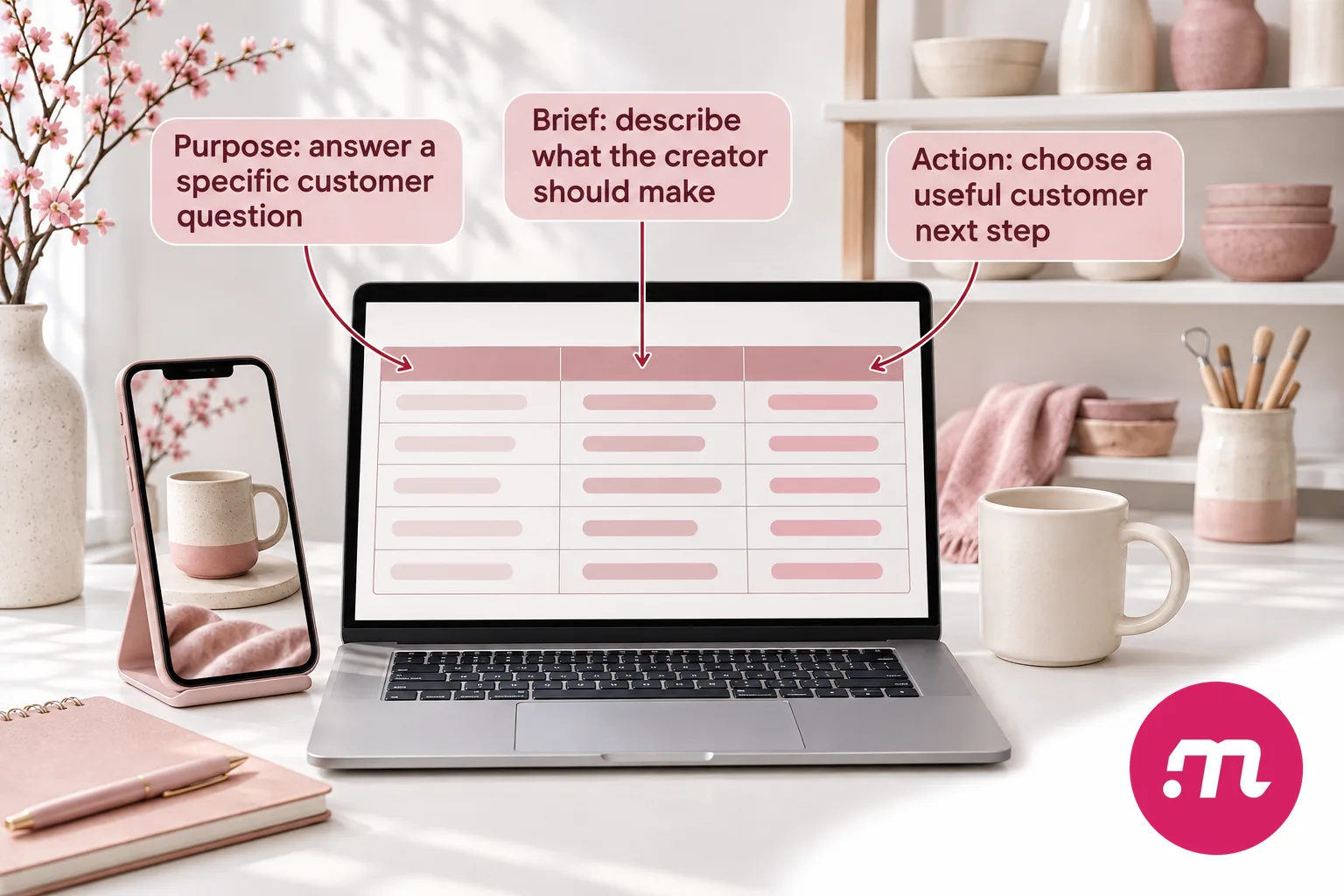
Give each entry a production brief
Start with the post's purpose, then decide how to explain it. For an illustrative Jaipur ceramics shop, a customer might want to judge a mug's size before ordering. "Show the mug held in a hand beside a familiar object" gives the creator something to photograph. "Post about our mugs" doesn't.
Record the format, required material and next customer action. A Reel might need a demonstration shot; a carousel needs an ordered explanation. A Story sequence needs its own brief too, even when it reuses footage. Don't assume the person publishing can infer all of that from a topic.
Keep approval separate from the date
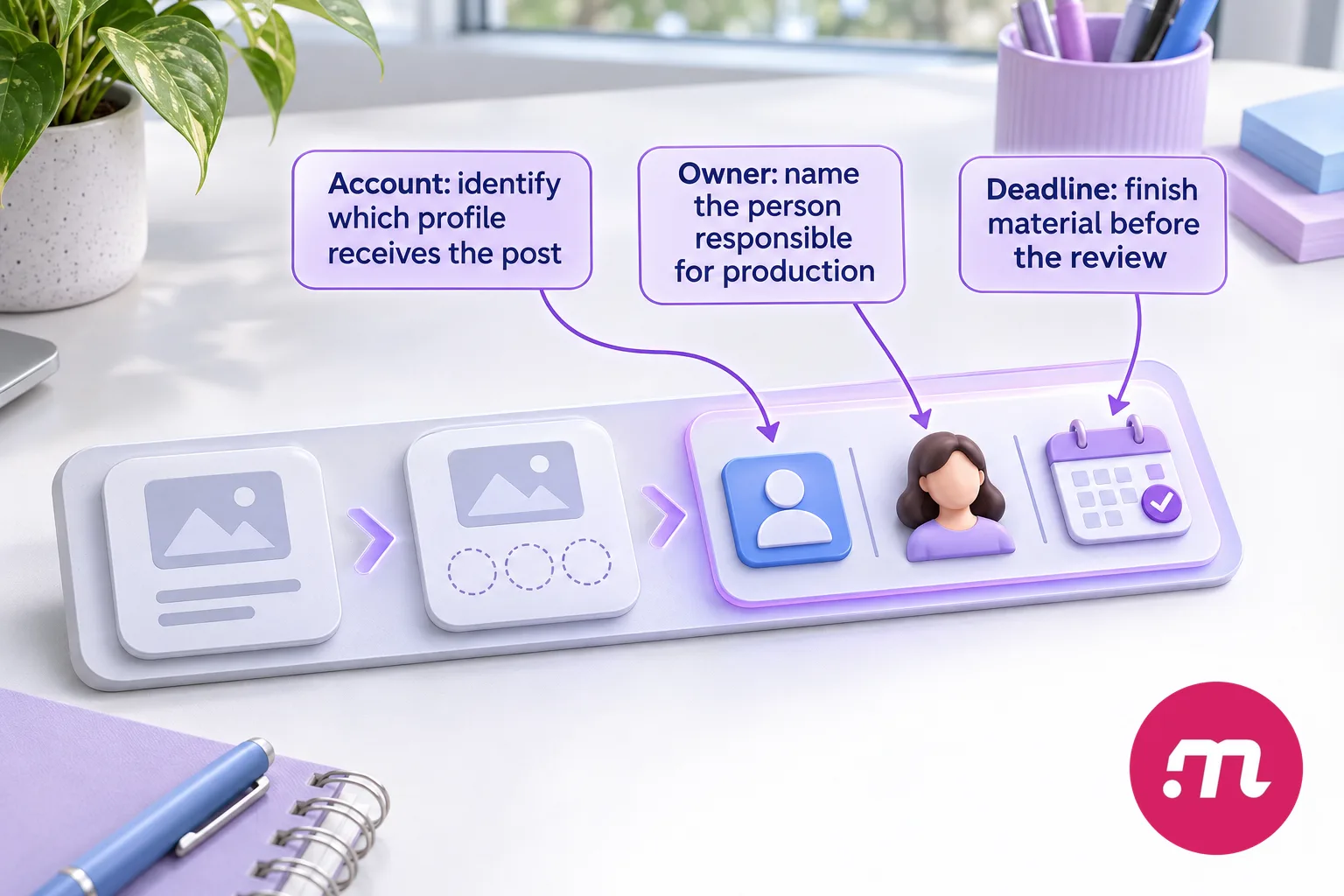
A planned date means you've reserved a slot, not that the work is ready. Include an owner, an asset deadline and an approval status. Mark Ready only after the relevant caption and creative have been checked. Record Published after the post actually goes live.
Our preference is a short working list over a full month of optimistic promises. The calendar should show what the team can finish. If your founder approves every product claim, include that dependency before accepting the deadline.
If you're deciding which tasks to hand over, start with Mommantum's service FAQs. Agree who supplies product facts and who approves the final post before discussing how many posts should appear.
Copy the Instagram calendar template into Sheets
Use one row for one publishable item
This free social media calendar template is provided as a copyable structure, rather than a linked download. Recreate the fields in a blank spreadsheet. Separate columns are easier to edit than a month-shaped grid with captions squeezed inside individual date boxes.
| Column | What to enter | Illustrative example |
|---|---|---|
| Publish date | Actual date and intended time zone | Chosen Monday; IST |
| Format | Reel, carousel or Story sequence | Carousel |
| Lane | The recurring customer need | Product understanding |
| Topic and opening | The question and first message | How large is this mug? |
| Asset brief | Required footage or slide order | Mug beside hand; capacity checked |
| Caption and action | Working copy and useful next step | Check product dimensions |
| Owner and deadline | Responsible person and asset due date | Designer; before review |
| Status and approval | Work stage and final decision | Review; founder to check facts |
| Asset and live locations | Working file, then published post | Add the correct version |
| Learning | Observation for the next brief | Add after the agreed review |
Split Owner from Deadline if you need to scan deadlines separately. The table groups them to stay readable here. Keep the caption in its own field once copy becomes too long to sit comfortably beside the brief.
Add an account name if you manage more than one Instagram profile. It sounds obvious until a perfectly approved caption is prepared for the wrong brand. Also record the intended language in the brief when your audience needs Hindi, English or another local language. The reviewer should check the wording the audience will actually read, rather than approving an English summary of a different final caption.
Make a small idea backlog
Add an Ideas tab with a customer question and a possible way to answer it. Leave ideas undated until you've chosen them for production. Keep only committed posts in the working plan, so a rough thought doesn't look like a missed assignment.
You can paste the structure into a spreadsheet you already know. We wouldn't spend a day comparing templates before entering the first real post. Test the structure with actual work, then remove columns nobody uses.
Set up status labels and a small weekly system
Build the sheet before decorating it
- Add the column headings and enter one complete example from your own business.
- Select the first row, choose View, then Freeze, and freeze one row.
- Select the status cells and choose Insert, then Dropdown.
- Add Draft, Review, Changes needed, Ready and Published as written options.
- Assign the next asset deadline and name the reviewer.
- Add only the other posts you can produce in the coming week.
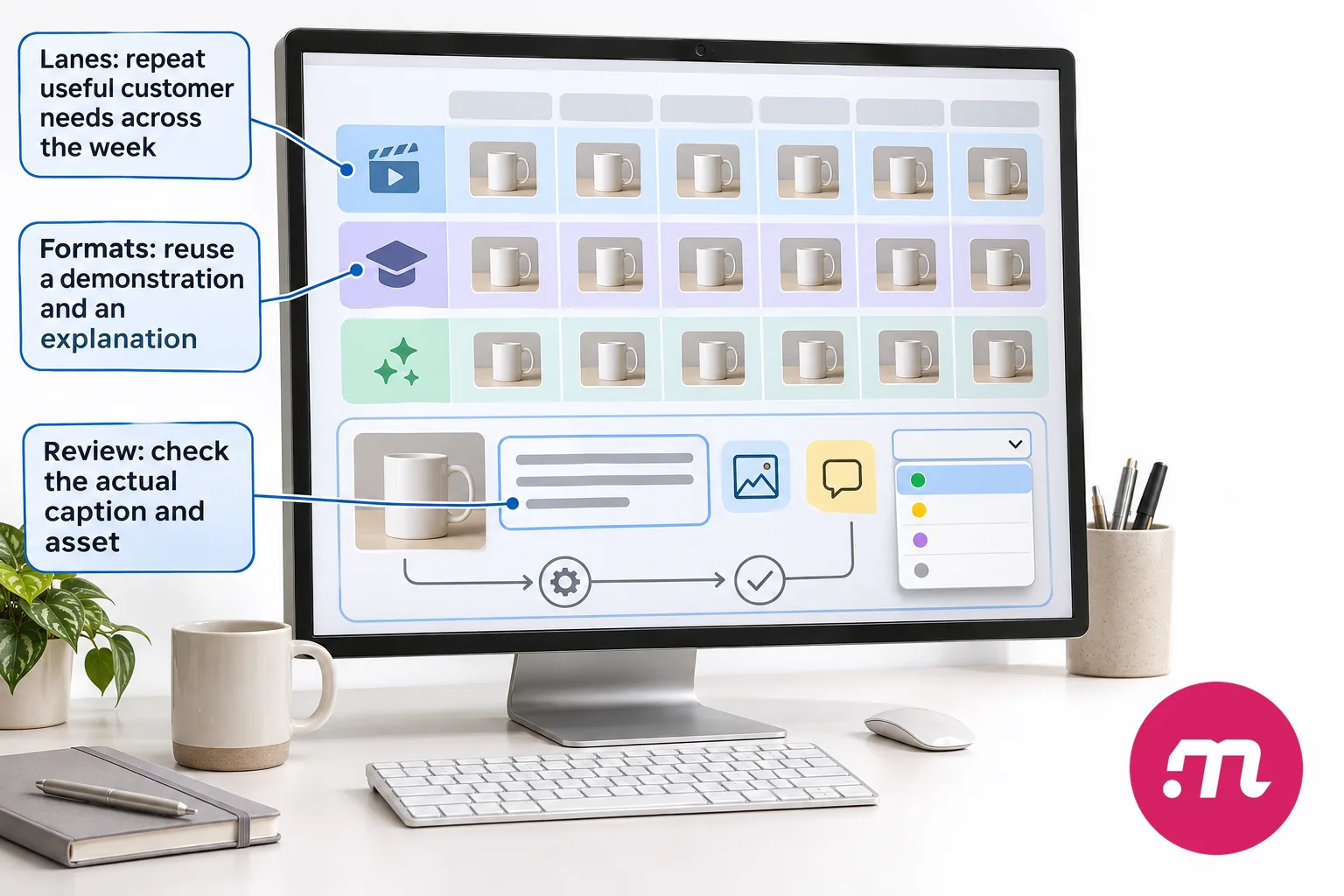
Google explains the controls in its guide to freezing rows and dropdown instructions. Colour can help you scan status, but the written label should still explain it. A green cell alone doesn't tell a colleague what was approved.
Limit the decisions you repeat
Try three lanes: product understanding, use in context and purchase reassurance. Choose two reusable production formats, such as a demonstration video and an explanatory carousel. These are proposed starting limits, not an algorithm formula. Stories can reuse useful material with a separate publishing brief.
Reserve one weekly batching slot. Use it to gather footage or draft related explanations; don't assume it will contain every edit and approval. If you only have a short session, finish fewer assets instead of filling more rows. We'd increase frequency after the team can sustain the current workload.
A filled week for Reels, carousels and Stories
Plan around a real customer question
This worked week uses the ceramics shop example. It illustrates a possible sequence, not a recommended posting quota or a claim about the best days. Choose actual dates before you assign production.
| Slot | Format and topic | Production requirement | Customer action |
|---|---|---|---|
| Monday | Carousel explaining mug size | Check dimensions; photograph scale | Read the product specifications |
| Wednesday | Reel showing the mug in use | Film the correct variant in a familiar setting | View the product details |
| Thursday | Story sequence answering a packing question | Use current packing footage; verify wording | Ask a relevant product question |
| Friday | Carousel explaining available variants | Confirm current stock and variant names | Compare the available options |
The posts share a product without repeating the same message. Monday answers suitability; Wednesday shows context. Thursday addresses a concern, while Friday supports comparison. The sequence is useful because each item gives someone a different reason to continue evaluating the product.
Keep a fallback beside any post that depends on filming. If the correct variant isn't available, move the shoot and use an already checked evergreen explanation instead. Don't quietly substitute another variant when colour, size or accessories could change what the viewer expects to receive. The calendar should preserve that distinction, even when the replacement would make the schedule look tidier.
Give each format its own checklist
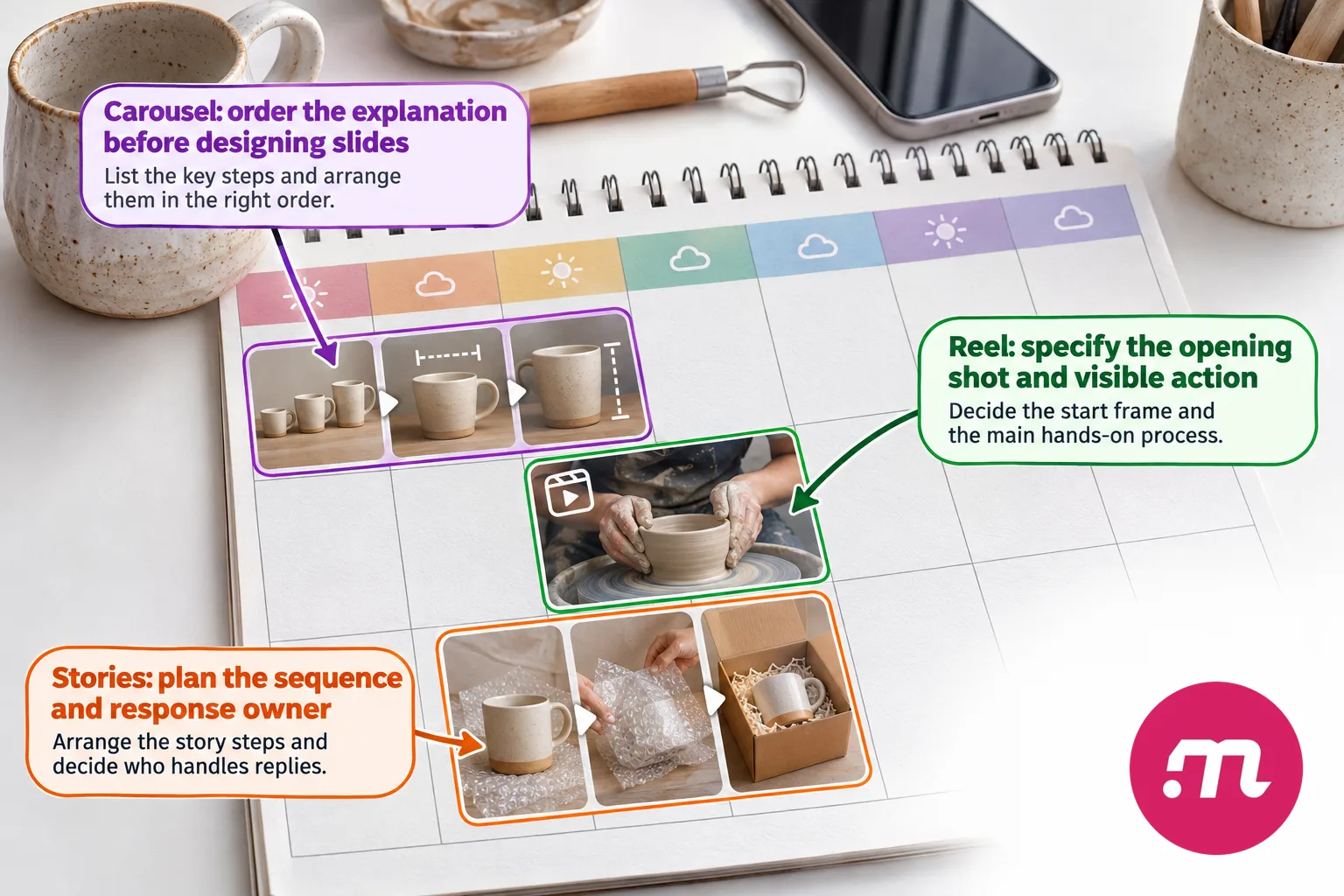
For the Reel, specify the opening shot and the action you need to capture. For the carousel, write the slide order before the designer begins. For Stories, describe the sequence and who will handle any resulting questions.
Keep the final caption beside the final asset. If a founder approves an earlier image and the designer later changes its product claim, request approval again. Reuse can reduce production work, but it doesn't make every version interchangeable. Mommantum's social media marketing work connects these production decisions with what the audience needs to understand.
Map India dates to useful 2026 post slots
Verify both the event and the year
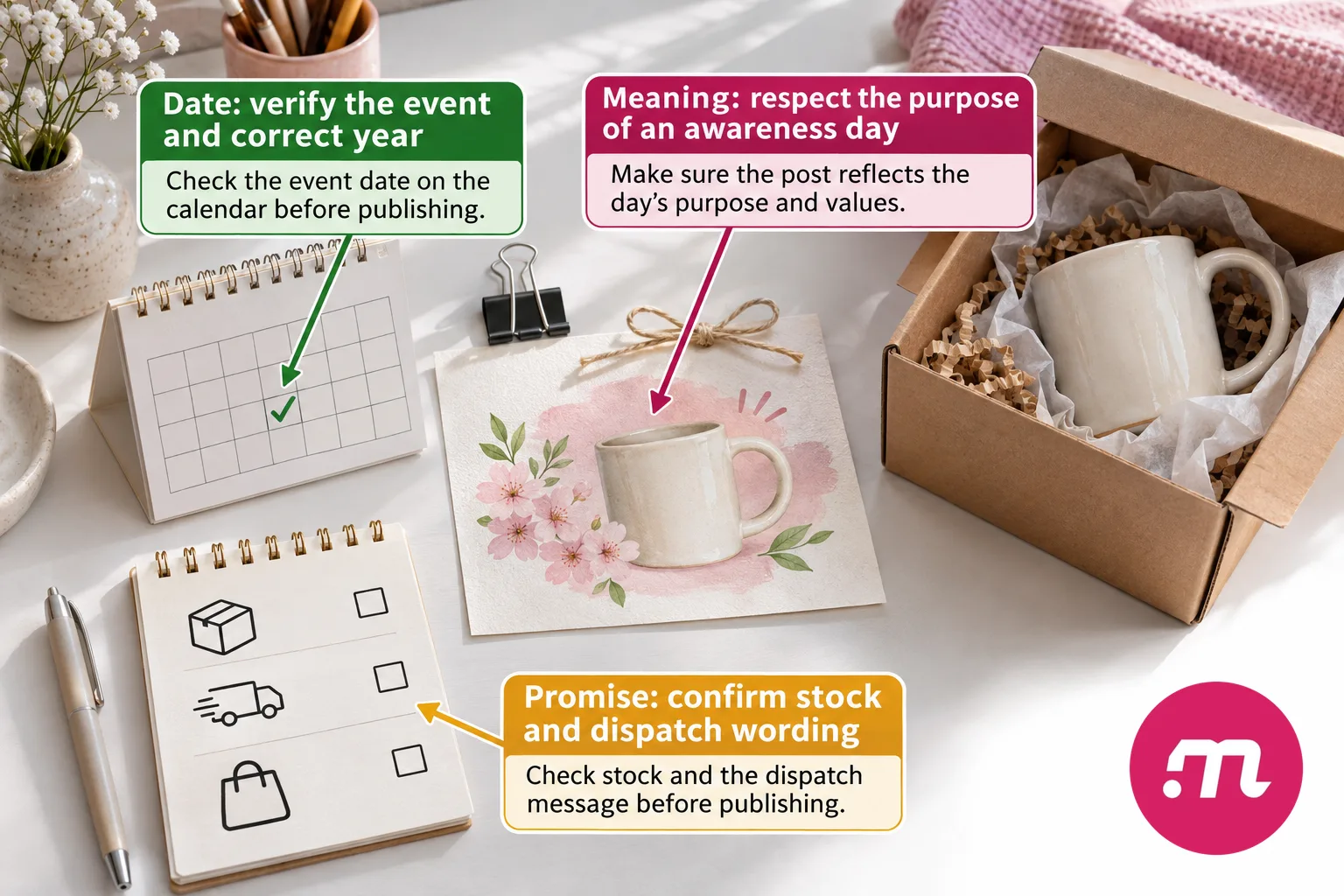
The Delhi central government office holiday list records Diwali on 8 November, Guru Nanak's Birthday on 24 November and Christmas on 25 December in 2026. It is a reference for that office context, not a statement of every region's practices or your business's working hours.
UNICEF marks World Children's Day on 20 November as a global day of action for children's rights. An awareness date needs a relevant purpose; it shouldn't become a generic excuse for a discount.
Add a brief rather than a greeting placeholder
| 2026 date | Possible slot if relevant | Check before approval |
|---|---|---|
| 8 November | Diwali greeting or actual service update | Local relevance and operating details |
| 20 November | Children's rights resource for an appropriate business | Accurate meaning and suitable resource |
| 24 November | Respectful message for a relevant audience | Context and local arrangements |
| 25 December | Christmas service update or relevant creative | Current stock and confirmed dispatch information |
These are editorial options, not a requirement to publish on all four dates. As this planner is prepared in November 2026, mark earlier events as past references. Before reusing a seasonal row next year, verify its new date and rewrite expired offers.
For the ceramics example, a gift-related post still needs confirmed stock and an honest dispatch message. We would leave a seasonal slot empty rather than imply delivery that operations hasn't agreed to. The date creates a planning opportunity; it doesn't establish the promise.
Choose a planner you can keep using
Decide from the work, not the template gallery
Forum questions repeatedly describe a basic need: organise ideas and finished posts without adding a paid scheduling workflow. A sheet is a sensible starting point when you want fast editing and a visible list. It can become awkward when your reviewer needs to browse thumbnails instead of reading rows.
A card-based workspace might suit that team better. A dedicated scheduler solves a different problem: executing approved posts. Before moving to Notion, Airtable or another product, write down the limitation you need to fix and check its current capabilities and plan restrictions.
Use AI for drafts of ideas, not product facts
If a blank calendar stops you, give an assistant an anonymised customer question and ask for alternative angles. For example, ask for a demonstration idea and a slide outline explaining how someone can judge mug size. Keep the actual dimensions and product claims in your verified brief.
We wouldn't let an assistant fill a month with invented testimonials or unsupported advice. Treat the suggestions as unapproved ideas. A content calendar template becomes less useful when it creates more material than the team can check. Better prompts don't remove the need for judgement.
Review outcomes and remove recurring blockers
Measure the intended customer action
After publication, record the observation and the next decision. A product comparison might deserve a review of relevant visits or questions; a packing explanation might reveal a recurring concern. Don't compare every format by the same headline number or assume that likes prove sales.
Keep attribution limits visible. If you calculate conversion rate, specify the visits and purchases included. Don't call organic performance ROAS without defining attributed revenue and production cost. Record spending in rupees when it matters to the decision, and keep staff time visible too.
Choose the review point before comparing posts. An older carousel has had more time to collect responses than a Reel published this morning. Record the publication date and observation date together, and avoid treating unlike windows as a fair comparison. A small account's results can fluctuate; use the note to choose the next test rather than declaring a format permanently successful or useless.
Check the production process
- Find the next unfinished post and name its blocker.
- Check that the asset matches the approved caption.
- Confirm that stock and date-sensitive claims remain accurate.
- Move a useful customer question into the Ideas tab.
- Remove a field that nobody uses to decide anything.
Missed deadlines are information. If approval repeatedly arrives late, fix the review window before adding more slots. We prefer that practical change to another dashboard. A calendar can expose insufficient capacity, but it can't create extra filming or review time.
Conclusion: start with a week you can finish
Copy the fields and fill a week with specific briefs, clear owners and separate approval states. Use the format that explains the customer question best, and add seasonal dates only when you have something useful and accurate to say.
If you need help turning the planner into a reliable production routine, explore Mommantum's Instagram and social media support and book a free strategy call. Bring one unfinished post and the reason it's stuck. That's where we'd start.
Frequently Asked Questions
Key takeaways and practical details on this topic.
This Instagram calendar template is available as a copyable structure without an email form or template purchase. Recreate the headings in your own blank spreadsheet, then replace the worked example with your product and customer questions. There is no linked download in this guide. The template organises production, while writing, filming and publishing remain work your team must complete.
Set up an Instagram content calendar template in Google Sheets with one row per publishable item and separate fields for date, format, brief, owner and status. Add dropdown labels for approval stages and freeze the first row. Start with a few real posts before adding more complexity. Keep the final caption and asset location beside each other to reduce version confusion.
Create an Instagram content calendar by choosing customer questions, turning them into specific production briefs and assigning realistic deadlines. Select a format that explains each question clearly rather than filling a quota for every format. Plan a working week first and keep undated ideas nearby. Check approval separately from the date so a scheduled intention doesn't get mistaken for finished work.
A free social media planner can be a spreadsheet that holds ideas, captions, assets and approval decisions without publishing anything. Use its dates to coordinate the work and keep the actual publishing task separate. A scheduler becomes worth considering when manual execution causes repeated problems. You don't need to add that workflow merely to make a basic plan visible.
Create a social media calendar by listing specific posts with dates, channels, owners, production deadlines and intended customer actions. Keep rough ideas outside the committed schedule until you've chosen them for production. If several channels are involved, record any adaptation required for each one. A shared topic doesn't mean the same caption and creative fit every audience or placement.
Plan as many Instagram posts as you can produce and approve usefully, rather than following a universal weekly quota. The worked week in this guide is an illustration, not an algorithm recommendation. Review repeated delays and customer responses before increasing the workload. Reusing footage may reduce filming, but each new caption or product claim still needs to be checked.
Each Instagram calendar entry should include its date, format, customer question, production brief, owner, deadline and approval state. Add the caption and asset location, then record the live post after publication. The practical test is whether another colleague can identify the next unfinished task. If they still need a meeting to understand the row, the brief probably needs more detail.
Choose Google Sheets or a card-based workspace for Instagram planning according to how your team actually handles work. A spreadsheet is a useful starting point for quick editing and a visible list; a visual workspace may be more comfortable for browsing assets. Test a few real posts before moving everything, and verify current product capabilities and restrictions before committing.
Keep your Instagram planner in a familiar spreadsheet and start with a small dated list plus an Ideas tab. Record only the fields that help you finish or approve a post. A written status and the correct asset location are more useful than a decorative month grid. Add another product only when you can identify a repeated problem it would solve.
Make weekly Instagram planning easier by collecting customer questions in an undated backlog before the session begins. During planning, choose the questions you can answer with available product facts and material. Turn those into specific briefs rather than inventing topics for every empty day. An assistant can suggest angles, but the facts and final decision still need your review.
An Instagram calendar should show the format, specific brief, deadline, owner and approval status at a glance. Use written labels even when colours help distinguish stages. Keep Reels, carousels and Story sequences as separate publishable items, because their production needs differ. A colleague should be able to find the next task and correct asset without searching through a chat thread.
Batch Instagram work that shares production needs, but don't assume a whole month must be finished in one session. Start with a manageable week and use a small set of repeatable formats. Keep date-sensitive offers flexible and recheck them before publication. If the schedule keeps slipping, identify whether filming, missing facts or approval is the actual constraint before adding posts.
Ready to implement this for your brand?
Connect with our Jaipur growth studio to turn these strategies into revenue for your D2C or ecommerce business.