How To Save Reels From Instagram: 6 Practical Steps For Indian Brands To Organise References, Check Downloaded Files And Protect Original Video Projects Before A Missing Button Disrupts The Next Content Brief
Save Reel references where you can find them and keep original videos separately. Check downloaded copies before handing them to your editor.
Introduction
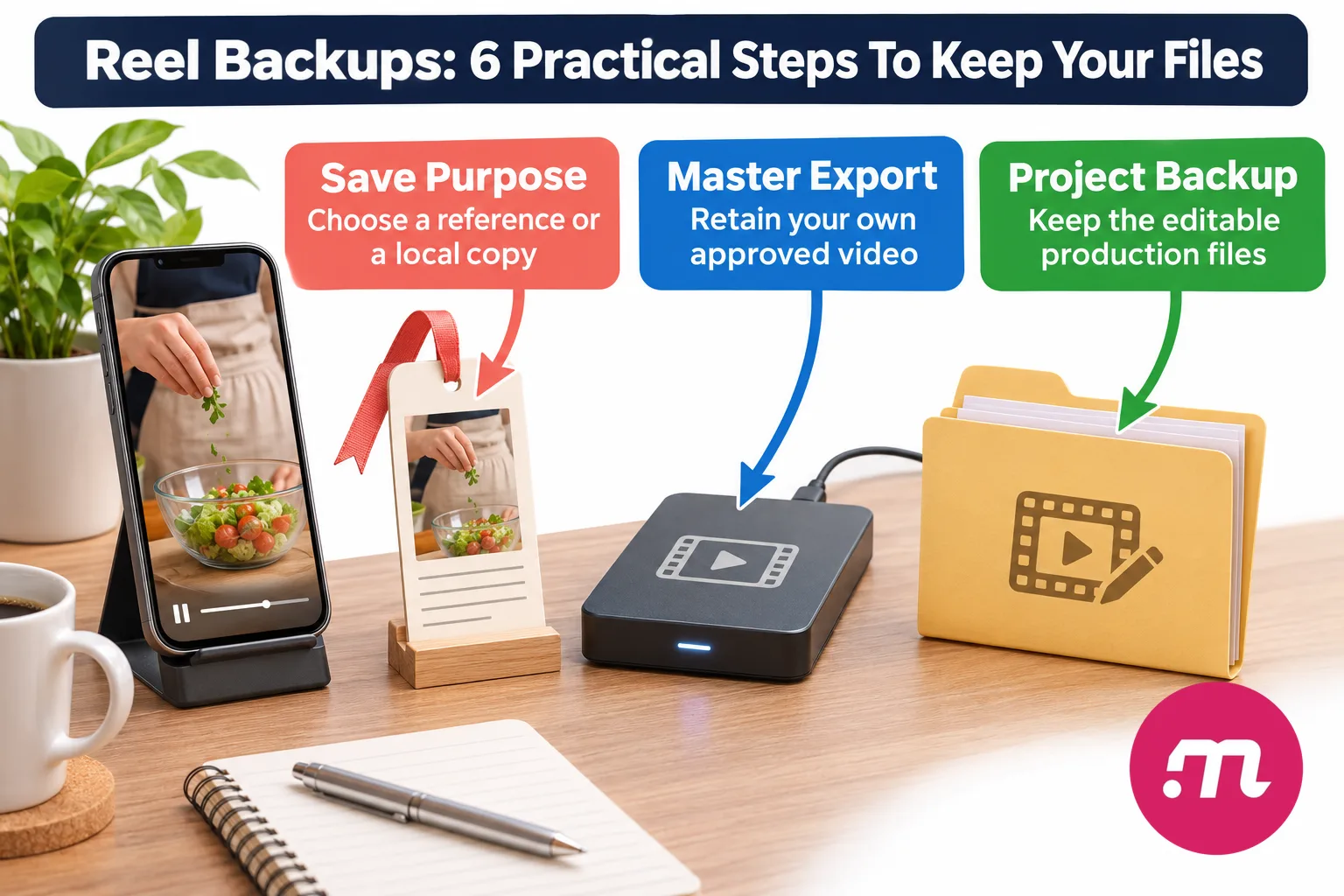
How to save reels from instagram depends on what you need afterwards: a bookmark for inspiration or a video file you can open on your phone. Use Save to keep a reference inside Instagram. For a downloadable Reel, open its sharing options and choose Download if it's offered. For your own marketing video, keep the original export before you post.
Keep that original somewhere the team can access. You'll need it if an editor leaves or a campaign needs a new version. A Reel in a collection isn't your production master. We would separate references from approved brand assets before spending time on downloader tools. Our social media marketing approach connects content planning with what customers should do next, rather than building a folder nobody uses.
Table of Contents
- 1. Introduction
- 2. How to save reels from instagram: choose the output
- 3. Bookmark a Reel and find it again
- 4. How to save reels from instagram to your phone
- 5. Back up your own edit before changing the app
- 6. Diagnose missing controls without losing your work
- 7. Turn saved references into original brand content
- 8. Measure what your reference library changes
- 9. Conclusion: save references and protect your originals
- 10. FAQs
How to save reels from instagram: choose the output
Decide whether you need a reference or a file
Bookmarking is useful when you want to revisit an opening line, a demonstration or a creator's editing technique. It keeps the post associated with your Instagram account. Downloading is a separate action that produces a local file when the option is available. Neither action gives your team an editable version of somebody else's project.
For a hypothetical Jaipur food business, a saved kitchen Reel might inspire a shot of fresh preparation. The useful note is what the shot explains to a customer. Downloading the whole video doesn't make that idea more relevant, and copying its footage won't show your own kitchen. We would save the reference and film the evidence ourselves.
Compare the methods before you start
| Your purpose | Method | What you retain | Limit |
|---|---|---|---|
| Revisit inspiration | Save to a collection | An in-app reference | Not an independent video backup |
| Keep an eligible Reel offline | Use Download when offered | A local video copy | Availability and audio can differ |
| Keep your own approved creative | Export from your editor | A master file | Retain the project separately for edits |
| Share someone else's post | Use native sharing or reposting | A connection to the original post | Not a licence for a paid advertisement |
We would choose the method by what the team needs afterwards. A downloaded file can be useful for offline review, but a link with an explanation is often better for a content brief. The editor can see the creator and context instead of receiving an unexplained clip in a chat.
Bookmark a Reel and find it again
Use Save, then check the destination
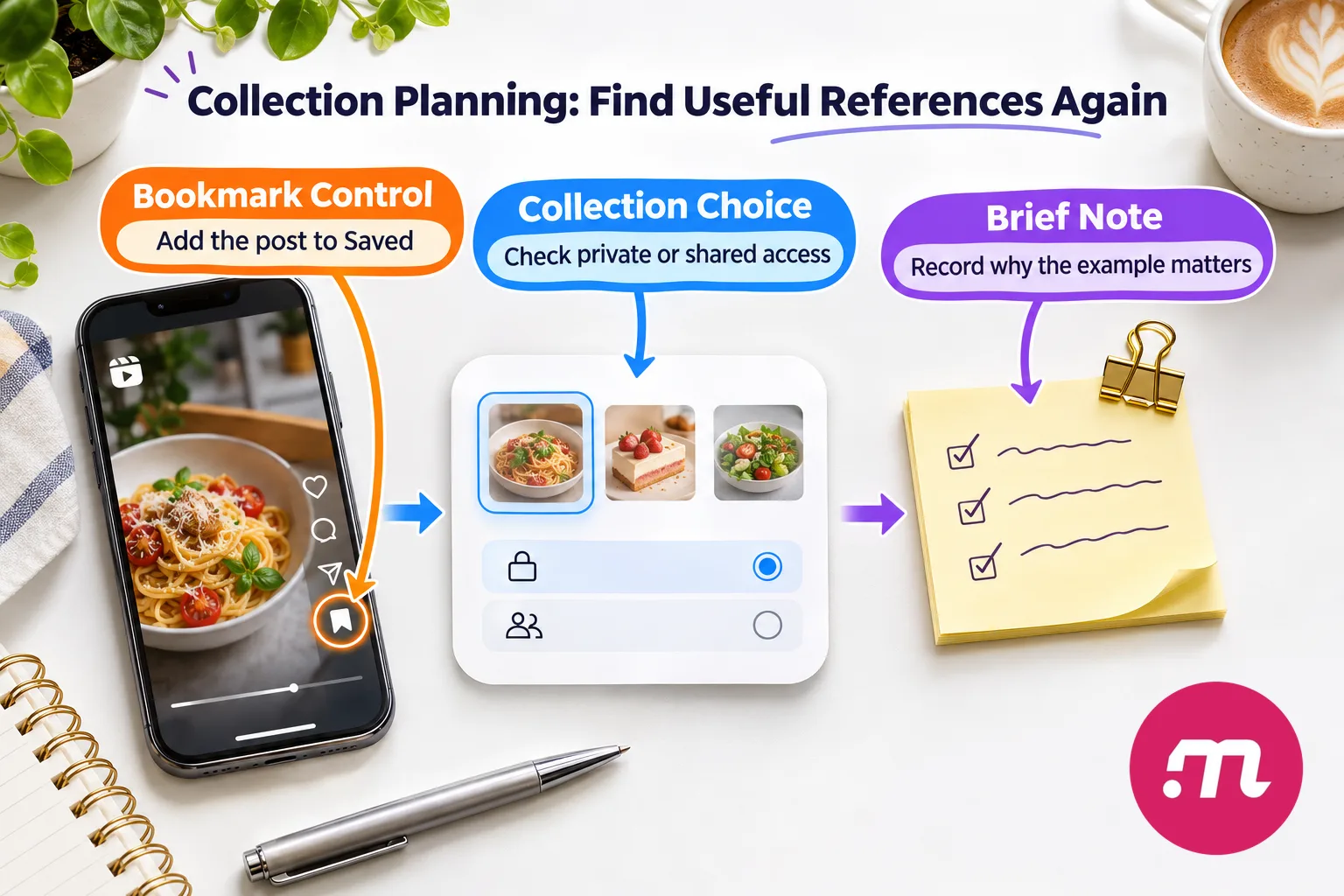
Open the Reel and look for Save or the bookmark control. Depending on the interface, you may find it in the options menu. Choose a collection if Instagram offers that step. To revisit it, open your profile menu and look for Saved. Confirm you're using the same account that saved the post.
Don't assume an icon in an old tutorial will occupy the same position today. Meta has announced navigation tests and updates, and real forum posts describe controls that differ between devices. We would check the actual label and destination rather than repeatedly tapping an area from a screenshot.
- Open the specific Reel you want to study.
- Select Save or its bookmark control.
- Choose a clearly named collection where available.
- Return to your profile menu and open Saved.
- Reopen the Reel to confirm you can find it.
- Record why the reference belongs in the brief.
Keep private and shared collections distinct
Meta's collaborative collections announcement distinguishes private collections from collections shared with other participants. Check which kind you're using before treating saved research as private. For internal planning, we would keep customer material and confidential campaign notes in the team's approved workspace.
Name collections around a decision, such as packaging explanations or store directions. A collection called inspiration can become hard to review because it mixes unrelated purposes. We prefer a small selection with a reason for each reference over a large collection that nobody revisits.
How to save reels from instagram to your phone
Try the native download route
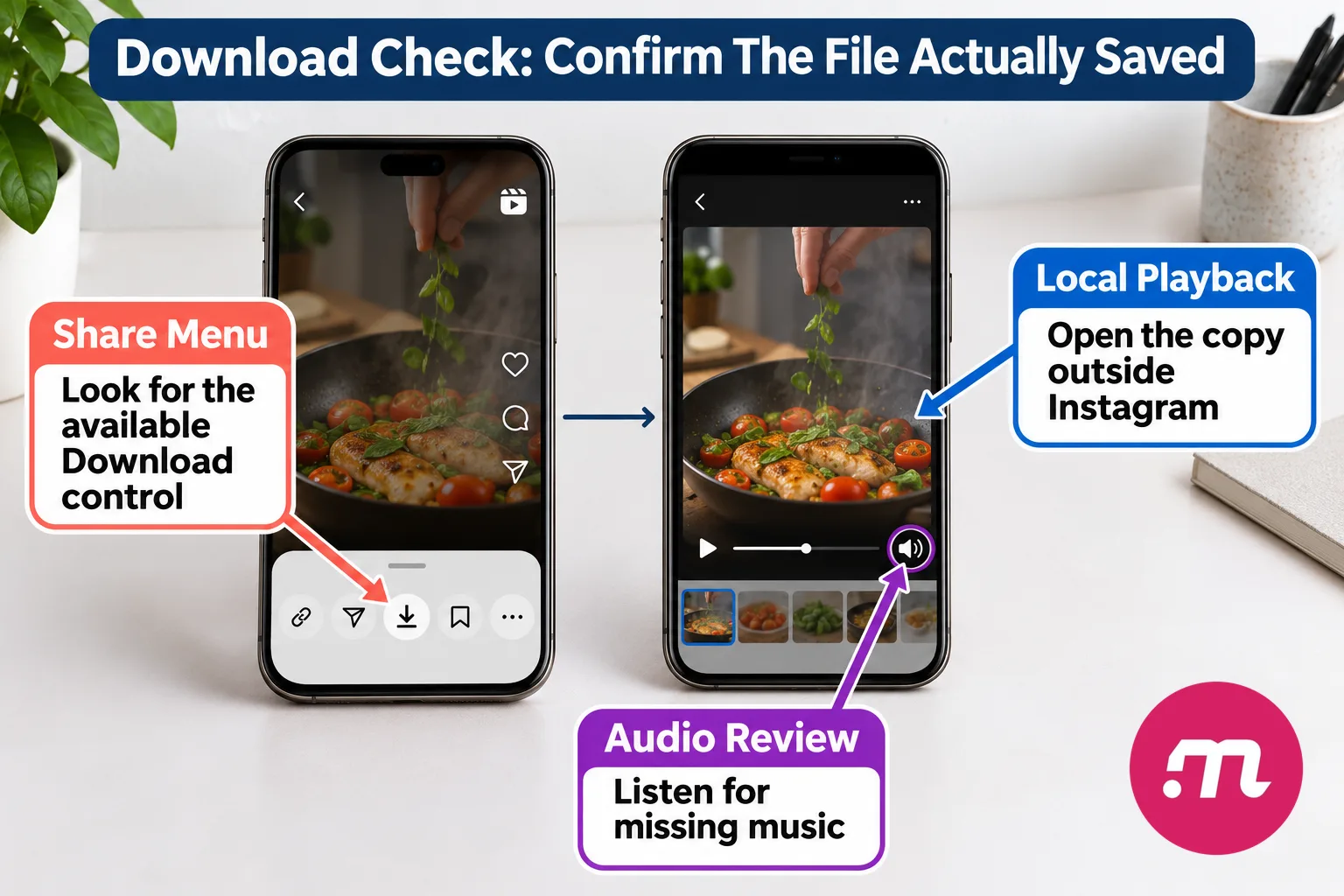
In the Instagram mobile app, open the Reel, tap the share control and look for Download. Select it if available, wait for completion and check the phone's Photos or Gallery app. Open the resulting file outside Instagram. Seeing the Reel play inside the app doesn't confirm that a local copy exists.
Download availability is restricted rather than universal. Check whether the account is public and whether the creator permits downloads. A missing option on one Reel doesn't prove that every account has lost downloading. We wouldn't promise a button for private content or recommend changing someone else's privacy choices.
These are practical checks, not a guarantee that a particular interface will match your phone. Use the labels currently shown. If the file doesn't appear after a completed download, check available storage and the app's relevant media permissions in your phone settings. Avoid granting unrelated access just to solve a video-saving problem.
Inspect sound and attribution
Play the downloaded copy with sound on. A Reel that uses Instagram library music may not retain that music in the exported copy. Original audio and licensed tracks aren't interchangeable, so compare the file with the intended use instead of assuming the soundtrack travelled with the picture.
Native downloads may also include Instagram attribution or a watermark. Keep it intact when reviewing someone else's work. If you need a clean version of your own brand video, return to the original editor export. Removing visible credit from another creator's clip isn't a substitute for making your own asset.
Back up your own edit before changing the app
Keep the master and the project
For your own Reel, first look for the original file supplied by the editor or exported from your video app. If you're working inside Instagram, use its available download or save-to-device control and verify the result before relying on it. Save draft and export are different tasks.
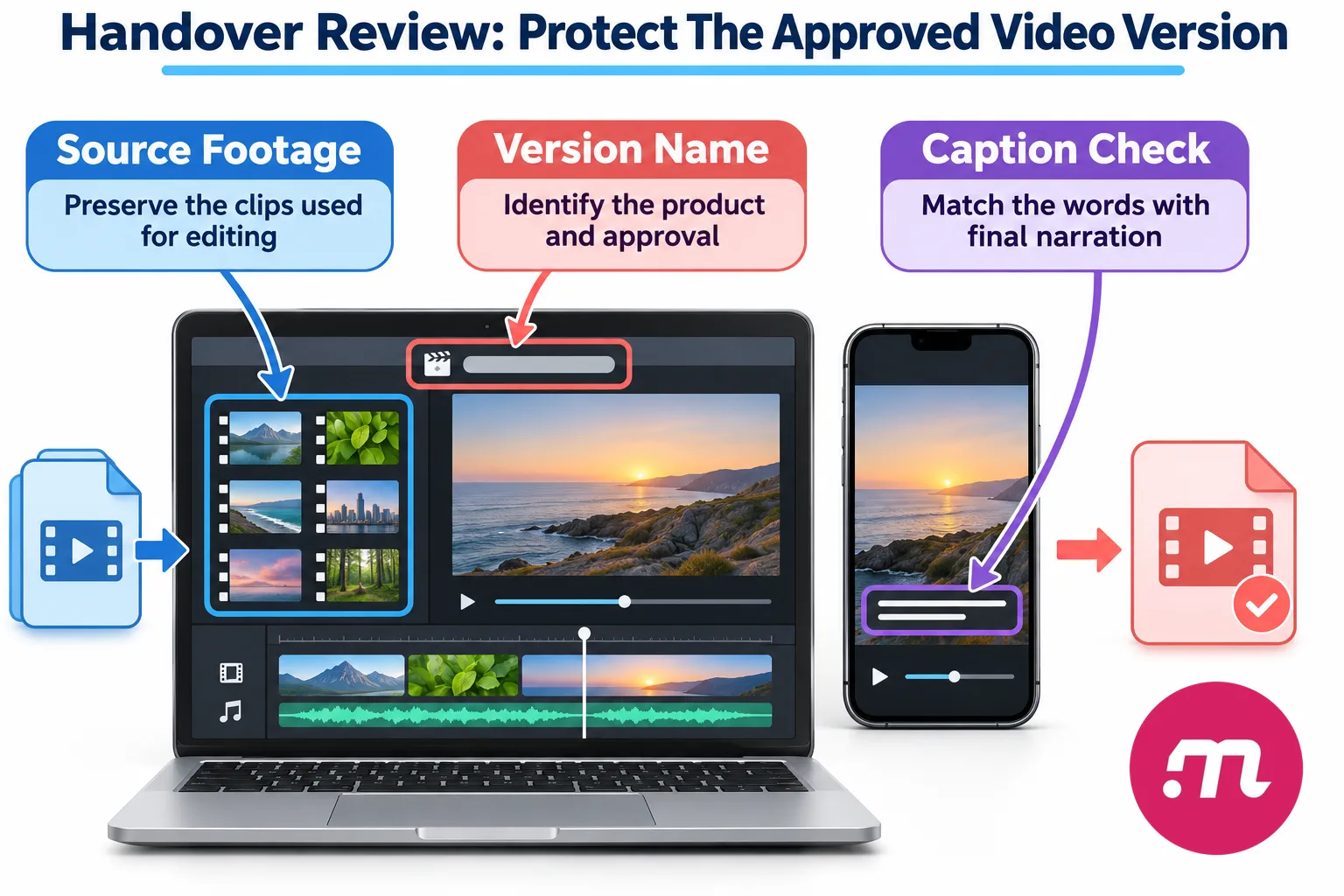
Keep the approved master, source footage and editable project separately. A flattened video can be posted elsewhere, but it won't preserve every editable caption or cut. We would ask for those deliverables at handover, rather than discover their absence when a price or delivery message needs changing.
Meta's Edits introduction and updates describe project management and exports without added watermarks. That is a route for creating and retaining your own output. It doesn't promise that every saved reference becomes a reusable advertising asset or that every audio track has the same usage rights.
Check a backup before troubleshooting
Don't begin with uninstalling Instagram when it holds unfinished work. Check what you can export and whether the source files exist elsewhere. Drafts should not be your only copy of an important campaign. A recovery plan is easier while the edit and source footage are still accessible.
Use a filename that identifies the product and approved version. Add an approval note with the intended language, offer and destination. For Hindi or mixed-language content, listen to the exported narration and read captions together. A file that opens successfully can still contain an old discount or a misspelt place name.
Diagnose missing controls without losing your work
Separate bookmark problems from download problems
Reddit discussions describe several different failures: a missing Save option, a download that never completes and collections that won't load. Those reports identify problems to investigate. They don't establish that Instagram removed a function everywhere or explain why an individual account is affected.
Start by identifying the failed action. Can you open the original Reel? Can you bookmark another post? Does a different collection load? Does the download option appear but fail after selection? Record the account, device and app version with the result. That detail is more useful than reporting that saving is broken.
Try reopening the app and checking for an available update. If the original post is inaccessible, a saved reference can't make it accessible. If only a particular collection fails, keep its details and report that narrower problem. We wouldn't delete collections to test a theory before preserving the references you still have.
Avoid fixes that create a larger problem
One forum thread about loading failures later reported recovery, while another described downloads failing despite reinstalls. These are anecdotes, not universal fixes. They are a reason to avoid promising that clearing data or reinstalling will solve every account's problem.
Don't enter an Instagram password into an unfamiliar downloader or install an app solely because a pop-up says a file is ready. If you need footage for a business deadline, ask its owner for the source file through your normal handover process. We would rather reschedule an optional reference than risk the account that runs customer enquiries.
Turn saved references into original brand content
Write down the decision each reference supports
A useful reference note names the creator, links to the post and explains what you want to learn. Separate the opening hook from the product evidence. A strong opening in another category may not answer your customer's concern about size, delivery or COD. Adapt the question to your actual buying process.
If your brief starts with "ai se reels kaise banaye", use the saved examples to explain pacing or framing, then draft from approved product facts. AI can help organise a script, but a downloaded competitor demonstration doesn't prove anything about your product. We would film the product detail buyers need to see.
Meta's April 2026 Edits update says saved Instagram Reels and audio appear alongside notes in its Ideas tab. That's useful for planning. Review the tools available in your own version and keep the approved script accessible to whoever records the video.
Distinguish sharing from commercial reuse
Meta's repost announcement describes reposts credited to the original poster. Use the platform's sharing controls when your intention is to pass along that post. Don't treat a saved copy or attribution as approval to include the clip in your brand's advertisement.
For commercial production, agree the intended use with the creator and confirm the audio and other assets are cleared for that use. Ask for the appropriate source file. We would make this part of the brief before editing, because replacing unsuitable footage after approval wastes the team's time.
Measure what your reference library changes
Keep research and reporting separate
"Instagram reels save" describes an action, not a business outcome. Review whether saved references helped your team answer customer questions or produce a clearer demonstration. Don't count a growing collection as proof of better marketing. If nobody can explain why a clip was saved, we'd leave it out of the next brief.
Likewise, an "Instagram reels dashboard link" won't retrieve every file or explain every result. Open the official account interface you use for reporting and confirm the profile and date range. Keep the original post link beside the approved master so the team can connect performance with the version customers actually saw.
For a reels video promoting a product, follow relevant enquiries through to orders. Track production effort separately from media spending. CAC needs acquisition costs and new customers; ROAS needs attributed revenue and ad spend. Don't use an appealing competitor clip as evidence that your own offer will produce either result.
Use a checklist that supports the next brief
Our Urban Vada Pav case study reports daily footfall moving from 40 to 210 and cost per walk-in from ₹220 to ₹58. It describes combined branding, Instagram content and advertising work. Those results aren't evidence that saving references, or any individual Reel, caused the change.
- Keep a reason beside each reference you select.
- Confirm local copies play outside Instagram.
- Retain your own editable project and approved export.
- Record permission for footage intended for brand use.
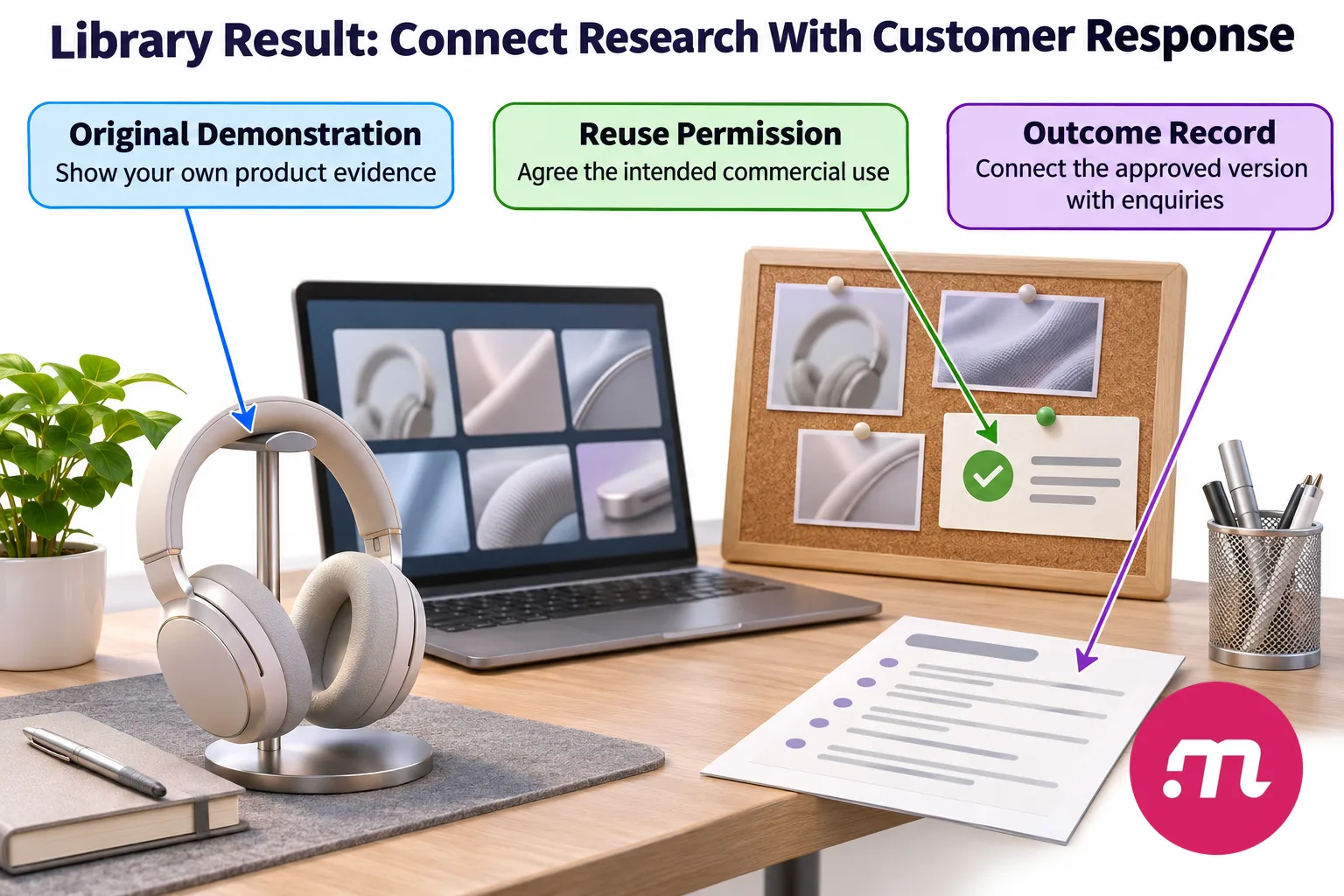
- Connect the published version with the customer response.
Our marketing FAQs explain the wider work around content and performance. We would review a small group of useful references against that week's brief, then stop collecting. Stop collecting once you have enough to write the next brief.
Conclusion: save references and protect your originals
Use Save for a reference, Download for an eligible local copy and your editor export for a brand master. Check the result rather than trusting the button label. Before changing apps or handing work over, make sure your own footage and approved version are available outside an unfinished draft.
Book a free strategy call through our social media marketing team if your saved ideas aren't becoming useful content. Bring a recent brief and the Reel it produced. We'd start with the missing decision or handover step before recommending another tool.
Frequently Asked Questions
Key takeaways and practical details on this topic.
Saving a Reel keeps an in-app reference rather than a video file on your phone. If you need an offline copy, look for Download on an eligible Reel and open the resulting file outside Instagram. For your own campaign, retain the original editor export separately from saved inspiration.
Instagram's native Reel download workflow is a mobile-app route, so don't assume a desktop browser has the same control. For your own content, transfer the original export from the editor or device that holds it. If you need another creator's source footage, ask them for an appropriate file and permission.
Private-account Reels aren't offered through the public-Reel download route. Being able to watch a post as an approved follower doesn't mean a Download button must appear. Keep a permitted reference or ask the creator for a file when appropriate; don't use a downloader's promise as proof of access or reuse rights.
Instagram's downloaded copies can carry platform attribution and the creator's username, so a watermark isn't necessarily an export fault. For a clean version of your own creative, use the master retained from your editor. Keep somebody else's attribution intact and obtain appropriate permission before considering their footage for brand production.
Private Instagram saves are visible only to you, while collaborative collections share references with their participants. Check which kind of collection you're using before adding campaign research. For confidential planning, keep internal notes in your team's approved workspace, and don't assume that every collection has the same audience or sharing behaviour.
A missing Reel Download button can reflect the creator's settings or the account's privacy, so it doesn't by itself prove an app fault. Check whether the problem affects one Reel or several, and distinguish Download from Save. If you only need inspiration, an available bookmark or original link may be enough.
Instagram drafts shouldn't be treated as a portable backup for a campaign handover. Before changing phones or reinstalling the app, preserve your original footage and any available exported copy. Check that the video plays outside Instagram, and ask the editor for the editable project if another person needs to change it.
A downloaded Reel may not retain the music heard inside Instagram, particularly when library tracks are involved. Play the actual local file before handing it to an editor or using it elsewhere. For your own work, keep the narration and source audio available and confirm the soundtrack is suitable for its intended use.
A Reel download failure needs a narrower check before you reinstall Instagram. Confirm whether Download is missing or starts and fails, then check storage, relevant media permissions and another eligible Reel. Preserve unfinished work first. The forum report behind this question describes unsuccessful reinstalls, so we wouldn't present reinstalling as a guaranteed repair.
A collection-loading problem doesn't automatically mean your saved references have been deleted. Keep any accessible links and notes outside the failing view, test the original posts and record which collection is affected. Continue the brief from references you can still open. Avoid deleting collections or unfinished work while testing an unconfirmed fix.
Remix and sequence controls start a creation workflow rather than bookmarking a Reel. Back out of that workflow and look for Save on the original post or its options menu. Record the device-specific behaviour if it persists. The forum question behind this example reports different phone and tablet behaviour, rather than a confirmed universal removal.
A missing Download control on previously downloadable Reels doesn't prove Instagram removed downloading for everyone. Check the original posts, current visibility and whether the issue affects multiple Reels or accounts. Use an available bookmark for research and request source files for business needs. Treat forum reports as troubleshooting clues rather than official product announcements.
Ready to implement this for your brand?
Connect with our Jaipur growth studio to turn these strategies into revenue for your D2C or ecommerce business.