Free Social Media Calendar Template You'll Actually Use (2026)
Copy the calendar table, keep your ideas beside posts and plan a week you can finish. Includes Sheets and Notion setup plus verified India dates for 2026.
Introduction
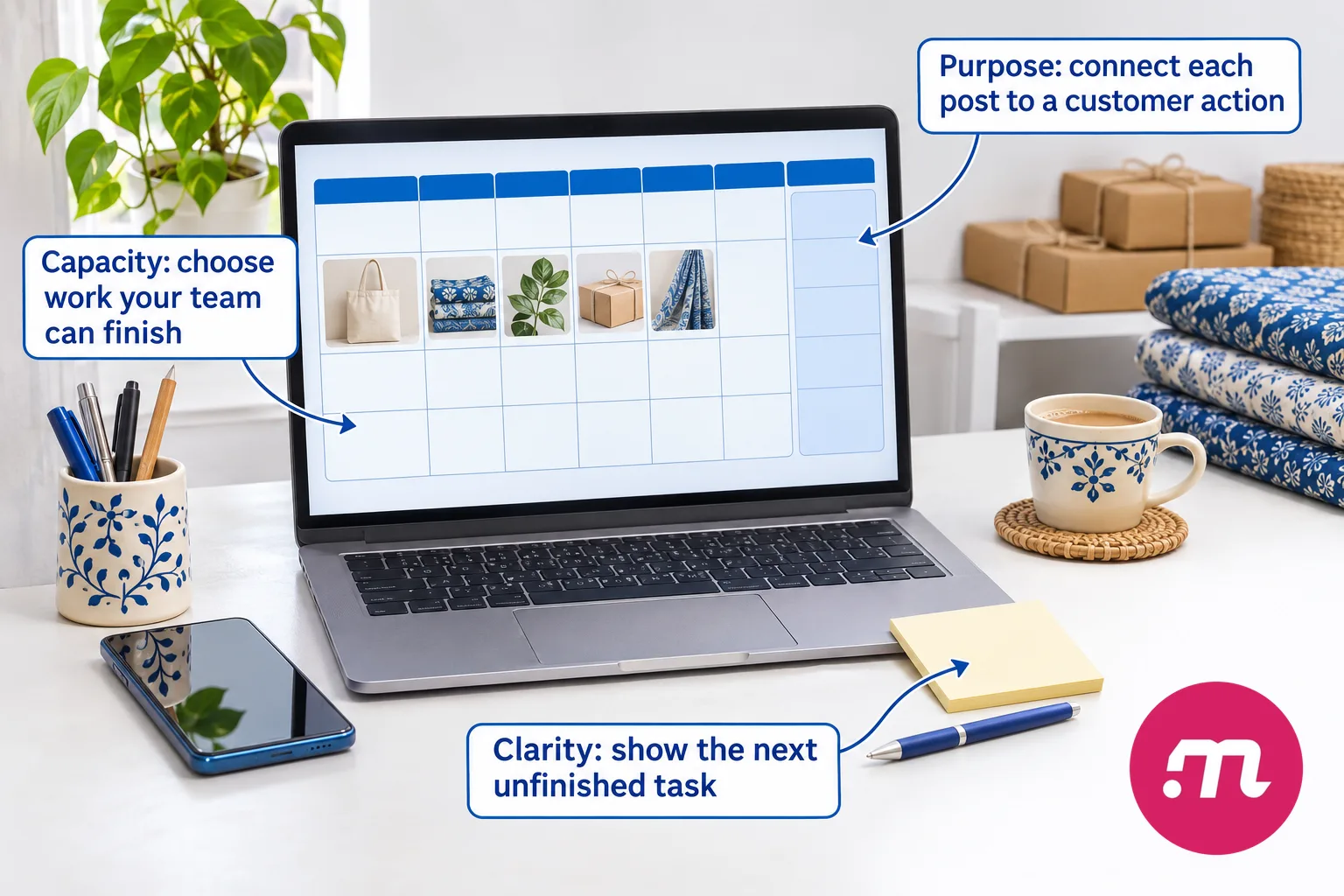
Free social media calendar template searches often end with another complicated board to maintain. You wanted somewhere to put next week's posts. Instead, you've acquired a second job: configuring a planning tool. A useful calendar should tell you what you're publishing, who owns it and what's blocking it.
We recommend starting with the copyable structure below. Keep your ideas and scheduled work together, choose a manageable weekly rhythm and record the customer action each post should support. You can build it in Google Sheets or Notion without buying a publishing tool. The template is free; writing, approvals and production still take time.
Table of Contents
- 1. Introduction
- 2. Copy this free social media calendar template
- 3. Why large calendars stop getting used
- 4. Build your Google Sheets or Notion version
- 5. Use your free social media calendar template weekly
- 6. Adapt an Instagram calendar template to each format
- 7. Add relevant India dates for 2026
- 8. Review results without making another reporting job
- 9. Conclusion: keep the calendar small enough to use
- 10. FAQs
Copy this free social media calendar template
The minimum useful fields
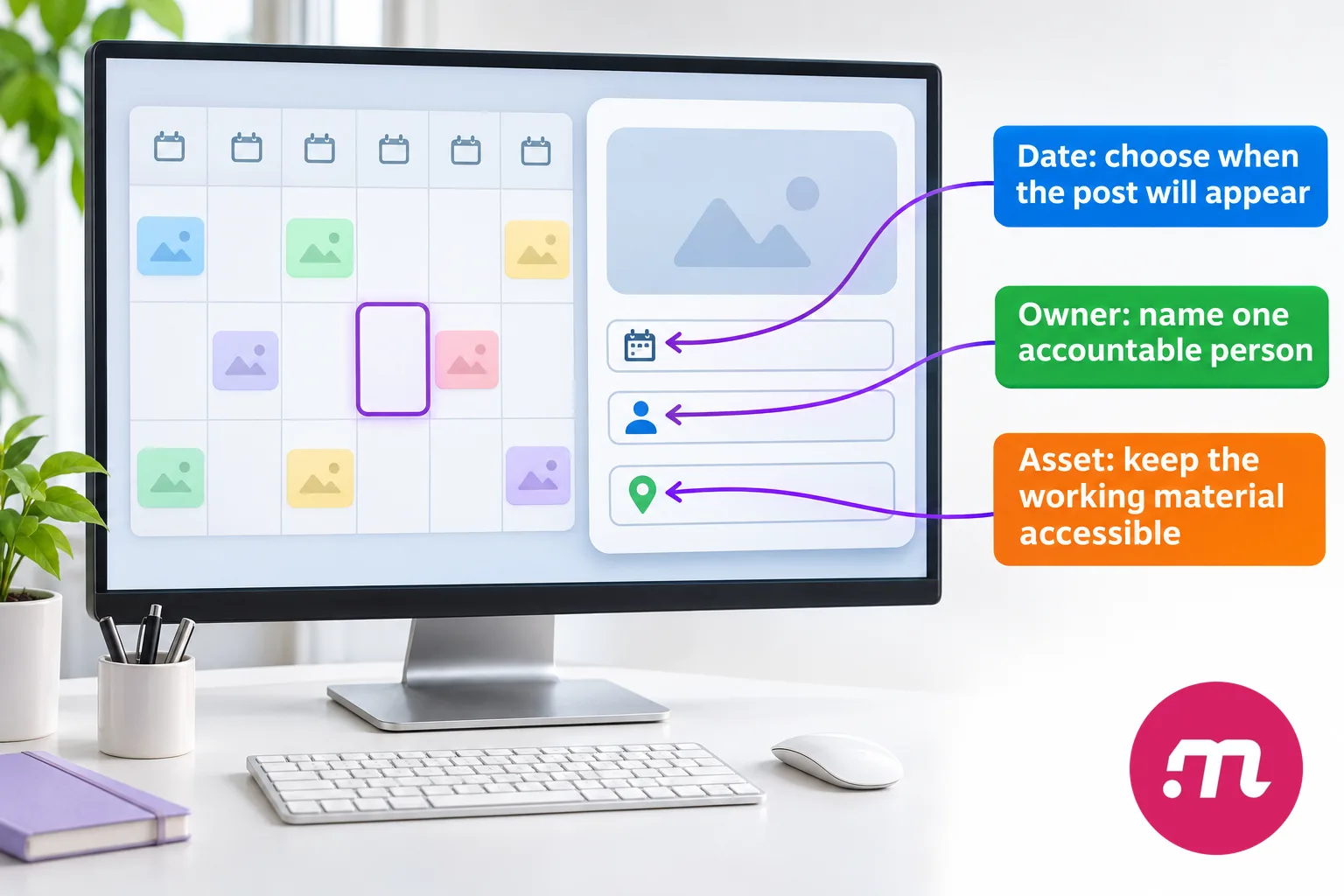
Copy this table into a blank spreadsheet or recreate its columns in a Notion database. These are illustrative entries for a small Indian homeware brand, not a client campaign or promised posting frequency. Replace the topics with questions your customers actually ask.
| Publish date | Channel and format | Topic and lane | Customer action | Owner and deadline | Status | Asset and result |
|---|---|---|---|---|---|---|
| Monday | Instagram carousel | Choosing a lamp; education | Visit size guide | Founder; Friday | Draft | Guide folder; review later |
| Wednesday | Instagram Reel | Lamp beside a sofa; demonstration | View product | Designer; Monday | Filming | Video folder; review later |
| Friday | Instagram carousel | Delivery questions; reassurance | Check delivery page | Founder; Wednesday | Idea | FAQ notes; review later |
Use actual dates before you start production. The table separates the publishing date from the production deadline because a Friday post can't first reach the designer on Friday. Put the caption draft and asset location in the last column, or add a separate caption column when scrolling becomes awkward.
When you add a row, write the next unfinished task in plain language: "confirm delivery wording" or "photograph the smaller variant". Status tells you where the post sits; the task tells you how to move it. If someone else could open the calendar and continue the work, the row contains enough detail.
Keep ideas beside committed posts
Add an Ideas tab with just a topic, its customer question and a possible format. An idea doesn't need a publishing date until you've chosen it. This stops an attractive but unfinished thought from looking like a missed deadline.
Keep one working calendar that everyone edits. A second calendar in a presentation usually creates conflicting versions. Our preference is a plain working table over a beautiful board that nobody updates. Use a calendar view later if it helps you spot gaps.
Why large calendars stop getting used
Plan the work you can actually finish
Forum questions reveal a familiar problem: one person handles social alongside other responsibilities, and wants a visual planner rather than another scheduler. Other managers describe disappearing ideas and inconsistent posting. These are individual accounts, not evidence that every business needs the same system.
The practical response is to reduce decisions. Choose a small number of topics worth repeating, decide what counts as ready and leave space for an unexpected customer question. Filling every day of a month can disguise a shortage of useful material.
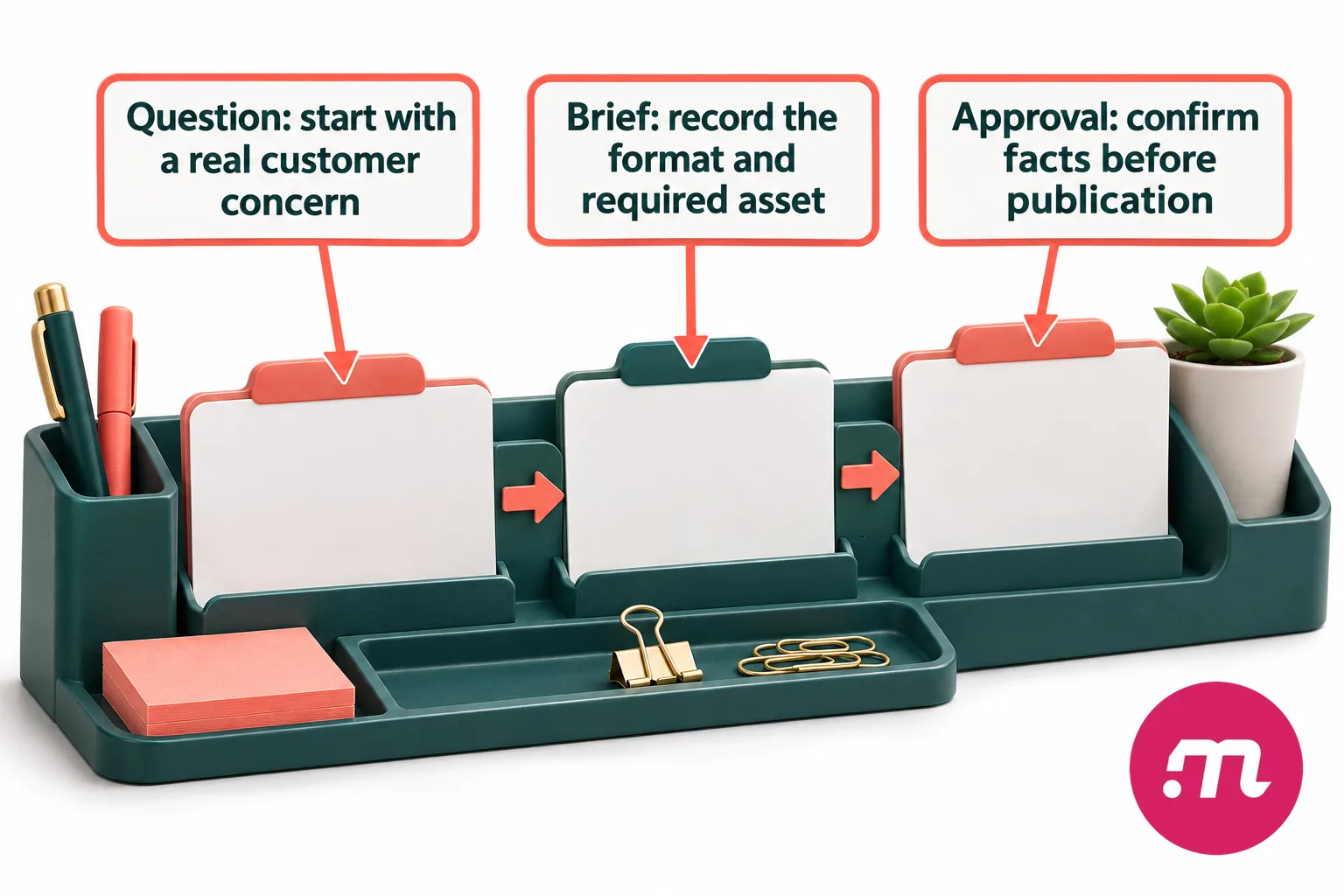
Give every post a job
Ask whether a post helps someone understand the product, judge its suitability or take a useful next step. A salon might show a consultation question before asking for an appointment. A D2C brand might explain dimensions before sending people to a product page.
We wouldn't judge both posts by likes alone. The appointment post needs relevant enquiries; the size explanation may need visits to the guide. Record that intended action before making the creative. Otherwise, you'll choose whichever metric looks flattering after publication.
A calendar coordinates work. It doesn't solve weak positioning or an unclear offer. If every row says only "engagement", pause and define what a useful interaction means for your business. Mommantum's social media marketing approach starts with that connection between content and customer decisions.
Build your Google Sheets or Notion version
Set up a simple spreadsheet
- Create a new blank sheet and copy the template headings into its first row.
- Add your next few realistic publishing dates and assign one owner to each row.
- Choose status options such as Idea, Draft, Review, Ready and Published.
- Select the status cells and use Insert, then Dropdown, to add those options.
- Paste the working asset location and caption beside the relevant post.
- Review the next production deadline before closing the sheet.
Google's dropdown instructions also explain the Data validation route. Colours can make a status easier to scan, but keep its written label. A green cell shouldn't be your only explanation of what has been approved.
Use a database if cards suit you better
In Notion, create the same properties in a database, including a Date property for publication. Add a Calendar view and use that date. The official Notion calendar guide explains calendar views and a weekly layout. Cards can help a visual thinker compare the week without reading every row.
Neither setup publishes your posts by itself. A planning calendar and a scheduling service do different jobs. We suggest the spreadsheet when quick editing matters most; choose a database when viewing the same work as cards genuinely helps. Existing familiarity matters more than a fashionable template.
Use your free social media calendar template weekly
Try three lanes and two formats
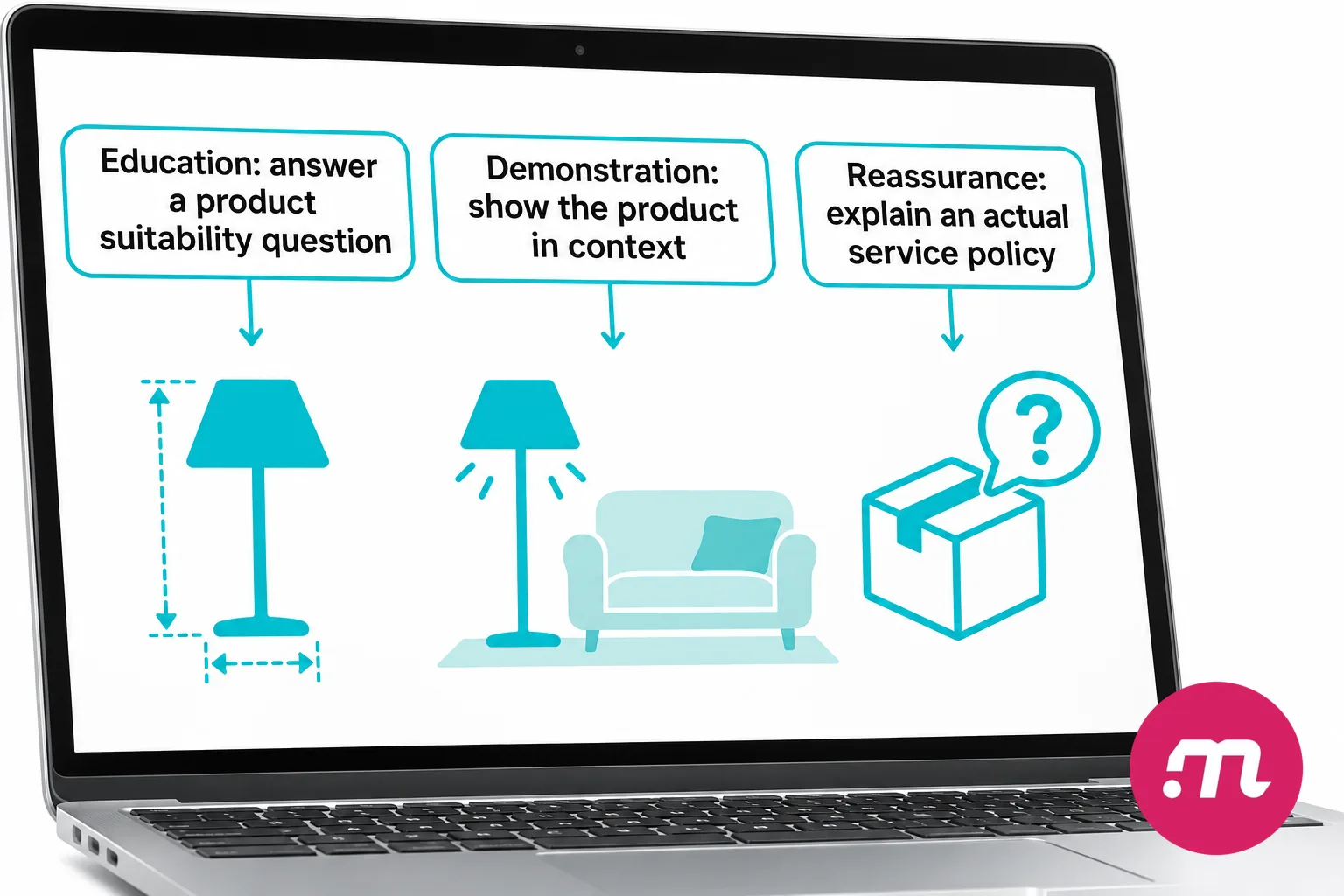
As a starting exercise, choose three content lanes: education, demonstration and reassurance. Then choose two reusable production formats, perhaps a carousel and a short video. These numbers are a proposed workload limit, not a research-backed formula or an algorithm requirement.
For the homeware example, education answers "Will this fit my room?" Demonstration shows the lamp in a realistic setting. Reassurance explains delivery or returns using the brand's actual policy. One useful customer question can supply several distinct posts, provided each adds something.
Reserve one production session
Use one weekly batching slot to collect footage, draft captions and identify missing facts. Start with the posts that need another person's input. A founder can rewrite a caption alone; a product demonstration may require stock, lighting and someone available to film.
Before the session, gather customer questions from your own support conversations and remove personal details. During it, make the material. Afterwards, put each item into Review with a named reviewer. Batching is less helpful when products or availability change daily, so leave those announcements flexible.
Don't turn the suggested lanes into a rigid posting quota. If you've only got one useful demonstration ready, publish it and learn from it. Our honest preference is fewer finished posts with a clear purpose over a calendar full of placeholders. Move unfinished work deliberately and record the blocker.
Adapt an Instagram calendar template to each format
Write the production brief in the row
A Reel needs a visible action, a filming plan and an opening that explains why someone should watch. A carousel needs an ordered explanation and readable slides. Stories may need a timely response or a short update. The calendar should describe those production differences, rather than treating every item as an interchangeable square.
For example, "show the lamp being measured beside a sofa" gives a creator something to film. "Make engaging content" doesn't. Include the product variant, required shot and destination page in the brief. Check that the page answers the question the content raises.
Track approvals without endless messages
Separate a working draft from an approved version. Ask one accountable reviewer to check product facts, stock statements and the next action. When feedback arrives through chat, summarise the decision beside the row so the person publishing doesn't have to reconstruct a conversation.
If you're adapting content for Facebook too, record the adaptation needed. Don't assume the same caption or customer expectation fits every channel. A small team can start with one primary channel and add another once its production rhythm is reliable. More channels mean more checking, even when an asset is reused.
For help deciding what work to hand over, read Mommantum's service FAQs. We would first clarify who creates, approves and publishes each item. Outsourcing a task without assigning those responsibilities can leave the calendar looking organised while nothing moves.
Add relevant India dates for 2026
Verify the date and its relevance
A social media posting calendar can include festivals, local trading events and awareness days. Start with your audience's location and the date's meaning. A national reference list is useful for planning, but it doesn't determine every region's observance or every business's opening hours.
The official Delhi central government holiday list records Diwali on 8 November, Guru Nanak's Birthday on 24 November and Christmas on 25 December in 2026. Use these as dated planning references, then verify local arrangements and your own dispatch commitments before writing a sales message.
Keep awareness content useful
UNICEF identifies 20 November as World Children's Day, focused on children's rights. A relevant educational business might share an appropriate resource. An unrelated retailer doesn't need to manufacture a connection just because a calendar has an empty cell.
As this example is written in November 2026, some annual dates are already behind us. Don't quietly reuse an old festival offer. Mark past events as reference material, and plan future work with the correct year. Add a verification deadline before any date-sensitive creative is approved.
We'd skip a festival post when the only idea is a generic greeting with a product pasted beside it. Useful information about service availability or a thoughtful, relevant message can be enough. An awareness day isn't automatically permission to sell.
Review results without making another reporting job
Measure the action you planned
Add a short result note after publication: the observation, what you think it means and the next experiment. Compare posts with similar purposes. A demonstration designed to generate product visits shouldn't be declared unsuccessful merely because a greeting received more likes.
For an enquiry-led service, check relevant enquiries and whether they became suitable conversations. For commerce, distinguish content visits from purchases and recognise that attribution can be incomplete. Don't label organic content ROAS unless you have defined revenue attribution and the cost included. Production time is still a cost.
Keep a separate note about what delayed the work. Did a missing product fact delay the post? Was approval requested too late? Those observations can be more actionable than a small change in reach. Fix the recurring delay before adding more publishing slots. A calendar should reveal capacity, including the work you decide not to take on.
Keep the review small
- Check the next deadline and unblock one unfinished post.
- Confirm that approved product facts are still correct.
- Choose a customer question for the Ideas tab.
- Record one learning worth testing again.
- Remove a field nobody uses to make a decision.
You can track production spending in rupees alongside staff time if budget decisions require it. Keep estimates labelled as estimates. A free content calendar template removes a template fee; it doesn't make social media free or guarantee enquiries.
Consider a scheduler only when manual publishing has become a real bottleneck. Consider a larger approval system when several reviewers regularly block work. We wouldn't buy either to compensate for unclear briefs. First find the repeated problem, then decide whether a tool can reduce it.
Conclusion: keep the calendar small enough to use
Start with the copyable table, a few dated posts and one accountable owner. Keep uncommitted ideas nearby, choose formats you can produce and use dates selectively. Your calendar earns its place when you can open it and see the next useful action without a meeting.
If your team needs help connecting the plan to production and customer outcomes, explore Mommantum's social media marketing service and book a free strategy call. Bring your current calendar and the task that keeps slipping. That's a more useful starting point than a full month of empty boxes.
Frequently Asked Questions
Key takeaways and practical details on this topic.
A free social media calendar template for Google Sheets can start with publish date, channel, topic, owner, deadline and status columns. Copy the article's table into a blank sheet, then add your own dates. Use a status dropdown to distinguish drafts from approved posts. The spreadsheet organises the work; it doesn't publish your content automatically.
A free social media calendar template for 2026 should combine your publishing plan with verified dates relevant to your audience. Include a year in date-sensitive briefs and check local observances before approving them. Keep annual events separate from evergreen ideas so an old festival offer doesn't accidentally become a new post. Leave room for timely customer questions.
Create a social media calendar by listing your next realistic publishing dates, assigning an owner and recording the customer action for each post. Add production deadlines before the publication dates, then choose simple status labels. Start with a small working week rather than a full month of empty entries. Review blockers before you add more posts.
A free social media planner can be a spreadsheet or database that tracks ideas, deadlines and approvals without publishing anything. Keep the working caption and asset location beside each post so you don't need another tool to find them. Manual publishing can remain a separate task. Add scheduling software only when that task becomes a repeated bottleneck.
The best free social media calendar template is the one your team can update without extra administration. Choose a spreadsheet for quick row editing or a database when cards help you see the work. Test the structure with a few real posts before adding fields. A complicated template is a poor fit if maintaining it regularly displaces production.
A content calendar should include a publication date, channel, format, topic, owner, production deadline and approval status. Record the intended customer action too, because that determines how you'll assess the post. Keep the caption and asset location accessible from the same row. Add extra reporting fields only when someone uses them to make a decision.
Plan social media far enough ahead to complete production and approvals, while keeping changeable information flexible. A small weekly working plan is a useful starting exercise for a solo manager. Longer campaigns may need earlier preparation. Check stock, offers and date-sensitive wording again before publication rather than assuming that an approved draft remains accurate forever.
Your social media posting frequency should reflect the useful material and production capacity you have, rather than a universal quota. The article's three-lane example is a planning exercise, not an algorithm rule. Start with a workload you can finish, then review customer actions and recurring delays before increasing it. More slots create more work even when formats repeat.
A simple visual social media planner needs a few dated posts, clear status labels and one place for assets. Start with a spreadsheet you already understand, and keep undated ideas on a nearby tab. Your first priority is seeing the next deadline quickly. Don't add a publishing subscription or complex board until you can name the repeated problem it solves.
Keep content ideas in an undated ideas list beside your committed posts. Record the customer question and a possible format while the thought is fresh. During planning, choose only the ideas you can develop into useful content. Leaving the rest undated prevents a rough thought from becoming a false deadline and makes a weekly review easier.
Prepare your weekly content batch by choosing the customer questions, gathering product facts and checking who must contribute. Write the required shots and next action beside each post before the session. Start with work that depends on someone else, then move completed drafts into review. Batching helps repeated production tasks, but changing availability or urgent announcements still need flexibility.
Organise Instagram and Facebook work in one calendar with separate channel and format fields. Give each row a production brief, owner and approval deadline, then record any adaptation needed for the second platform. A Reel needs footage; a carousel needs an ordered explanation. Keep those differences visible so sharing one calendar doesn't turn into assuming every asset suits every placement.
Ready to implement this for your brand?
Connect with our Jaipur growth studio to turn these strategies into revenue for your D2C or ecommerce business.