Content Calendar Template (Free) You'll Actually Stick To in 2026
Copy a planner with clear briefs and approvals. Use the filled Instagram week to choose formats, assign work and check relevant 2026 India dates.
Introduction
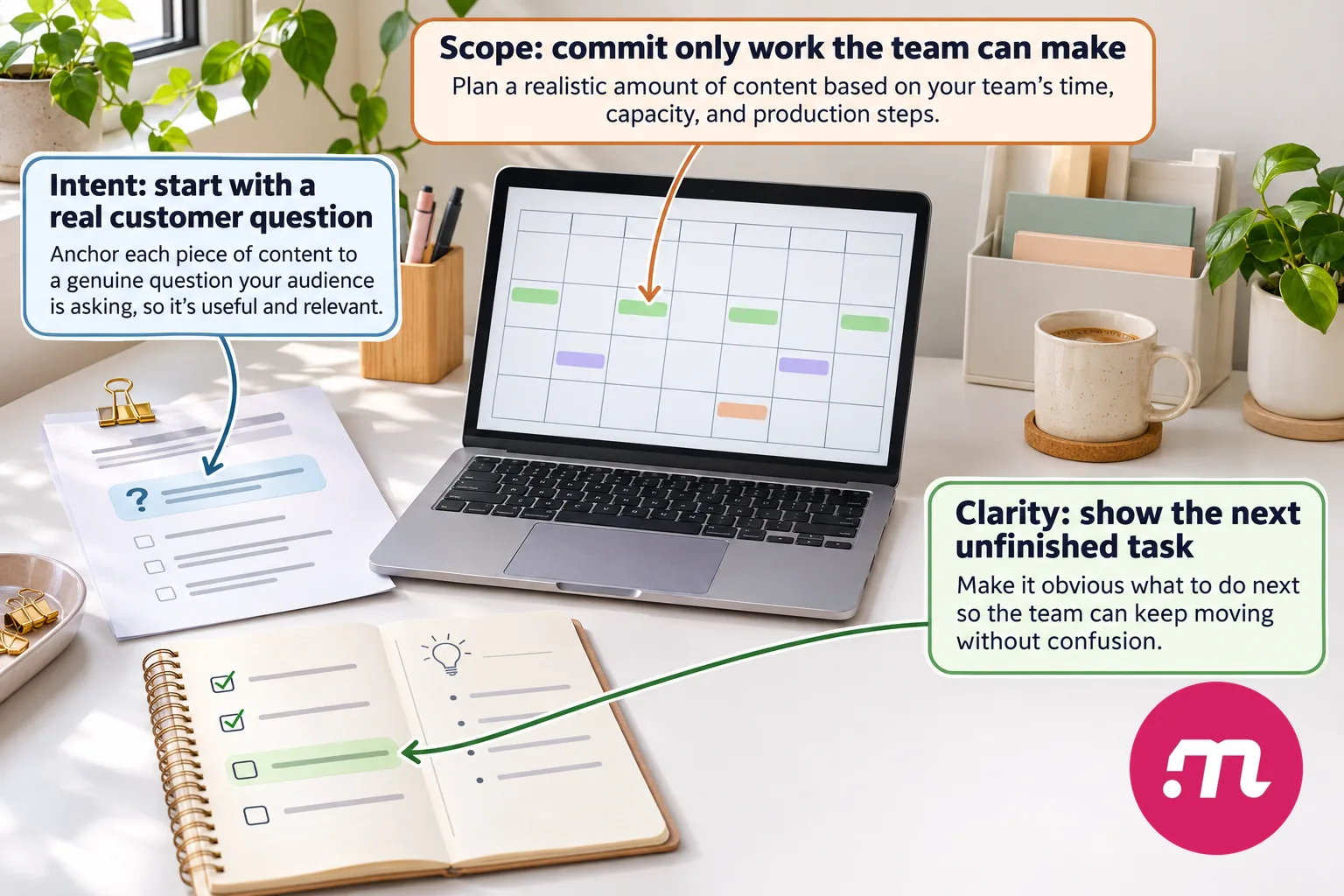
Content calendar template searches can keep you choosing layouts when you need to make the next post. You compare a spreadsheet with a visual board, duplicate another layout and still haven't decided what to post next Monday. The useful template is the one that helps you make that decision and finish the work.
We recommend starting with the copyable planner below. It keeps customer questions, production deadlines and approvals together without requiring a paid scheduler. Use the same structure in a sheet or a database, then add a presentation view only if someone needs it. The template is free; the writing, filming and review still need an owner.
Table of Contents
- 1. Introduction
- 2. Why a content calendar template gets abandoned
- 3. Copy the free content calendar template
- 4. Choose a sheet, database or visual overview
- 5. Set up a small weekly production routine
- 6. Fill an Instagram week with specific briefs
- 7. Map India dates into the 2026 plan
- 8. Review useful outcomes and remove planning friction
- 9. Conclusion: keep the template small enough to use
- 10. FAQs
Why a content calendar template gets abandoned
The plan expects more than the team can make
Forum questions behind this guide describe solo managers juggling other work, disappearing ideas and confusion about competing tools. A large template can make those problems harder to see. It looks organised while the actual production queue remains blocked.
Ask what stopped the last post. Was the product information missing, did nobody film the demonstration, or was the founder unavailable to review it? A new colour scheme won't resolve any of those dependencies. Put the missing input and the responsible person beside the work.
Separate ideas from promises
An idea is something worth considering. A committed post has a brief, an owner and a realistic deadline. Keep both in the same workspace, but don't give every rough thought a publication date. Otherwise, a productive brainstorming session creates a month of apparent overdue work.
We'd rather see an honestly small plan than a full calendar that gets rewritten every Friday. A content calendar can show that filming and editing are unassigned; it can't create spare time to do them. Agree the workload before deciding how many channels it should cover.
If you're considering external help, read Mommantum's service FAQs and clarify who supplies facts and who gives final approval. That agreement matters more than whether the plan appears as rows or cards.
Copy the free content calendar template
Use one entry for one finished item
This free social media calendar template is a copyable structure, not a linked download. Recreate the headings in your preferred planner. The example is an illustrative Indian stationery brand preparing content for a notebook range, not a client campaign or a claimed result.
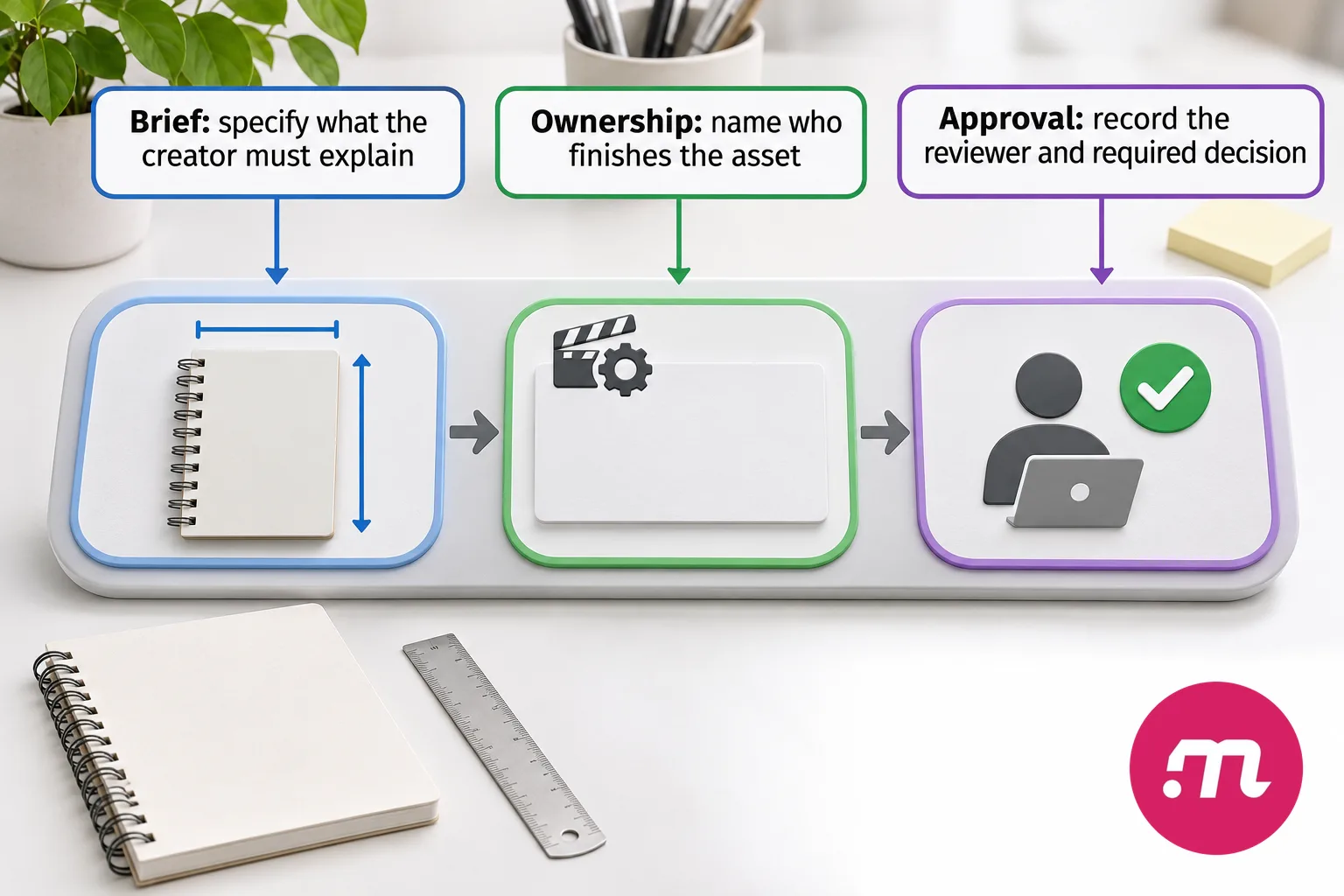
| Field | What to write | Example |
|---|---|---|
| Customer question | The specific uncertainty to answer | How large is the notebook? |
| Channel and format | Where the finished item will appear | Instagram carousel |
| Brief | What the creator must explain or show | Dimensions beside familiar desk objects |
| Next action | The useful step for the reader | Compare product sizes |
| Owner and due date | Who finishes the asset, and when | Designer; before founder review |
| Publish slot | Actual date and time zone | Chosen date; IST |
| Status and reviewer | Work stage and decision needed | Review; confirm dimensions |
| Copy and material | Caption and correct asset location | Final copy beside final creative |
| Live item and learning | Published location and observation | Add after publication and review |
Split combined fields when it makes the plan easier to use. For example, separate Owner from Due date if you're reviewing deadlines across several creators. Don't make additional columns compulsory simply because another template includes them.
Include the intended account or audience when a team manages several brands. A correctly approved caption can still be wrong for the profile receiving it. If the final content is in a local language, put that language in the brief and review the actual wording. An English summary doesn't establish that the version customers will read says the same thing.
Keep a lighter idea queue
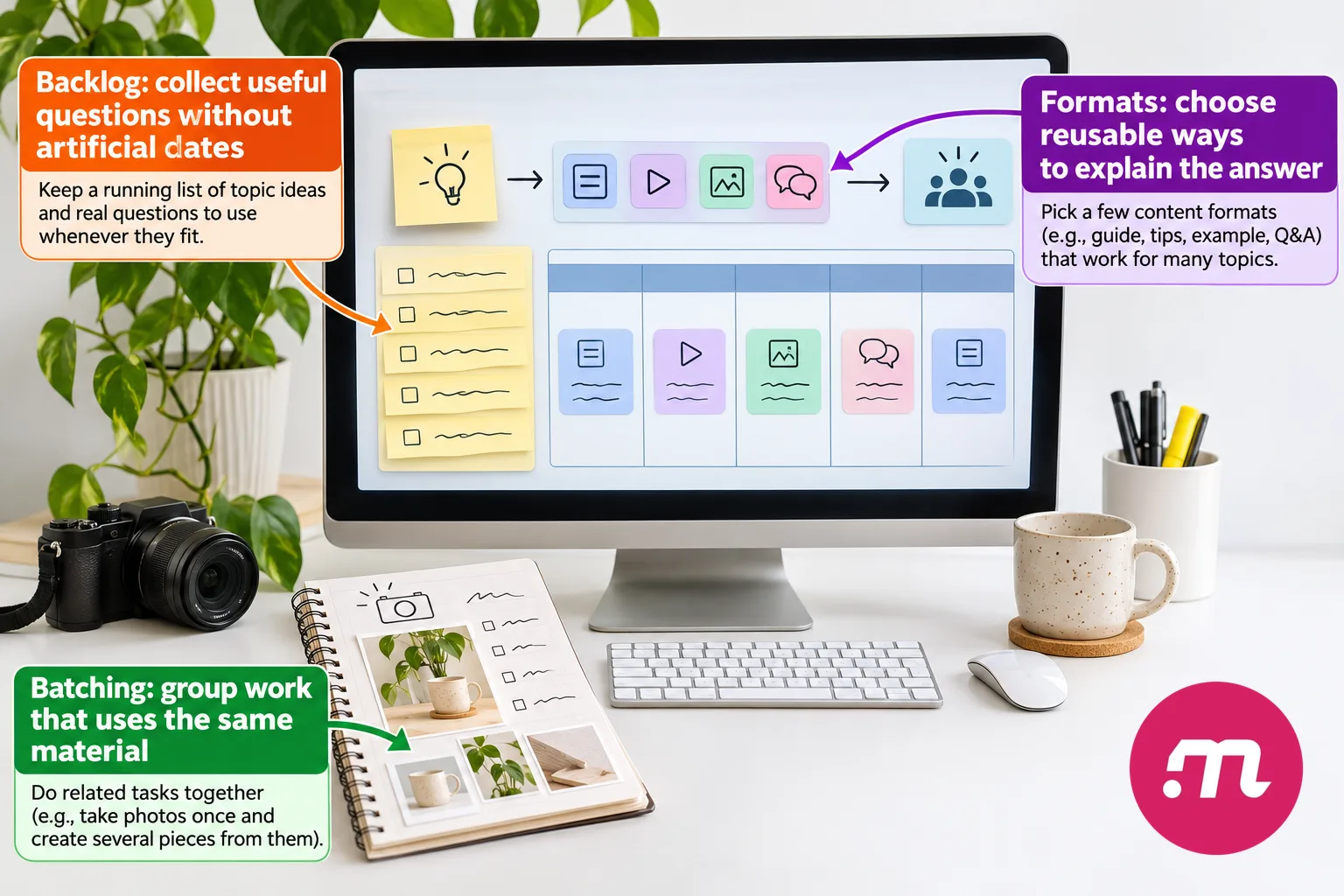
An Ideas tab only needs the question, a possible angle and supporting material. Move an idea into the working plan when you've chosen a format and can assign production. Keep the original question so the brief doesn't drift into a generic product announcement.
For a broader marketing plan, the channel might be a blog or email rather than social. Keep separate entries for each finished item, linked by a common theme. One campaign row isn't enough to coordinate several assets with different deadlines.
Choose a sheet, database or visual overview
Start with the format you already maintain
A Google Sheets layout is a sensible starting point when quick text editing matters most. Add status options by selecting the relevant cells and choosing Insert, then Dropdown. Google's dropdown instructions explain the available setup routes. Keep written labels even if you assign colours.
Choose a small set such as Draft, Review, Changes needed, Ready and Published. Ready describes approval of the specific material; Published records that the intended item actually went live. We wouldn't merge those states just to make the calendar look complete.
Use another view for a real reason
If your team prefers cards, recreate the fields in a Notion database with a Date property for publication. The official Notion calendar guide explains adding a calendar view and selecting the date property it displays. A visual overview can show crowded dates without replacing the underlying brief.
A Canva layout can be your presentation sketch if your team already works that way. Use it to discuss the proposed mix, while keeping the approved captions and deadlines in one working record. Don't create a second plan that someone must reconcile manually.
We wouldn't declare Sheets, Notion, Airtable or CoSchedule the universal winner. List the task your current setup makes difficult, then check another product's current capabilities and restrictions. A template gallery is a poor substitute for that decision.
Set up a small weekly production routine
Choose lanes and formats before filling dates
Try three lanes as a starting exercise: product understanding, practical use and purchase reassurance. Choose two reusable formats, perhaps an explanation carousel and a demonstration video. These are suggested limits for a small plan, not a tested algorithm formula or a compulsory posting mix.
For the stationery example, understanding covers dimensions or page layout. Practical use shows a genuine planning task. Reassurance answers a current question about ordering or service. Keep factual claims in the brief so a creator doesn't have to guess product details.
Turn ideas into assigned work
- Collect customer questions in the idea queue before the planning session.
- Choose the questions you can answer with verified facts and available material.
- Write each production brief and assign a person to finish it.
- Set an asset deadline before the approval and publication slots.
- Reserve a weekly batching session for related writing or filming.
- Review unfinished tasks before committing additional posts.
A short setup session can create the structure, but it may not finish the content. Batching works well when several assets need the same sample or filming arrangement. It works less well when every post depends on a different person or a changing operational answer.
Our preference is to finish a modest week first. If you can't explain who will make a post and what they need, leave it as an idea. Adding a date won't make an uncertain brief ready.
Fill an Instagram week with specific briefs
Make the format serve the question
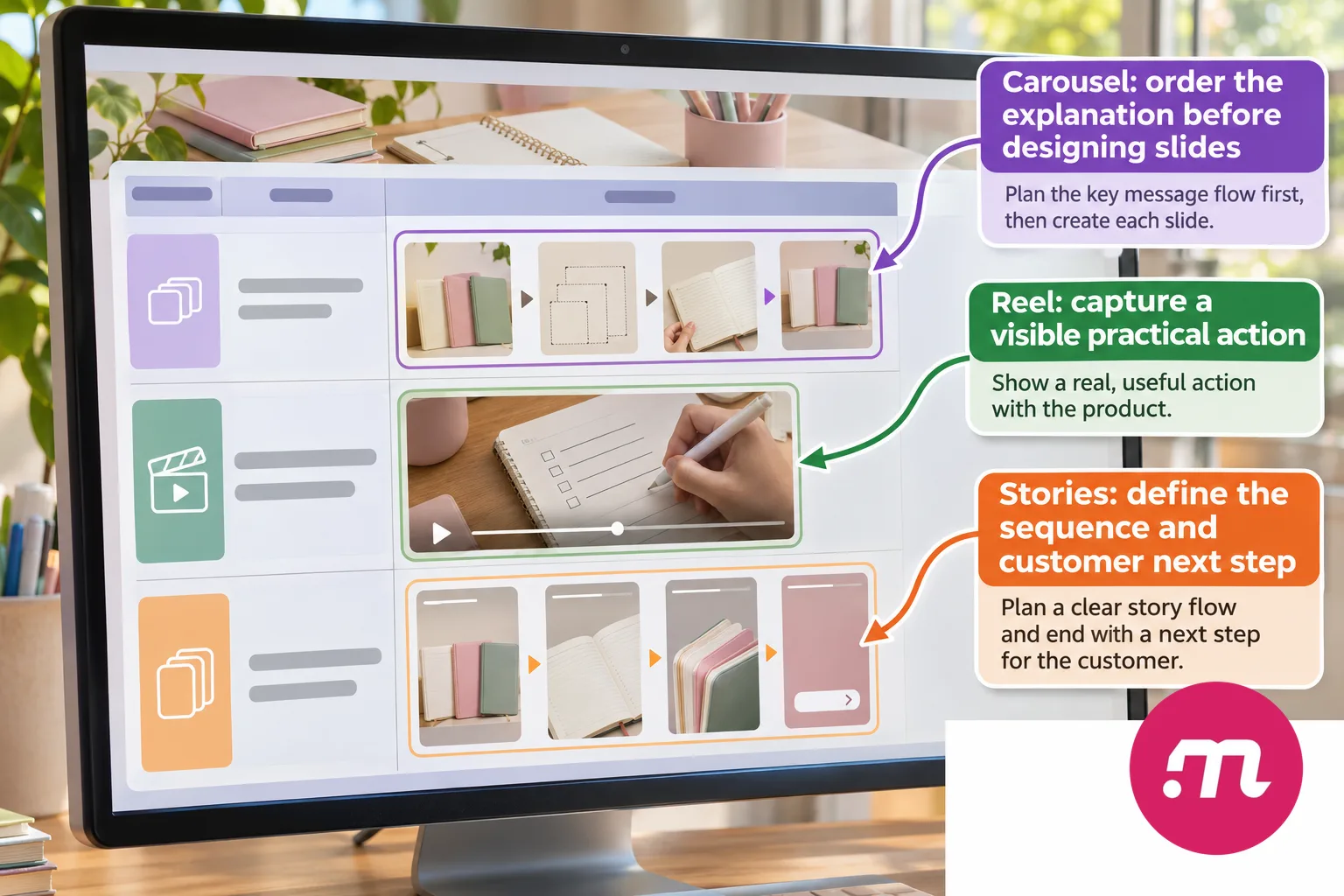
Use this Instagram calendar template example to see the difference between a topic and a brief. It is a proposed working week, not a recommendation for posting frequency or the best days to publish.
| Slot | Customer question | Format and brief | Required check |
|---|---|---|---|
| Monday | Will this size suit my desk? | Carousel showing dimensions and scale | Correct notebook variant and measurements |
| Wednesday | What could I use the layout for? | Reel showing one practical planning example | Visible pages match the actual product |
| Thursday | Where can I compare the options? | Story sequence explaining the available range | Current product names and availability |
| Friday | What happens after ordering? | Carousel explaining the actual service process | Operations confirms current wording |
Monday needs a clear slide order. Wednesday needs an opening shot and a visible action. Thursday needs its sequence and a person ready to handle questions. These are production differences, not interchangeable slots in a colourful grid.
Give a post a fallback when its production depends on something uncertain. If the sample isn't available, use an already checked evergreen explanation and move the shoot. Don't substitute another product variant just to preserve a publishing date. The calendar should make that change visible to the reviewer, including why the replacement still answers a useful customer question.
Preserve the approved version
Keep the caption beside the asset version the reviewer checked. If a later edit changes a measurement or offer, request review again. Approval of an early outline doesn't automatically cover a finished product claim.
Also check the destination. A post inviting size comparisons needs a useful comparison page or an agreed response process. Mommantum's social media marketing work connects content production with those customer decisions. We wouldn't count publication as success if the next step leads nowhere.
Map India dates into the 2026 plan
Verify the event before writing the promotion
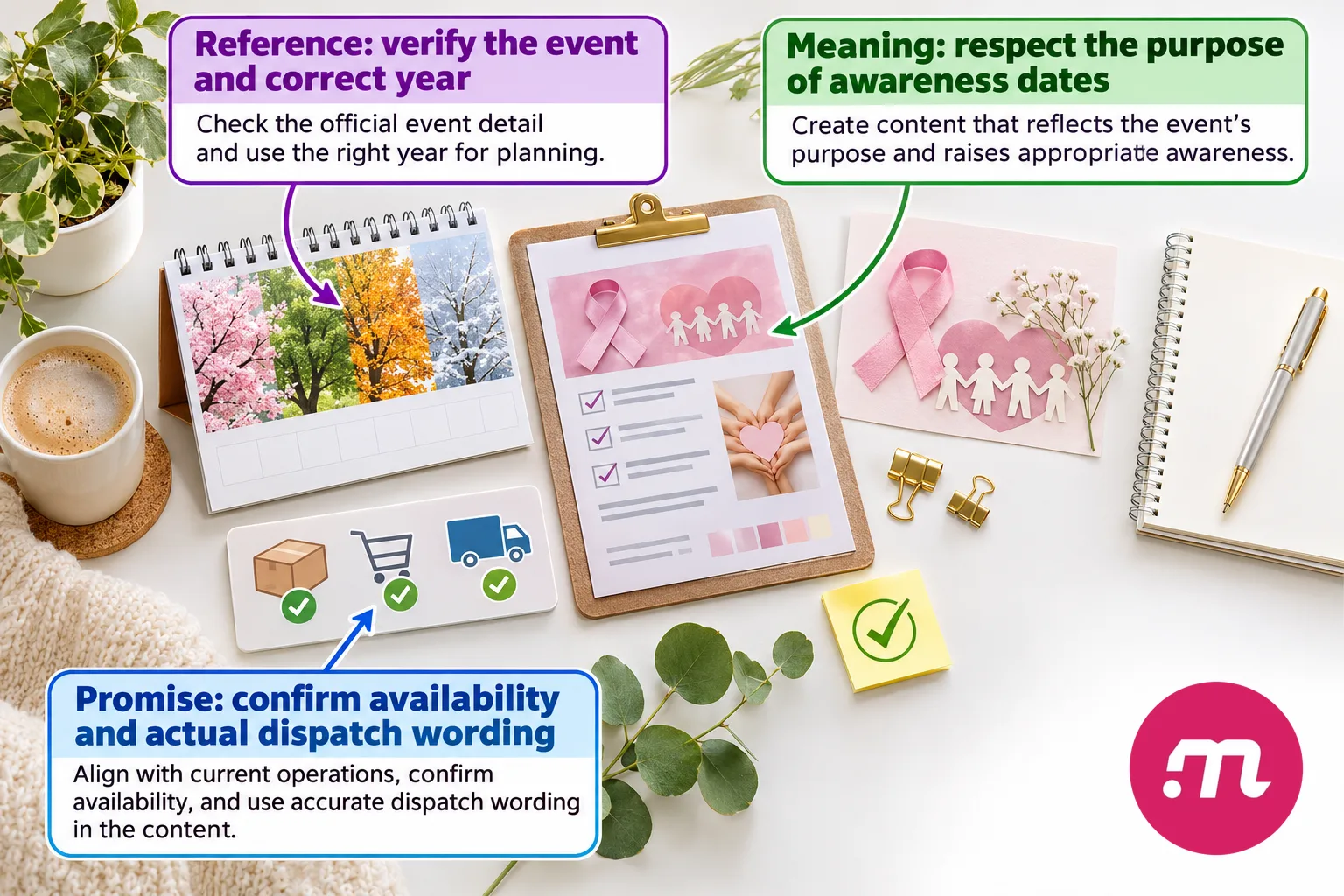
The Delhi central government office holiday list records Diwali on 8 November, Guru Nanak's Birthday on 24 November and Christmas on 25 December in 2026. Those dates provide a reference, not a guarantee about local observances, opening hours or courier arrangements.
UNICEF identifies 20 November as World Children's Day, focused on children's rights. An awareness-day post should respect that purpose. An unrelated sales message doesn't become useful because the calendar has an empty cell.
Translate a date into an appropriate task
A relevant educational business might choose a useful children's-rights resource for 20 November. A retailer might use 25 December for a genuine opening-hours update if that matters to its customers. These are editorial options, not a requirement to publish for every event.
For the notebook example, a festive gift post still needs verified availability and honest dispatch wording. Add a factual review deadline before the creative is approved. We'd omit an unconfirmed arrival promise even if that makes the caption less persuasive.
Because this guide is prepared in November 2026, earlier annual events belong in the archive. Check the year when reusing a seasonal row. Keep evergreen ideas separate so an expired promotion doesn't quietly return as current information.
Review useful outcomes and remove planning friction
Measure the action you intended
Read the Next action field before reviewing the result, so you check what you wanted the customer to do. For a size explanation, check relevant visits or questions about suitability. For an ordering explanation, look for evidence that it answered the intended concern. Don't assume that more likes mean more purchases.
When you calculate conversion rate, define the visits and completed actions you're counting. Don't present organic content as ROAS without defining attributable revenue and the costs included. Record production spending in rupees and staff time when they affect the next decision. A free template doesn't make the work free.
Record when you observed the result as well as when the post appeared. A week-old carousel and a video published this morning have had different opportunities to collect responses. Keep the comparison window similar before judging the format. Use small-account observations to choose another test, rather than declaring a permanent winner from one unusual post.
Make the planner easier to maintain
- Find the next unfinished item and name the blocker.
- Check that the final creative matches the approved caption.
- Record the published location after checking the live post.
- Move a useful customer question into the idea queue.
- Remove a field nobody uses to decide anything.
If the blank calendar is the problem, ask an assistant for possible ways to explain an anonymised customer question. Keep the output in Ideas until you check it. AI can suggest a demonstration angle; it shouldn't invent dimensions, client testimonials or customer results.
We'd buy a scheduling tool only after identifying a repeated execution problem. If late approvals are the bottleneck, improve the review arrangement first. More software doesn't decide who owns the final answer.
Conclusion: keep the template small enough to use
Copy the structure, fill a week with specific briefs and keep ideas separate from commitments. Choose a format your team can maintain, then review what prevented the unfinished work from moving. The planner earns its place when it helps someone finish the next useful item.
For help connecting the calendar to production and customer outcomes, explore Mommantum's social media support and book a free strategy call. Bring your current plan and one post that keeps slipping. We'll start with the task holding it up.
Frequently Asked Questions
Key takeaways and practical details on this topic.
Make a social media content calendar by turning customer questions into specific production briefs with owners, deadlines and approval states. Copy the structure in this guide and fill a manageable week before adding more dates. Keep unfinished ideas in a nearby queue. The practical goal is seeing what needs to happen next, rather than making every calendar cell look complete.
Create a social media calendar by identifying the audience and intended action for each post, then choosing the channel, format and publishing slot. Assign the asset deadline before approval and publication. Start with the material your team can actually produce. Keep a live location after publication so the same working record supports review as well as planning.
A free social media planner can hold your briefs, captions, asset locations and approval decisions in a spreadsheet without automatically publishing anything. Keep execution as a separate task until manual publishing causes a repeated problem. You don't need a subscription just to organise the week. The template is free to copy, while production and review still require staff time.
A content calendar should include the customer question, channel, format, production brief, next action, owner, deadlines and approval state. Keep the caption and correct asset accessible beside the entry, then add the published location and learning. Extra fields should support a decision. If no one uses a column to make or review the work, it may be unnecessary administration.
Choose a content calendar template by testing a few real posts in a familiar tool before moving the entire workflow. Check whether you can find the next task, correct asset and approval decision quickly. A sheet suits quick editing; a calendar view may help you compare crowded dates. Verify current product restrictions before paying for a new planning system.
A content calendar template is a reusable structure for organising what you intend to publish and the work needed to finish it. It can cover social posts, email or articles, depending on the fields and scope you choose. A template is a starting layout rather than an automatic publishing service. Its value comes from clear briefs and maintained decisions.
Plan a weekly content workload that your team can produce and approve reliably rather than adopting a universal quota. The filled week in this guide is illustrative, not an algorithm recommendation. Review missing facts, filming delays and late decisions before increasing volume. Reusing an asset may reduce production work, but each new product claim or offer still needs checking.
A free planning calendar and scheduling software address different tasks. The calendar coordinates ideas, production and approval, while a publishing tool may address execution. Start with the repeated problem you need to solve before comparing products. If approval is late, adding a scheduler won't supply the missing decision. Check current features and plan restrictions before choosing a paid service.
You can plan social content without a scheduling service by keeping a small working sheet and a nearby idea queue. Record the caption, material location and approval decision beside each post so you don't have to reconstruct them from messages. Choose only the week you can realistically produce. Add software when you can name a repeated limitation it would actually solve.
Collect real customer questions before the weekly planning session, with a short note about the facts or material needed to answer them. Leave them undated in Ideas until you choose a production brief. This separates collecting thoughts from making commitments. An assistant can suggest possible angles, but product claims and the final topic decision still need your review.
Handle different content formats in one calendar by giving each finished item its own brief, owner and approval state. A Reel needs filming instructions, a carousel needs an explanation order and a Story sequence needs its own publishing plan. Reuse the underlying topic only when it suits the audience. Check whether the second platform needs different wording or a different next action.
Keep a visual content plan clear with written status labels and a separate lightweight idea queue beside committed posts. Use colour as a scanning aid, rather than the only explanation of approval. Start with the fields that identify the next task and correct material. Add another view when it helps review, and avoid maintaining a conflicting second version of the plan.
Ready to implement this for your brand?
Connect with our Jaipur growth studio to turn these strategies into revenue for your D2C or ecommerce business.