Boost Engagement: 7 Practical Changes For Indian Brands To Create Useful Instagram Posts, Handle Customer Replies And Test Content Ideas Without Confusing More Comments With Better Enquiries Or Profitable Business Growth
Give customers a useful reason to respond. Plan clear Instagram posts, accurate replies and small content tests your team can review.
Introduction
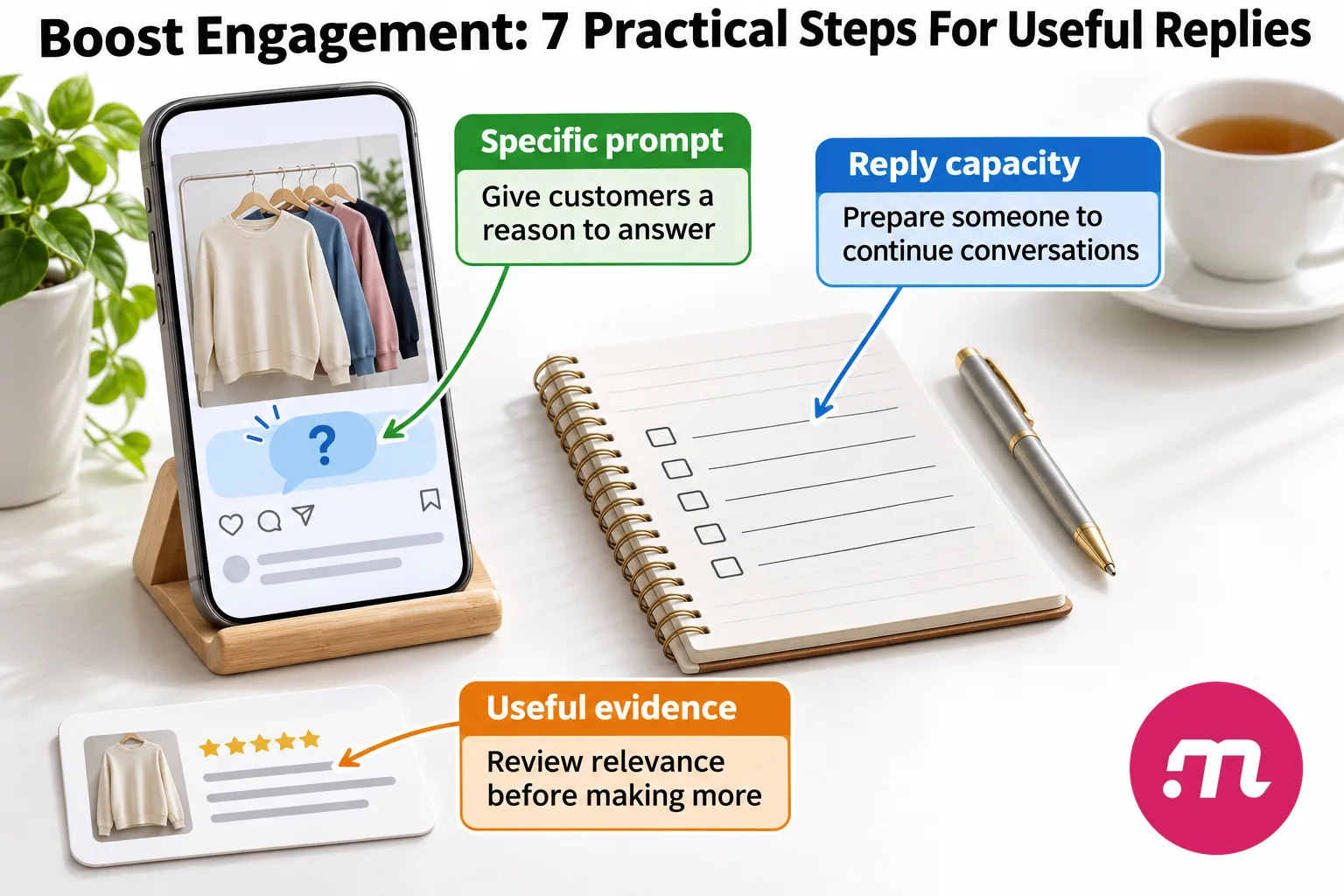
Boost engagement by giving customers a useful reason to respond, then making sure your team can continue the conversation. Asking for more comments won't fix a post that leaves people unsure what you sell or why it matters. Start with a buying question. Answer it clearly, then judge the response before committing to more production.
For an Indian D2C brand, useful responses might concern fit, delivery or how to use the product. For a local business, they might concern availability or directions. We recommend planning the post and its replies together. It gives your team something specific to make, something relevant to answer and a decision to review.
Table of Contents
- 1. Introduction
- 2. Boost engagement around a useful customer action
- 3. Build posts from questions your team already hears
- 4. Choose the format that makes answering easy
- 5. Make replies part of the content plan
- 6. Test unfamiliar ideas before expanding production
- 7. Build a routine your team can sustain
- 8. Judge social media engagement beside business outcomes
- 9. Conclusion: earn a response you can use
- 10. FAQs
Boost engagement around a useful customer action
Define the response before the creative
Choose the job of the post. A product-care guide may help someone keep an item in good condition; a demonstration may resolve a purchase objection. Write the response you want beside that job. Don't ask the same person to comment, share, follow and enquire in one breath.
If you sell clothes, "Which sleeve length is harder to find?" gives a customer a specific question to answer. "Thoughts?" leaves them to invent the conversation. The narrower prompt may attract fewer replies, but the answers can tell you what to explain next.
Keep interaction and purchase intent separate
If you're asking "what is interaction in Instagram", think of the actions people take, such as likes, comments, shares and saves. These actions aren't interchangeable with unique customers. Someone can respond more than once, and an enthusiastic comment doesn't establish that they intend to order.
Read the replies. A question about delivery to Kota may be more commercially useful than praise from someone outside your service area. We wouldn't remove the friendly conversation; we would report the useful buying questions separately.
Agree what a relevant enquiry means with the person handling sales. For a local service, that could require the right location and a suitable requirement. For a store, an availability question may be enough to begin a conversation. Write your definition down. It needs to fit the business before you compare results.
Build posts from questions your team already hears
Collect evidence from real conversations
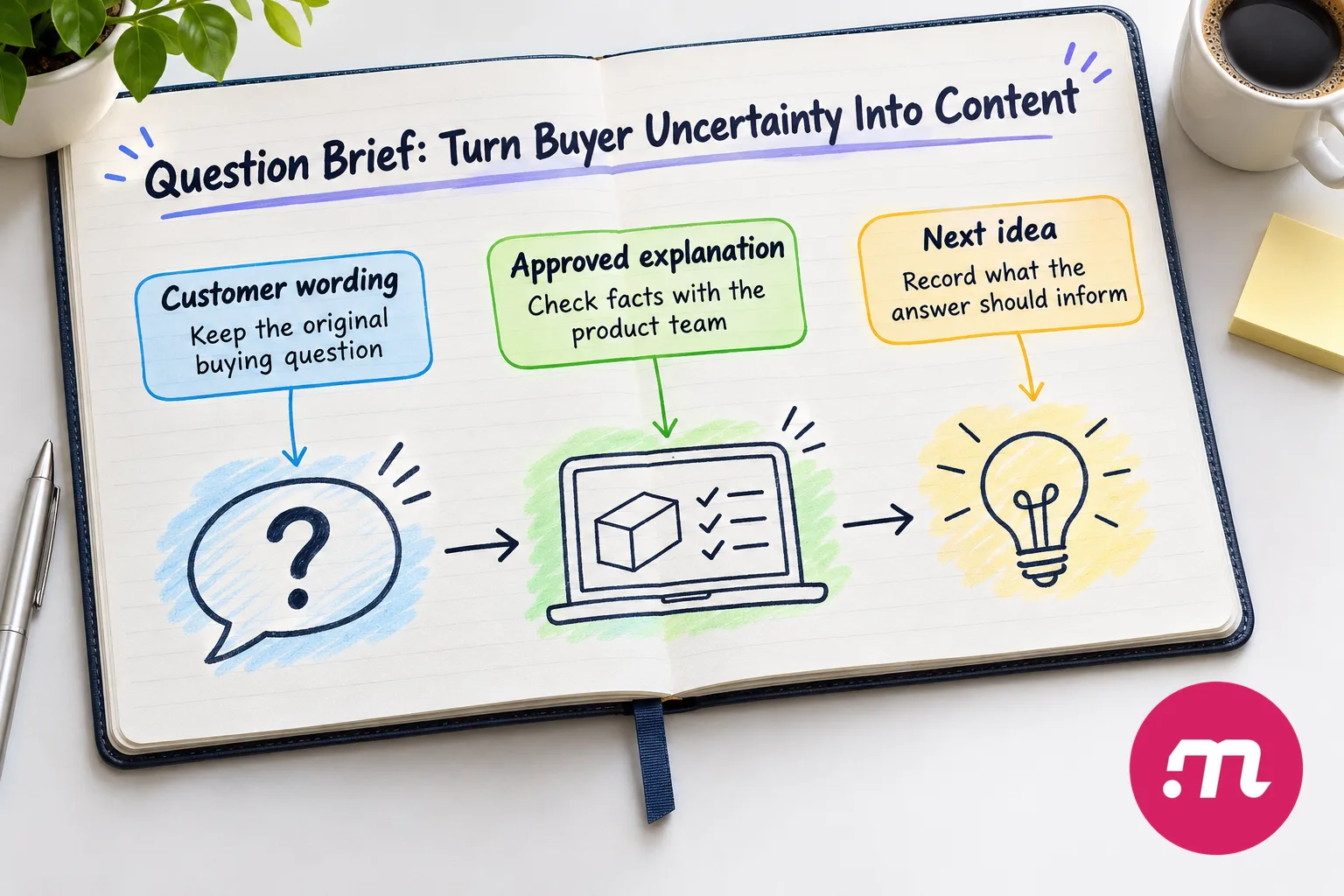
Read recent product comments, support messages and sales objections. Remove personal details and group repeated uncertainties. Keep the customer's language where possible. A buyer asking if a kurta needs a lining gives you a more useful brief than "make educational content".
Turn the question into an explanation your product team can approve. Show the fabric in representative light, explain the lining and point to the relevant product information. Help the viewer judge the item. That gives an Instagram engagement post a reason to exist.
Our Urban Vada Pav case study describes flavour-reveal Reels and kitchen content alongside local advertising. It reports daily footfall rising from 40 to 210 across that combined programme. Those results don't establish that a particular question or caption caused the increase.
Choose a prompt you can act on
Ask about something the business can explain or improve. When you ask followers to choose a new colour, explain how you plan to use their preferences. Say if the production decision is already made. Don't imply every suggestion will enter production.
We prefer practical questions over manufactured controversy. A debate may generate comments while telling you little about the customers you can serve. Before approving the prompt, ask what your team would do with the answer.
Keep a small idea record with the original question, the proposed explanation and the person checking it. This avoids losing useful customer language when the conversation moves from the inbox to a designer's brief.
Choose the format that makes answering easy
Match the explanation to the medium
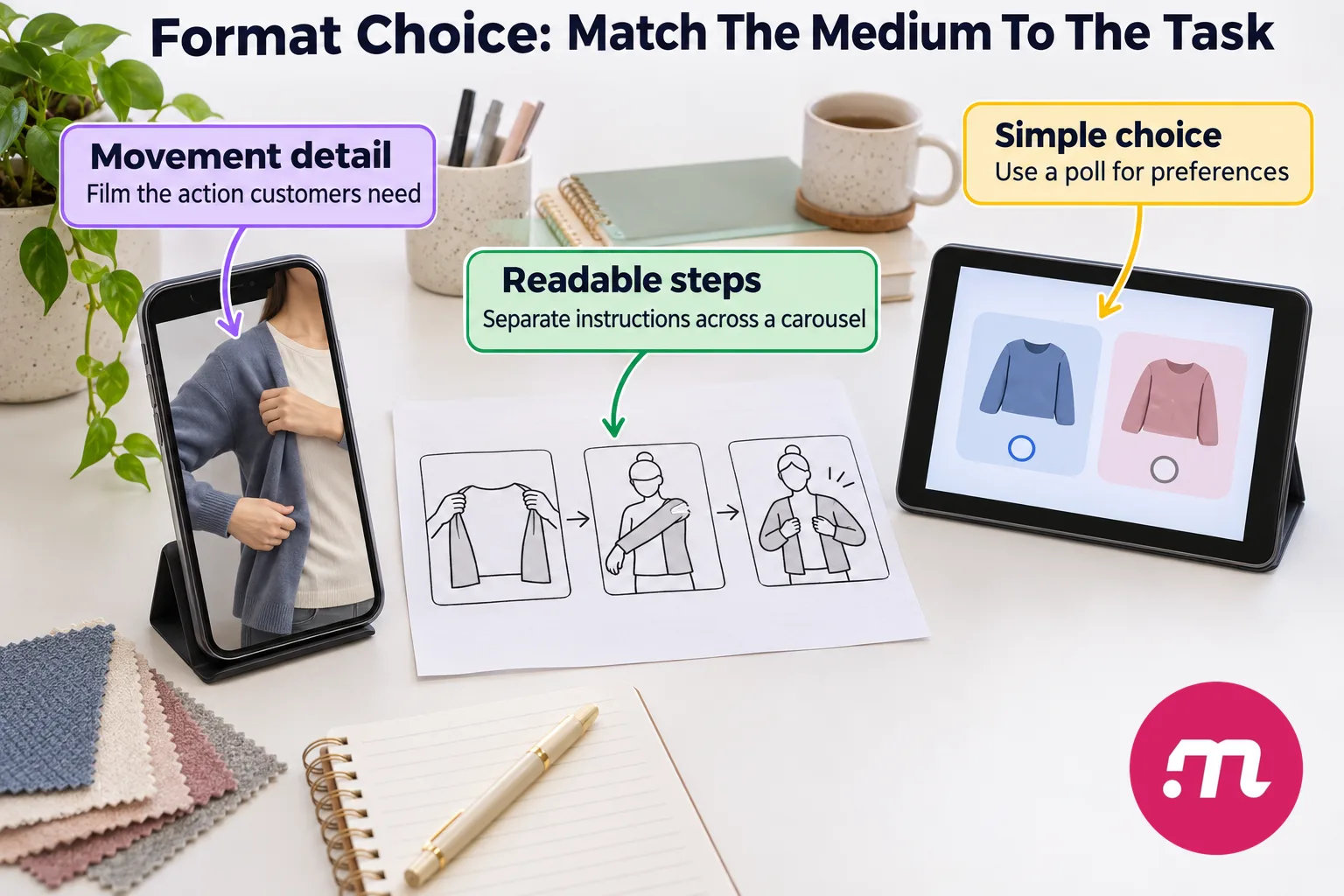
A format should make the customer's task easier. A physical demonstration can show movement that a still image cannot. A carousel can separate a process into readable steps. A Story can invite a small response without requiring a public comment.
| Customer task | Format to test | Response to inspect | Limit |
|---|---|---|---|
| Understand product handling | Demonstration Reel | Relevant use questions | Needs accurate footage |
| Remember instructions | Care-guide carousel | Saves and follow-up questions | Small text can be unreadable |
| Express a preference | Story poll | Votes and optional replies | Voters aren't the whole market |
| Check local availability | Clear product or location post | Stock and location enquiries | Details need updating |
Shopify's engagement guide recommends conversation-led content and interactive Stories. Use these as options to test, rather than a promise that a particular format will outperform everything else on your account.
Remove avoidable effort
Make text readable on a phone. Name the product early and keep the question visible without a long explanation. For video, inspect captions and check that the demonstration still makes sense with sound off.
Use the language your buyers understand. A natural Hindi explanation with checked English subtitles may suit a Jaipur retailer better than formal English copy. Avoid adding both languages everywhere if the screen becomes crowded. Clarity matters more than fitting every possible viewer into a single post.
We would film a clear, honest demonstration before paying for elaborate transitions. If the product is difficult to judge, extra decoration gives the viewer more to process without resolving the uncertainty.
Make replies part of the content plan
Give useful comments a real answer
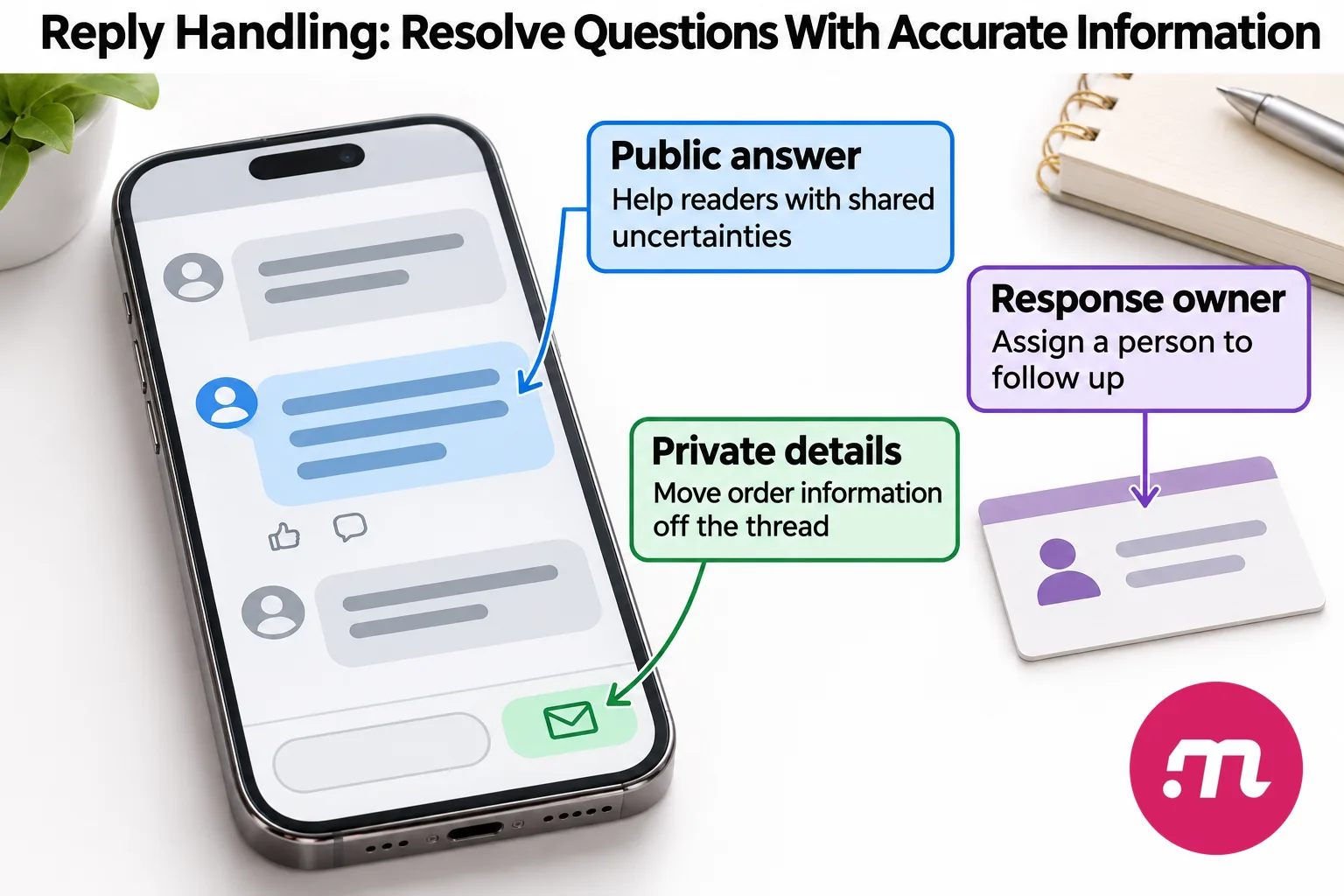
Assign someone to review comments and messages during working hours. Product questions need accurate answers; complaints may need investigation. Save repeated answers as drafts, but check that the wording matches the current stock, delivery terms and customer's question before sending it.
A public answer can help other readers with the same uncertainty. Move addresses, phone numbers and order details into a suitable private channel. If the question needs a specialist, tell the customer who is checking it and avoid promising an answer time your team cannot meet.
We don't recommend spending equal effort on every response. A genuine delivery problem deserves more attention than a generic compliment. Set priorities around customer needs instead of a rule that every comment must produce another comment.
Participate without turning every reply into a pitch
Small-business owners often worry that commenting from a brand account looks artificial. Make the comment relevant enough to stand on its own. Answer the actual topic, add a useful detail or ask a sincere follow-up. Don't paste a product link beneath unrelated posts.
If the team's brief says "engagement Instagram post", replace it with a task someone can perform: answer the care question and invite a relevant follow-up. That instruction helps the writer and the person handling replies work towards the same outcome.
Our social media marketing service connects planning with audience engagement. A busy inbox needs capacity. Increasing the number of prompts before arranging that capacity can leave customers waiting longer for information they need.
Test unfamiliar ideas before expanding production
Use trial Reels for a specific question
Meta describes trial Reels as a way to show content to non-followers first. Its guidance says initial engagement metrics become available after approximately 24 hours. Check the option and controls available in your account before planning around it.
A clothing brand could use a trial to explore a different way of explaining garment construction. Write down what you're testing: the opening demonstration, the question or the explanation. Keep the rest reasonably stable so the result can inform another creative decision.
Trial distribution isn't a controlled experiment with identical audiences. A stronger result suggests an idea worth exploring; it doesn't prove that a single editing decision caused the difference. Review the substance of the responses as well as the count.
Keep control of wider sharing
Meta's guidance describes both manual sharing with followers and optional automatic sharing based on early performance. Review that setting deliberately. A draft offer, unfinished explanation or product with limited availability shouldn't reach a wider audience simply because nobody checked the sharing choice.
We would use trials to learn about presentation, not to avoid product approval. Claims and stock information still need checking before any audience sees them. Keep the original footage and approved wording so a promising idea can be revised without rebuilding the entire post.
For account-specific education, consult Meta's professional-dashboard guidance. It covers creation, engagement and reach. Use that alongside your own customer evidence instead of copying an unexplained algorithm rule from a forum.
Build a routine your team can sustain
Protect time for production and review
A posting schedule should reflect the work you can finish accurately. Include gathering product information, checking the edit and replying afterwards. If daily posting leaves nobody available to answer a buying question, reduce the production load before increasing it.
Batch similar filming tasks when that helps. Record several approved demonstrations under the same lighting setup, but keep each post focused on a separate customer uncertainty. Give every clip a job before adding it to the calendar.
Give review responsibility to a named person rather than leaving it with the whole team. That person should have access to the post's insights and feedback from whoever answers enquiries. Without both, a designer may optimise for comments while a sales colleague sees the same unresolved delivery question every day.
Boost engagement through a manageable test
- Choose a repeated customer uncertainty.
- Select a format that can explain it.
- Write a specific, relevant response prompt.
- Approve the product details and destination.
- Assign responsibility for replies.
- Review comparable content at a similar age.
- Record what to keep or change.
Keep the first test within your existing capacity. If it needs a new shoot, a new offer and a different landing page, simplify it. Changing everything together makes the result difficult to interpret.
We would rather complete a smaller cycle than publish a large calendar with no review. The record of what you learnt is what makes the next cycle cheaper to plan.
Judge social media engagement beside business outcomes
Compare like with like
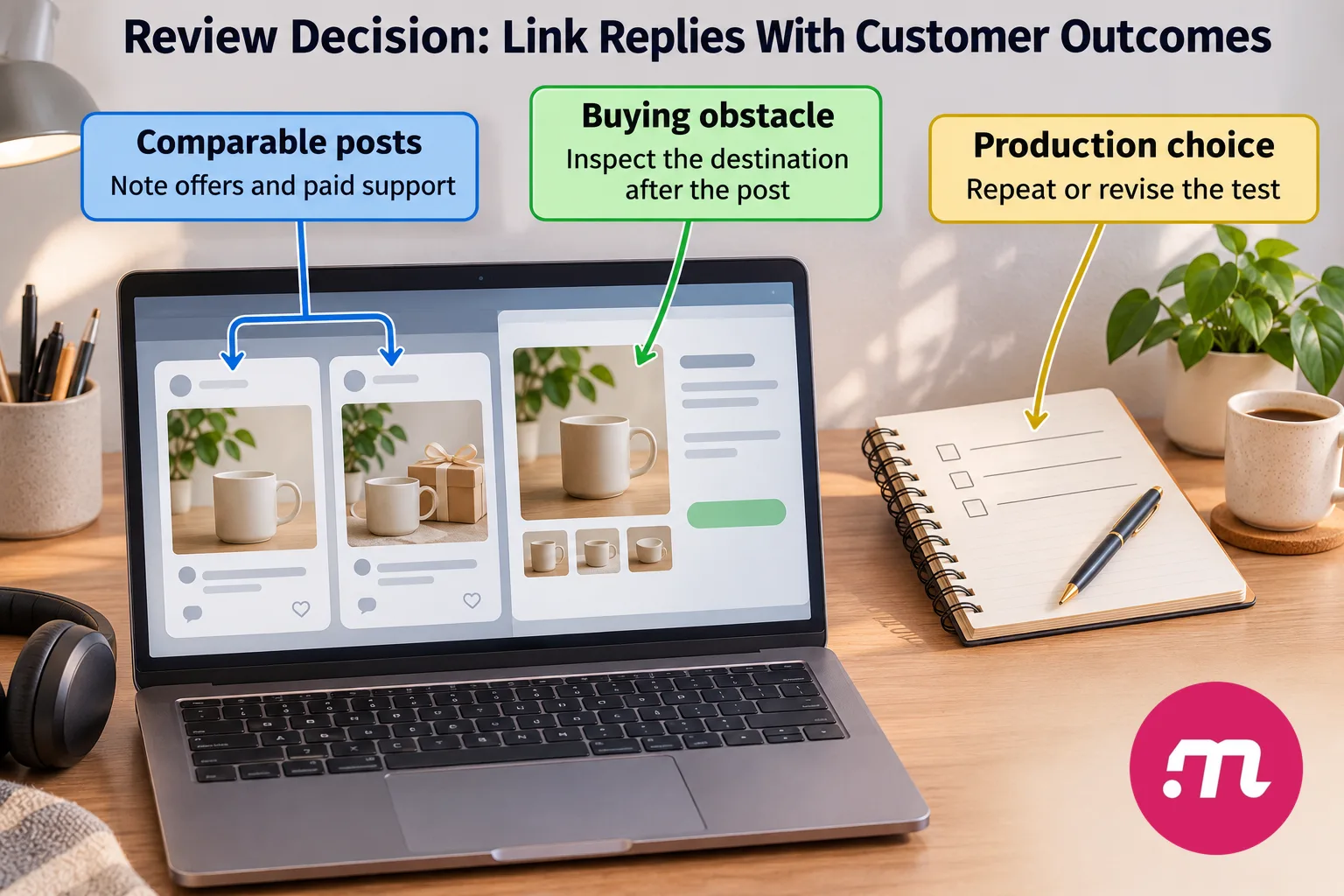
Choose a consistent observation window and identify posts that received paid support. Record the actions included in any engagement-rate calculation and its denominator. A follower-based rate and a reach-based rate answer different questions; neither should be labelled simply "the engagement rate" without explanation.
Keep the counts beside the percentage. A small audience with repeated responses can produce a high rate without generating many useful enquiries. Giveaways and discount posts also deserve separate context before they become your ordinary-content benchmark.
Write down changes that could affect the comparison: a stockout, a festival sale or an unusually busy store weekend. Don't explain every movement with the creative. If the evidence is inconclusive, repeat a manageable test before paying for a larger production batch. Uncertainty is useful when it prevents a premature decision.
Inspect what happens after the response
Follow the path to an appropriate destination, then to a qualified enquiry or order. Check the product page, delivery conditions and response process. A clear post can still send customers to an unclear page.
Our Jalvayu Wellness case study reports website conversion improving from 0.7% to 3.1% during a combined branding, website, social and advertising programme. That is a reason to inspect the whole buying process, not an engagement target to promise another brand.
- Record qualified enquiries separately from general replies.
- Include production and reply-handling costs in the stated cost scope.
- Keep paid ROAS separate from organic revenue.
- Review COD cancellations and returns where they affect the outcome.
Buying comments or joining compulsory engagement exchanges makes this assessment harder. The responses no longer tell you reliably what prospective customers need. Use the result to choose the next piece of work.
Conclusion: earn a response you can use
Choose a customer question, explain it in a suitable format and arrange for someone to answer the follow-up. Then review the quality of the conversation alongside the business action the post was meant to support.
To build that routine with your team, book a free strategy call through our social media marketing service. Bring a recent post and the questions customers asked afterwards. That's enough to start a useful brief.
Frequently Asked Questions
Key takeaways and practical details on this topic.
Increase Instagram engagement by answering a customer question and giving viewers a specific reason to respond. Choose a format that makes the explanation clear, then assign someone to handle useful follow-ups. Start with a manageable test and review the comments themselves. More activity is useful only if it helps you understand or serve the audience.
Low Instagram engagement needs a diagnosis before a larger posting schedule. Check whether people can recognise the subject, understand the explanation and answer the prompt without extra effort. Also inspect distribution and the observation period. We would improve an unclear product demonstration before assuming the account needs more frequent posting or a different account type.
Track Instagram engagement using the available account and post insights, with a written record of the reporting period and included actions. Keep paid-supported content identifiable. If you calculate a rate, state the denominator as well as the numerator. Add relevant enquiries or the intended next action so the report supports an actual content decision.
Your Instagram posting frequency should fit the content and reply capacity your team can sustain. Include time for product checks, editing and customer follow-up before adding more publishing slots. Start with a schedule you can complete and review. A fuller calendar isn't an improvement if useful enquiries go unanswered or the product information becomes unreliable.
Reels don't guarantee more useful engagement than photos for every brand or task. Test a demonstration when movement helps explain the product, and use stills or a carousel when customers need to inspect details or revisit instructions. Compare similar objectives and observation windows. Choose the format that helps the customer rather than assuming video always wins.
A good Instagram engagement rate needs a stated formula and a relevant comparison group. Begin with your own similar posts rather than an unexplained platform target. Show the counts beside the rate and inspect the actual replies. A small audience can produce an impressive percentage without supplying the relevant enquiries your business needs.
Calculate an Instagram engagement rate by dividing a defined action count by a stated audience measure, then multiplying by 100. Name the included actions and specify whether you used reach or followers. Keep the formula unchanged across comparisons. An action-based rate doesn't tell you the percentage of unique people who responded.
Instagram engagement commonly describes responses such as likes, comments, saves and shares, with additional actions depending on the format and reporting surface. Check the definition beside the metric you're using. Keep customer enquiries identifiable instead of assuming every response has the same commercial meaning. Read the substance of the conversation before deciding what to make next.
Prioritise genuine customer questions, service problems and relevant buying enquiries before spending equal time on every compliment. Assign an owner and use checked answer drafts for repeated questions, with current stock and delivery information. You can acknowledge friendly comments briefly. A reply plan should help customers, not create an exhausting requirement to extend every conversation.
A shop account can participate naturally by contributing something relevant to the conversation rather than inserting a sales pitch. Answer the topic, share a useful detail or ask a sincere follow-up. Avoid copied compliments and unrelated product links. Keep the shop's identity clear, and don't imply you're an ordinary customer when speaking for the business.
Plan Instagram engagement around a smaller production-and-reply routine you can actually maintain. Gather repeated customer questions, batch approved filming where helpful and reserve working time for useful replies. Give each post a clear job. Review what the conversations teach you before increasing volume, rather than treating constant posting as the only available strategy.
Inspect the step after Instagram before increasing content production when traffic isn't becoming sales. Check whether the destination matches the promise, purchase conditions are clear and relevant enquiries receive accurate answers. Separate general activity from qualified interest. Use the findings to decide if the next task belongs to content, the product page or the response process.
Ready to implement this for your brand?
Connect with our Jaipur growth studio to turn these strategies into revenue for your D2C or ecommerce business.