Ai Se Reels Kaise Banaye: 7 Practical Steps For Indian Brands To Plan Accurate Scripts, Create Useful Video Clips And Review Captions Before Saving The Right Export For Their Next Instagram Campaign
Plan an AI-assisted Reel from approved facts and footage. Check scripts, captions and exports, then measure whether the work helps customers take the next step.
Introduction
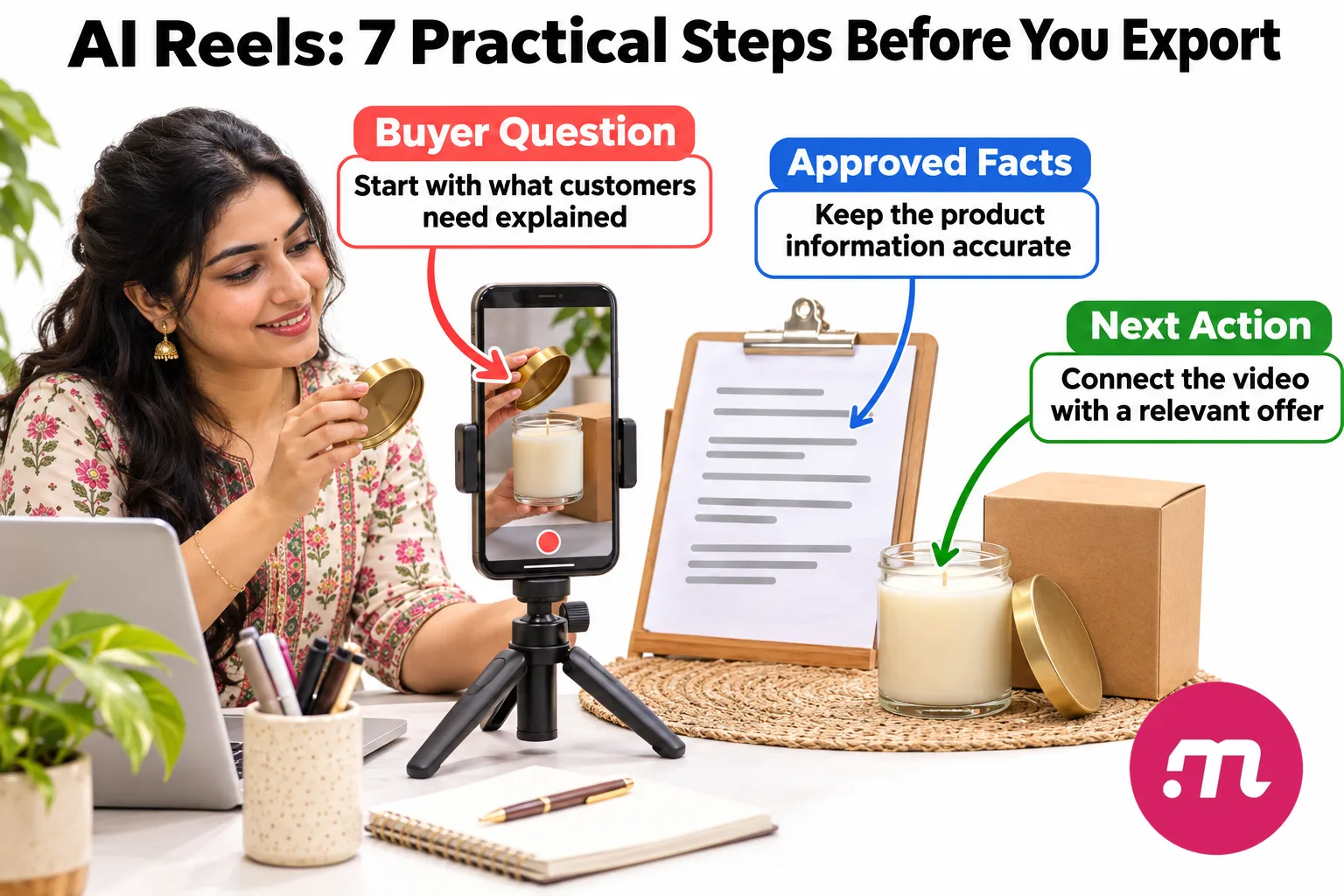
AI se reels kaise banaye is usually a question about saving production time, but the first decision is what your buyer needs to understand. Start with a verified product fact and a clear next action. Use AI to draft, generate supporting material or speed up editing, then check the result against the real product before posting.
For an Indian D2C team, a believable demonstration is more useful than an impressive clip that changes the packaging or invents a benefit. We would build a small repeatable workflow around footage you own, an approved script and a checked export. Our social media marketing work connects those production choices to the offer and customer response, rather than treating every new video as a separate experiment.
Table of Contents
- 1. Introduction
- 2. AI se reels kaise banaye: start with the buyer
- 3. Choose a workflow that fits your source material
- 4. AI se reels kaise banaye: write the script first
- 5. Assemble the edit, audio and captions carefully
- 6. Keep saved references, projects and exports distinct
- 7. Mistakes to catch before posting an AI Reel
- 8. Measure the business result and the production cost
- 9. Conclusion: use AI to assist a checked production process
- 10. FAQs
AI se reels kaise banaye: start with the buyer
Give the video a specific job
Choose a question you can answer accurately. A hypothetical Jaipur candle brand might show how its lid fits, what the packaging contains or how the product looks on a shelf. Those are different subjects. Pick the one that matters to the intended customer instead of asking AI for a generic promotional video.
Write a brief naming the audience, the approved fact and the next action. Include product images or footage the editor is allowed to use, and record what must remain unchanged. We would start with an original demonstration when appearance or performance is central to the purchase.
Plan the complete production sequence
Use this sequence for an AI-assisted Reel, with a human approval before the final export:
- Define the buyer question and the fact you can support.
- Collect approved footage, product images and permission records.
- Draft the spoken script and an ordered shot list.
- Generate only the supporting visuals the brief actually needs.
- Assemble the edit, voice and corrected captions.
- Check claims, disclosure, framing and the customer destination.
- Export a master and record the outcome you will measure.
This gives the team an agreed sequence it can repeat. A fast draft can still miss a product detail or invent a benefit, so speed isn't a reason to skip approval. Give someone responsibility for the product facts and someone responsibility for the final video; don't assume the tool has checked either.
Choose a workflow that fits your source material
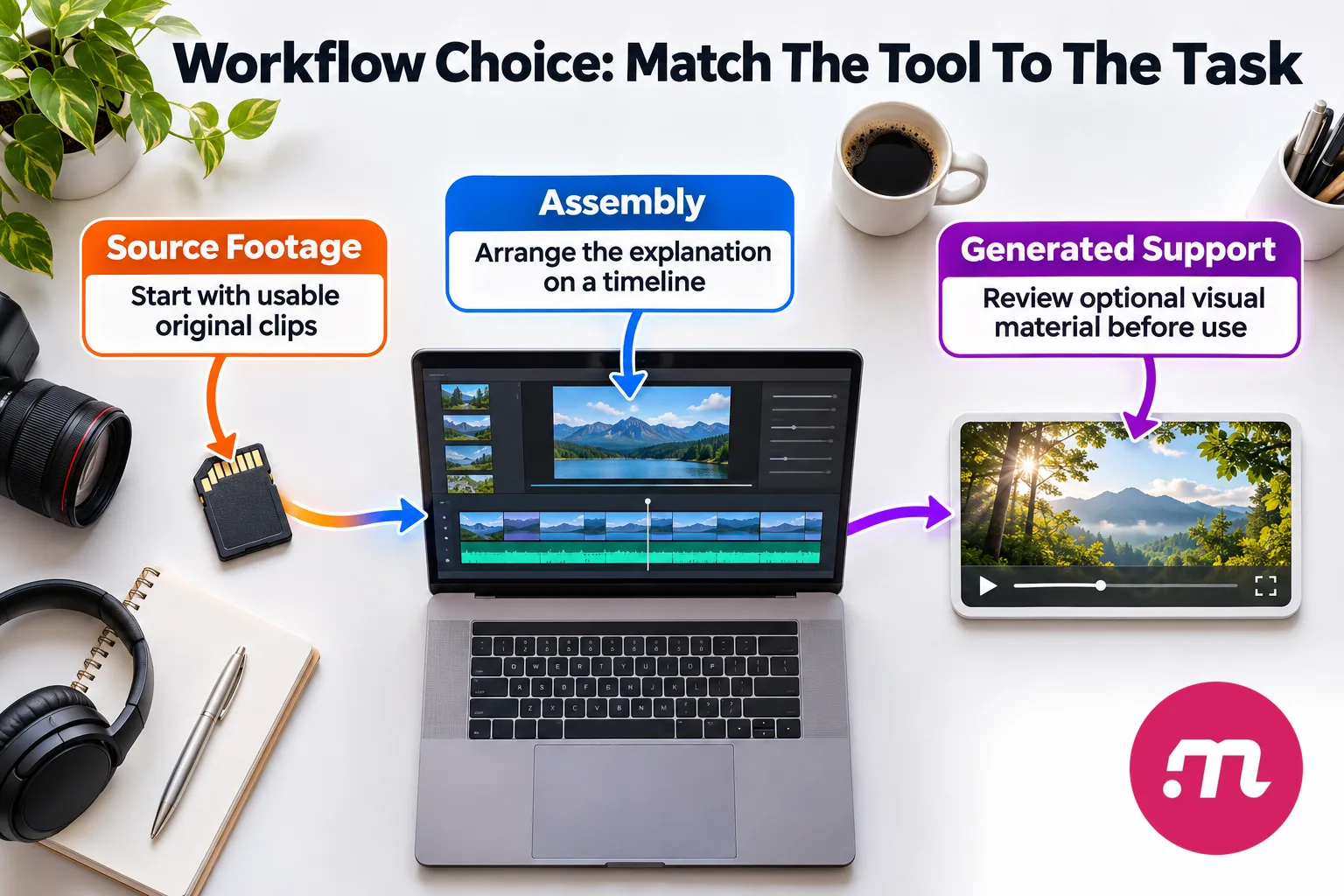
Editing and generation solve different problems
Meta's Edits announcement and subsequent updates describe mobile recording, timeline editing and exports without added watermarks. Its storyboard tools support scripts and shot planning. That makes it an editing route for footage, not evidence that an arbitrary prompt will generate a complete accurate product advertisement.
Adobe Express describes uploading clips, trimming scenes, recording voiceovers and exporting a Reel. Adobe Firefly separately offers video generation from text or an image. We would choose between those tasks before comparing subscriptions or spending credits. Check current account access and export terms before committing to a paid workflow.
| Starting material | Suitable workflow | Human check | Main trade-off |
|---|---|---|---|
| Original phone footage | Edits for planning and timeline editing | Correct sequence, sound and product detail | You still need usable source footage |
| Clips, stills and a template | Adobe Express for assembly and voiceover | Brand consistency and readable text | A template won't decide the message |
| A concept or approved reference image | Firefly for generated supporting clips | Appearance, motion and factual meaning | Generated detail can need correction |
Test an output before buying more capacity
Run a representative shot through the intended process and inspect the exported file. Check whether you can correct text, replace audio and retain the project. A tool that produces an attractive preview can still be expensive if every usable edit requires repeated generations or manual repair.
AI se reels kaise banaye: write the script first
Give the assistant facts and limits
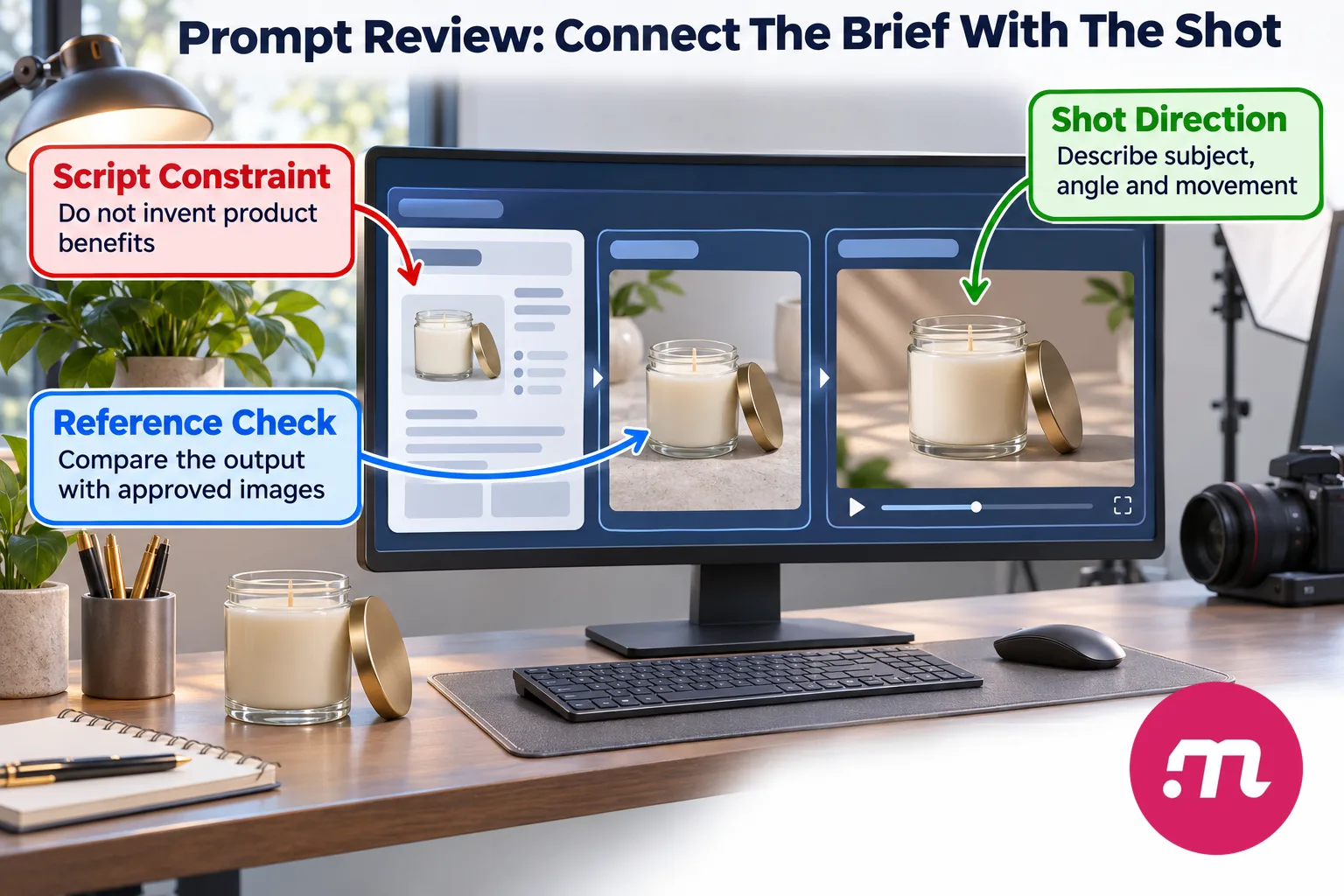
Ask a writing assistant to work from your brief rather than invent product information. Request a spoken opening, the demonstration and a next action, with a separate shot description. Tell it to leave unknown details as questions for your team. Review every benefit against information you can substantiate.
Draft a Reel script for our candle product using only these approved facts: the lid is removable and the jar is shown in the supplied footage. Answer how the packaging opens. Keep the tone conversational. Do not invent burn time, ingredients, customer reviews or discounts. End by directing interested viewers to the matching product page.
This hypothetical prompt limits the draft to information the team has approved. We would read it aloud with the person recording it and rewrite any sentence they wouldn't naturally say. Keep the product fact intact while changing the wording. Read it aloud before generating voice or filming.
Describe the shot you need
Adobe's Firefly video guide describes text-to-video and image-to-video generation and recommends specifying visual details such as subject, angle and motion. For a supporting shot, describe the object, setting and camera movement. Use an approved reference where appropriate and compare the output with it.
Don't ask a generated demonstration to prove a product works. If the lid, label or material changes between frames, replace the shot with real footage or revise the concept. Use generated atmosphere for atmosphere; show the actual product when the buyer needs evidence.
Assemble the edit, audio and captions carefully
Build meaning before adding effects
Arrange the footage so a new viewer can understand the question and answer without reading the brief. Remove repeated explanations, but keep the detail that makes the demonstration useful. A close shot of the lid opening may carry more information than a decorative transition. We'd make that shot clear before adding animation.
Keep the product's appearance consistent across real and generated material. Check colour, packaging text and proportions at each cut. If an AI shot changes the object, don't hide it with fast editing. Fix the source or leave that shot out; the viewer should receive an accurate explanation.
Listen and read as a customer would
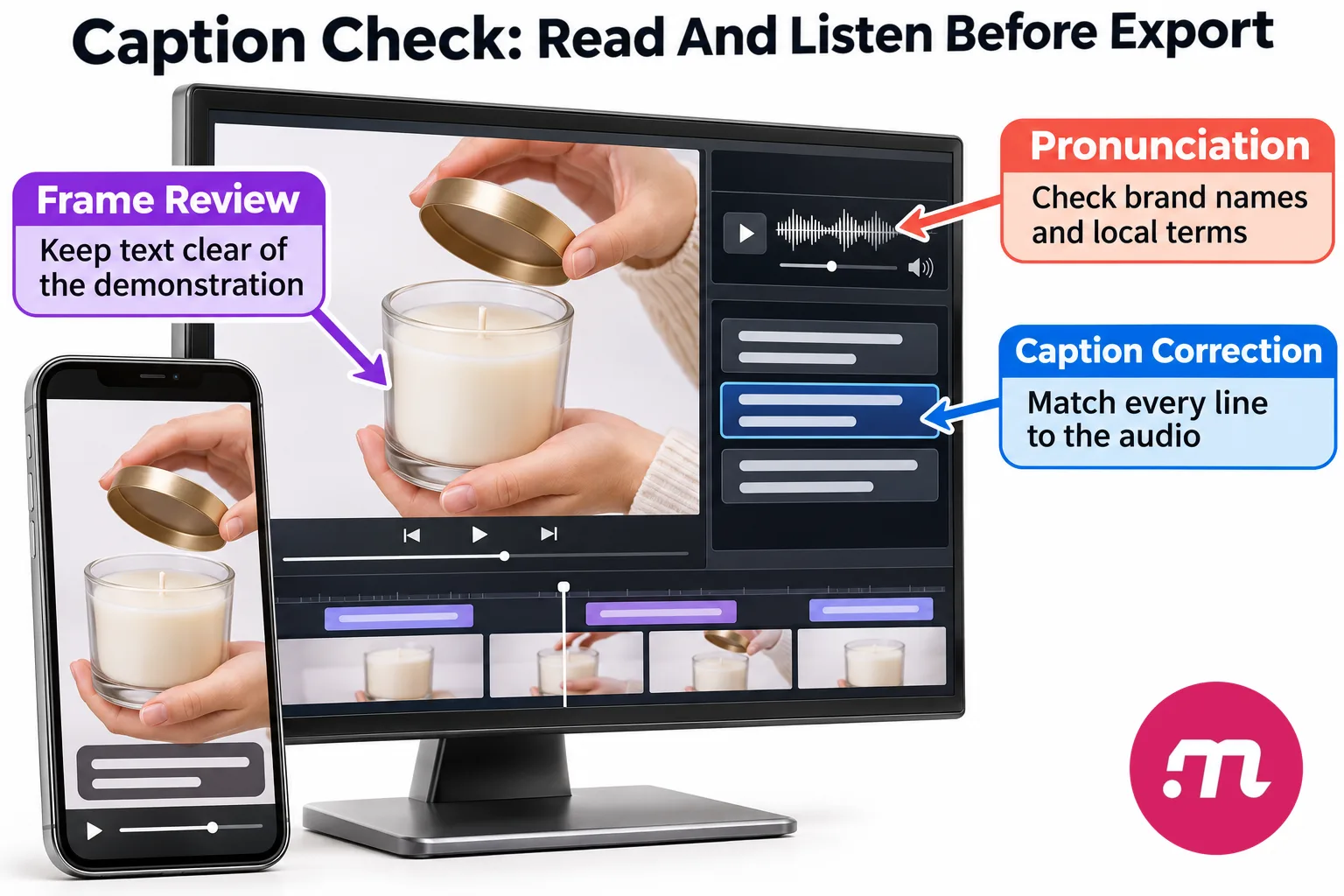
Review voiceover pronunciation for brand names, local places and product terms. If you use a synthetic voice, confirm you have the necessary permission for any identifiable person's voice and check the tool's usage terms. Recording your own narration may be quicker than repairing an unnatural generated delivery.
Choose the language your audience understands and correct captions against the final audio. For Hindi or mixed-language speech, review names and transliteration manually. Meta's April 2026 Edits update described bilingual caption upgrades as work in progress, so confirm what your installed app actually offers rather than assuming an announcement guarantees availability.
Watch with sound off, then listen without watching. The meaning should survive both reviews. Keep captions readable and away from the product detail they explain. A vertical 9:16 composition is a practical starting point, as used by Adobe's Reel templates, but test the actual preview before export.
Keep saved references, projects and exports distinct
Saving inspiration isn't saving your master
The phrase "Instagram reels save" can mean keeping inspiration, retaining an editable project or exporting a video file. These are different jobs. Meta's April 2026 Edits update says its Ideas tab brings saved Instagram Reels and audio together with notes. An inspiration collection doesn't replace your original footage or exported master.
If you're researching how to save Reels from Instagram, first decide whose video it is and why you need it. Use the account's built-in options where offered, and retain your own original export separately. Being able to save or view someone else's work doesn't settle permission to reuse its footage or audio in a brand advertisement.
Check the intended account and destination
Don't rely on a forwarded "Instagram Reels dashboard link" as proof that you're reviewing the right account. Open the official app or authenticated account interface you normally use and confirm the profile. Available controls can vary. Record the actual destination and any account messages before asking a teammate to troubleshoot.
Keep a clearly named master file, the editable project and an approved caption. Play the export on a phone and check for missing audio, cropped text and an incorrect final frame. We'd complete this review before scheduling anything, because a successful render doesn't show that the right version is ready for customers.
Mistakes to catch before posting an AI Reel
Explain generated material accurately
Meta's AI labelling explanation describes labels based on technical signals or creator disclosure and distinguishes generated material from some AI edits. Read the current prompts in your publishing flow and disclose material as required. A missing automatic label isn't a reason to present a fabricated demonstration as real.
For a product Reel, inspect what a viewer could reasonably infer. A generated customer scene should not be presented as a genuine testimonial, and an invented product result should not become a sales claim. We would change the scene rather than rely on a small caption to repair a misleading demonstration.
Keep sponsorship disclosure separate
ASCI's influencer guidance says commercial connections can include free products and calls for upfront, prominent disclosure. That is a different question from whether AI helped make the video. Put both checks in the brief when they apply, and verify the final video and caption together.
Keep the input files and approval notes available to your team. Record who checked the product details, which assets were used and which version was approved. This makes a later correction manageable. It also stops a rejected draft from being mistaken for the final export when several people are working on the same campaign.
Measure the business result and the production cost
Use viewing signals to diagnose the edit
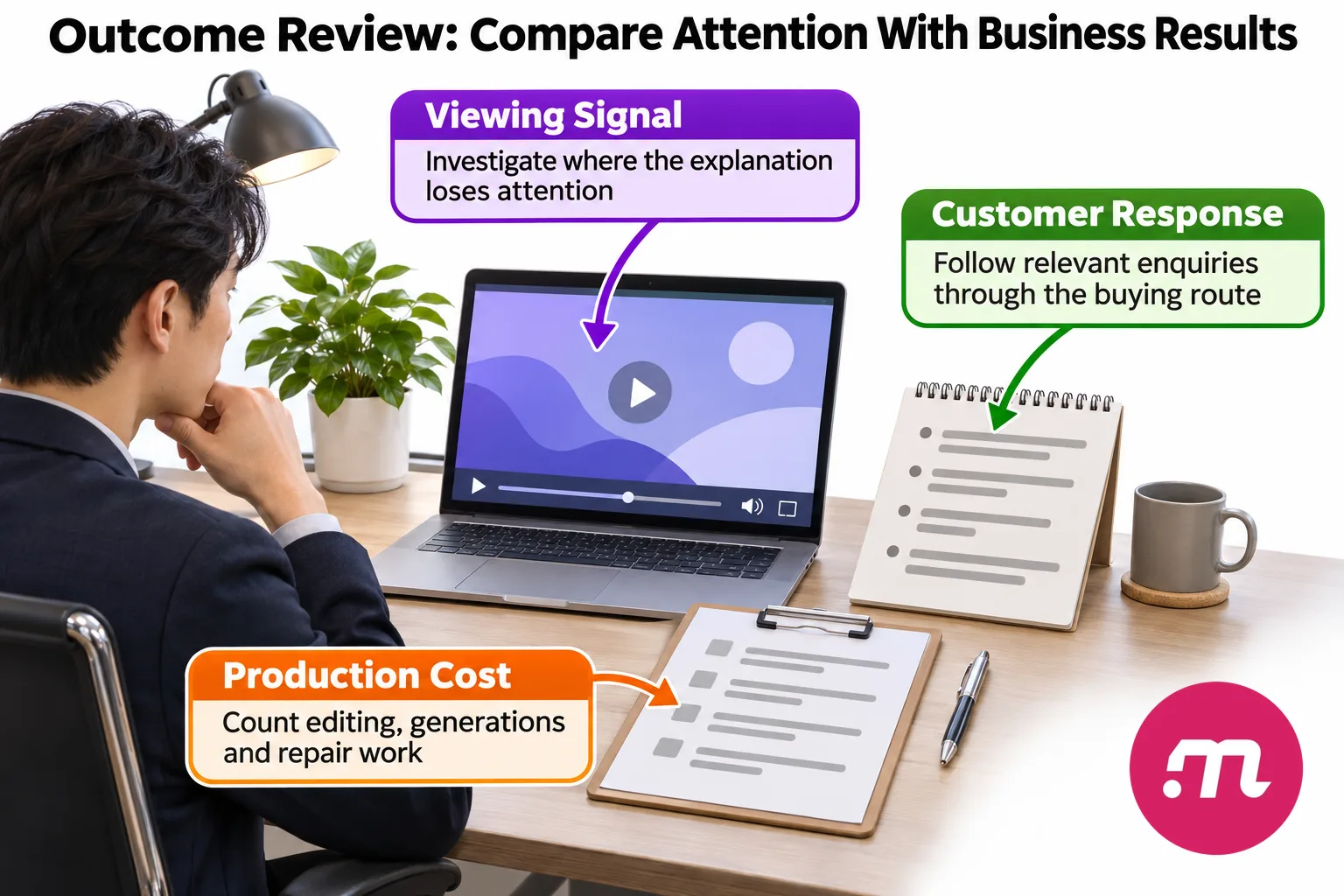
Edits describes feedback including skip rate. Use available viewing signals to investigate whether the opening earns attention and whether the explanation holds it. Don't declare a commercial success from plays alone. If people watch but don't take the intended next action, inspect the offer and destination before generating more variations.
For a local business, the next action might be a relevant enquiry or a store visit. For an online product, follow the route through the matching page and completed order. Keep cancellations and returns visible. AI can reduce some production tasks, but it doesn't answer customer questions or fulfil an order by itself.
Read case studies without assigning false credit
Our Urban Vada Pav case study reports daily footfall moving from 40 to 210 and cost per walk-in from ₹220 to ₹58. The work combined branding, Instagram content, Meta ads and Google advertising. Those are wider marketing results, not evidence that AI-generated Reels alone caused the change.
Track production time and direct costs alongside relevant enquiries or sales. For paid campaigns, state how CAC and ROAS are calculated and what spending they include. An edit that costs less to produce can still waste the budget. Check whether the lower cost came with extra repairs, an inaccurate offer or enquiries from people the business can't serve.
- Approve the facts before drafting the script.
- Use real footage where buyers need proof.
- Correct the captions and review the export.
- Check disclosures and the customer destination.
- Compare the result with the full production workload.
Our marketing FAQs explain how content fits the team's wider work. Bring the specific production or customer problem to the review; "make more videos" isn't a diagnosis.
Conclusion: use AI to assist a checked production process
Start with a buyer question, approved facts and footage you can use. Let AI help with drafts or supporting shots, then review the complete Reel before treating it as ready. Keep your master and project records, and judge the work by the outcome and effort behind it.
Book a free strategy call through our social media marketing team if you need a repeatable content process. Bring a product example and a recent reels video. We'd identify the next useful improvement before recommending more tools or a larger production budget.
Frequently Asked Questions
Key takeaways and practical details on this topic.
An AI video generator creates video material from instructions such as a text prompt or reference image. For a product Reel, treat the output as a draft visual asset and compare it with the approved product information. It doesn't replace script approval, accurate demonstrations or the review of the final assembled video.
Adobe Firefly clip length depends on the model and settings selected, so check the current option in your account before planning the edit. Build the complete Reel from approved shots rather than assuming a generated clip is a finished advertisement. Preserve enough context for the viewer to understand the product demonstration.
Commercial use of an AI-generated video depends on the selected model's terms and the assets used. Adobe distinguishes its Firefly Video Model from partner models, which may have different conditions. Check the applicable terms and permissions, then review product claims and commercial disclosures before using the final video for a brand.
Making a Reel from existing videos starts with an approved script and footage that answers the viewer's question. Import the clips into an editor, arrange the explanation and trim repetition. Review the sound and corrected captions, then play the exported file on a phone before treating it as ready for the account.
Music for an Instagram Reel should support the spoken explanation and be suitable for the intended use. Adobe Express offers an audio area for uploaded music and its stock collection. Check the applicable usage terms, then listen to the exported file to confirm that the music doesn't obscure the voice or change the meaning.
Mommantum uses AI to assist parts of content planning and production while keeping the work tied to the brand and audience. The practical process still needs approved facts, a useful script and a reviewed export. We would assess the production or customer problem before recommending another generator or a larger output target.
Mommantum edits short-form social videos, longer videos, podcasts and direct-response advertising content. For an AI-assisted Reel, editing includes checking the sequence, sound and captions against the approved message. Bring the footage and intended offer first so the work can address a specific viewing or buying problem rather than add effects without a purpose.
An AI video editor must make many connected choices about meaning, timing, audio and presentation, so an automatic draft still needs review. For a brand Reel, the practical test is whether you can correct the specific shot, caption or claim that is wrong. Keep that correction stage even when the initial assembly is automated.
Test an AI video tool with a representative shot and a complete export before paying for more capacity. Check whether you can correct text, replace audio, keep the project and use the output for the intended purpose. Compare the total repair and review work with the subscription or generation cost, rather than judging the preview alone.
An automatically assembled Reel still needs checks for product accuracy, shot order, audio and caption spelling before posting. Watch it without the brief and confirm that the buyer can understand the question and answer. Then review disclosure, the destination and the exported file; fast assembly doesn't establish that the correct version is ready.
A freelance editor should make the product Reel understandable, consistent and accurate across its shots. Ask for clear pacing, corrected captions and a sound mix that preserves the spoken explanation. Include the approved brief and product references, then assess whether the final export supports the buyer's next action rather than merely looking polished.
A realistic AI narrator needs accurate context and the disclosures required by the publishing flow and intended use. Don't present generated scenes as genuine customer testimony or proof of product performance. Review what viewers could reasonably infer from the whole video; a small caption shouldn't be used to excuse a misleading demonstration.
Ready to implement this for your brand?
Connect with our Jaipur growth studio to turn these strategies into revenue for your D2C or ecommerce business.